Overview
Because of typical surveillance scenarios, a camera is often added by multiple recorders. For example, the guard station, a manager, and the server room may all need to view the same camera, so the camera is added to three NVRs. This article summarizes related considerations.
1. How many NVRs can add the same camera?
IP cameras (IPC) are divided into wired and wireless. Generally, a wired camera can be added by up to three NVRs simultaneously, while a wireless camera generally supports being added by two recorders.
Wireless cameras, including outdoor and indoor wireless IPCs, typically allow being added by two NVRs at the same time.
For example, Hikvision dealer series IPCs (3 series, 1 series) have a maximum stream retrieval count of 6 streams. When an NVR adds an IPC it typically pulls both the main and sub streams, so each NVR uses two stream channels of the IPC; therefore such IPCs can be added by up to three NVRs.
For dealer series dome cameras with a maximum stream retrieval count of 20 streams, they can be added by up to 10 NVRs.
2. What to watch when a camera is added by multiple NVRs
1. Recorder count is limited
If the number of recorders exceeds the camera's maximum stream supply, problems occur. For example, if five recorders concurrently poll and add a camera, the camera may not supply enough streams, causing stream contention. Symptoms include flickering preview, and fragmented or inconsistent recording timelines.
2. Switch considerations
If the uplink interface bandwidth of a switch exceeds 70 Mbps, gigabit uplink ports are required to avoid congestion and to maintain smooth video transmission.
If a camera is added by multiple NVRs, the provided stream multiplies accordingly. For example, a H.264 200W camera with a default stream size of 4 Mbps + 0.5 Mbps will supply about 9 Mbps if two NVRs add it, and about 13.5 Mbps if three NVRs add it. Therefore switch port bandwidth must be considered when multiple recorders access the same camera.
3. Management and configuration
When two NVRs manage the same camera, configuration conflicts can occur because control commands are pushed to the camera from multiple devices. In consumer-grade surveillance systems, both NVRs and cameras are typically built on consumer electronics PCB platforms that integrate network interfaces, storage controllers, and video processing chips. For example, if NVR1 changes the camera password, the password stored on NVR2 will no longer authenticate, and video streaming will be interrupted. NVR2 would then need the camera to be re-added or reconfigured. This behavior applies to password settings, IP address management, stream parameters, image parameters, time settings, and similar configuration items handled by the consumer electronics PCB–based control logic.
Another important point is the camera encoding format. If all NVRs support H.265, switching the camera to H.265 after adding will work. But if one or more NVRs do not support H.265, the camera must remain configured for H.264 to avoid some recorders failing to record or preview.
In summary, when multiple NVRs manage the same camera, consider the capabilities and parameter consistency of each recorder. Configure the camera on one recorder first, then add it to the other recorders.
3. Example: Adding a Hikvision Camera to Multiple NVRs
Scenario and principle
Application scenario: multiple recorders need to preview the same camera feeds. For example, a central recorder (A) needs to record and preview, the guard station recorder (B) needs preview, and a lobby recorder (C) also needs preview.
Common approach: add the camera on each NVR in the normal way. Possible issues: preview black screen, IPC disconnects, and erratic recording timeline. Solution: use "custom add" and add the camera via RTSP stream.
RTSP principle: entering the camera's RTSP stream address into the recorder allows access to the camera's main and sub streams for live preview, recording, and playback, but it does not provide control functions (PTZ control, bitrate change, OSD setting, etc.).
Practical example
Example environment: need to add one DS-2CD3Q10FD-IW to three NVRs: a primary recorder, auxiliary recorder A, and auxiliary recorder B.
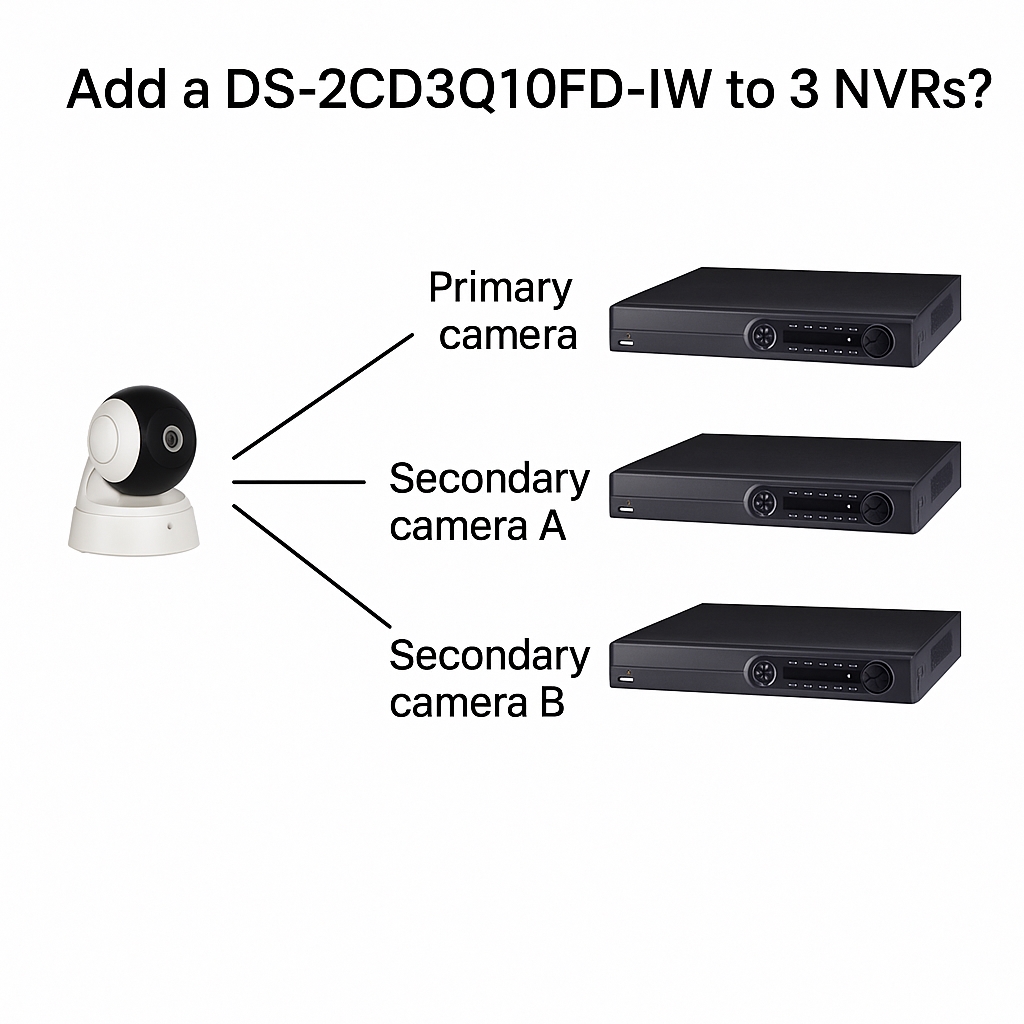
1. Add the camera normally on the primary recorder
On the primary recorder, add the camera using the normal procedure.
2. Auxiliary recorder B adds the camera via RTSP
2.1 Enter the recorder main menu - Channel Management - Channel Configuration, click "Custom Add", then choose Protocol Management to enter the protocol management screen.
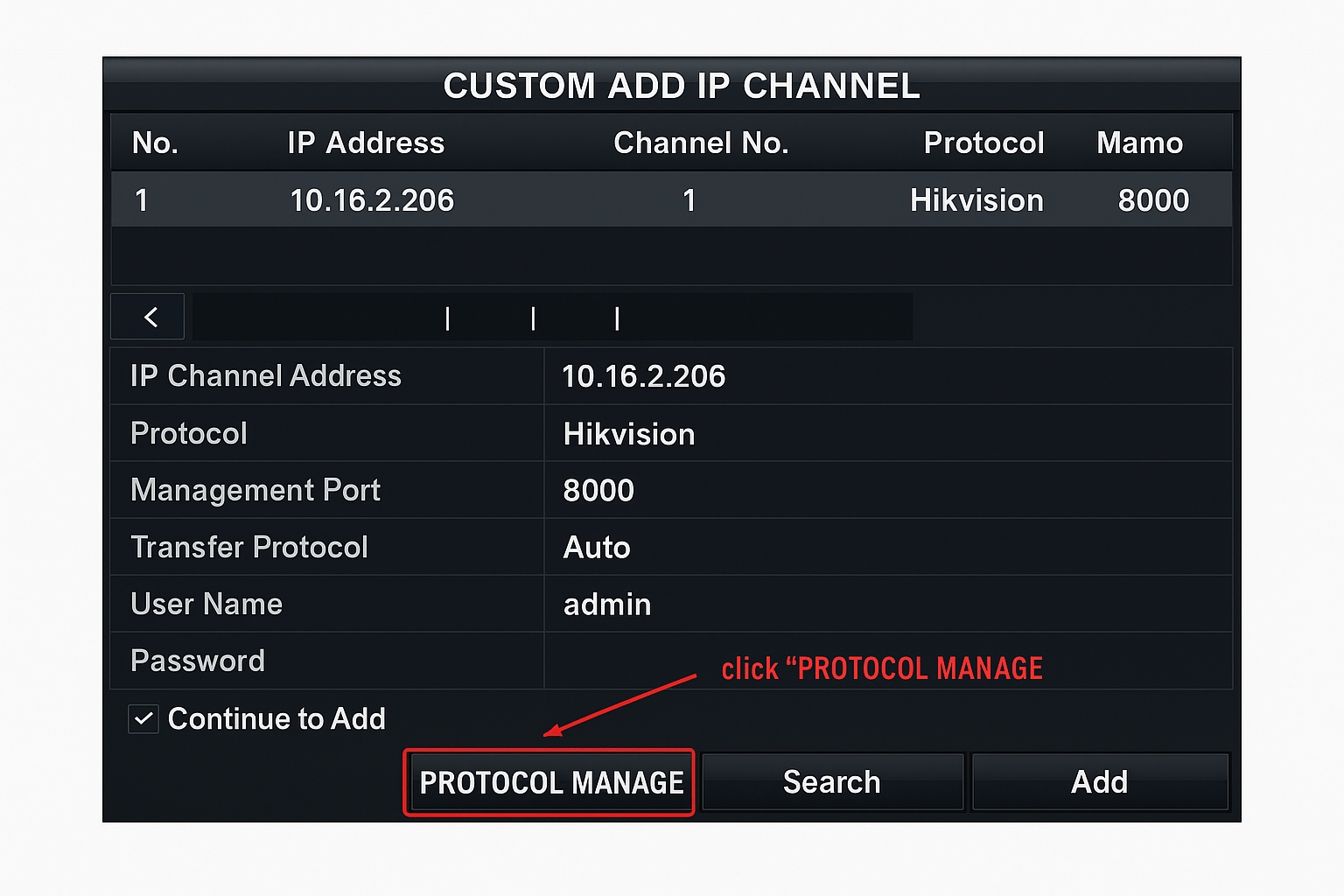
2.2 In the Protocol Management menu, enter the resource paths for the camera's main and sub streams.
Main stream: /ch1/main/av_stream Sub stream: /ch1/sub/av_stream
Note: These paths correspond to Hikvision camera stream paths. For third-party cameras, consult the camera manufacturer for the correct stream paths.
2.3 Click OK to enter the Custom Add IP Channel screen, select the IP of the camera to add, choose the protocol created in step 2.2 (for example "Custom 1"), and enter the camera username and password, then click "Add".
To add multiple cameras, repeat the above using the same custom protocol and the corresponding IP, username, and password for each camera.
3. Auxiliary recorder A adds the camera via RTSP
Repeat the steps in section 2 on auxiliary recorder A to connect the camera to the third recorder.