1. Character display mechanism
1. Display principle
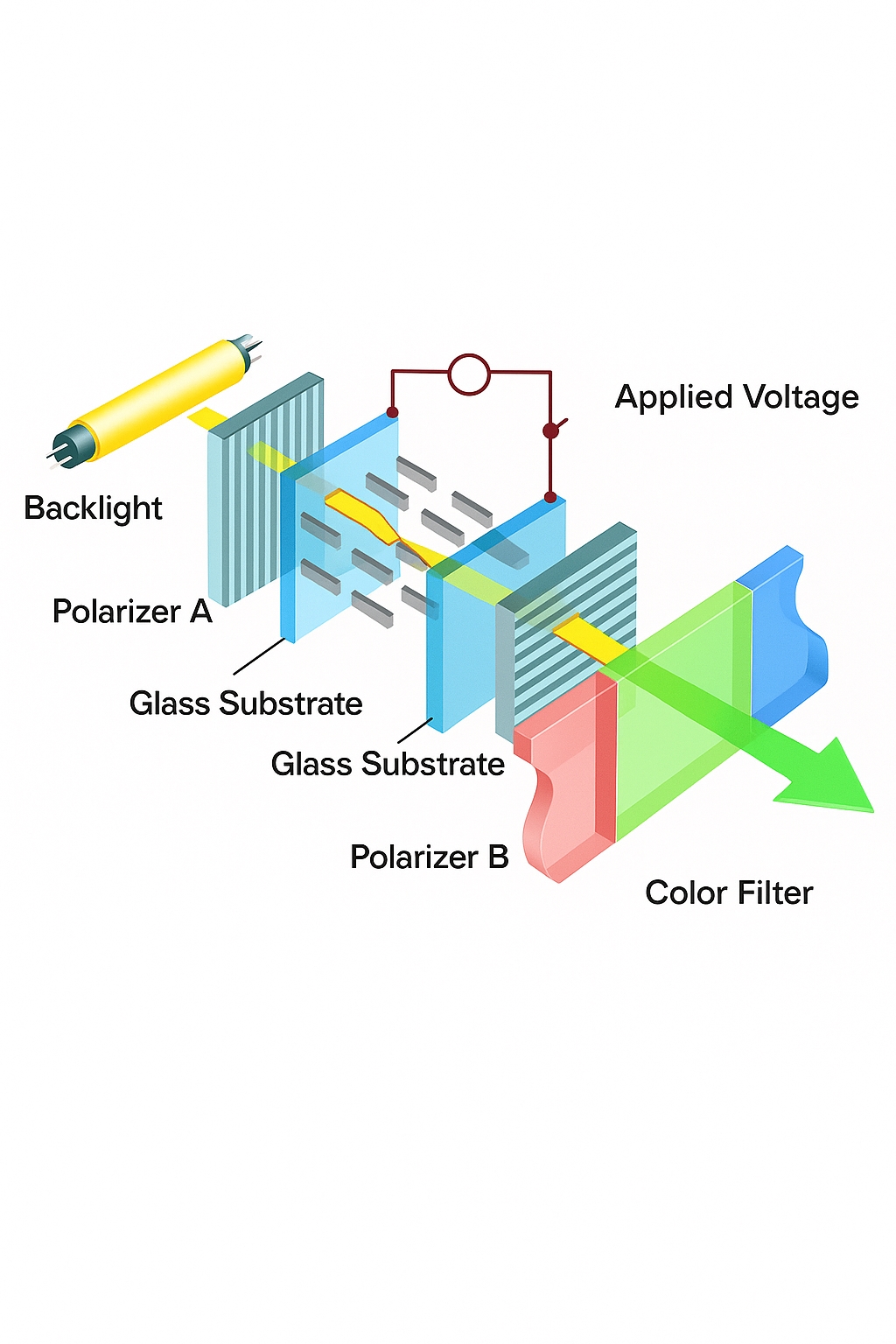
To display a character on an LCD, two steps are required:
- 1 The character occupies a block on the screen. The block size is determined by the font size.
- 2 Within that block, each pixel is controlled individually to be on or off.
For example, a 24×24 Chinese font requires 24 pixels horizontally and 24 pixels vertically.
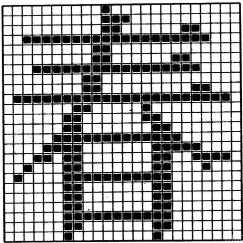
Within that 24×24 area, whether each pixel is lit is defined by the glyph bitmap. Each bit in the bitmap represents one pixel: 0 means the pixel is off, 1 means the pixel is on (negative polarity convention).
Therefore, a character rendering function can be implemented on top of a point-drawing function. In software, read the glyph bitmap bit by bit. If the bit is 0, draw the background color; if the bit is 1, draw the foreground color.
2. Glyph bitmap generation (bitmap fonts)
Because LCD character rendering is based on per-pixel bitmaps, this type of font is called a bitmap font.
To illustrate the principle, a small tool is used here to generate glyph bitmaps.
The tool was configured with the following bitmap generation rules: negative polarity, row-major, forward fetching, C51 format.
Then generate the glyphs for the Chinese characters:
Copy the generated data and define it as a two-dimensional array in the program as a font table. The first dimension indicates the number of elements, which can be inferred by the compiler; the second dimension must indicate the size of each element. This allows using hz_16x16[0] to find the glyph for a specific character.
#ifndef _HZ_H_
#define _HZ_H_
const unsigned char hz_16x16[][32] = {
    {0x01,0x00,0x01,0x00,0x7F,0xFC,0x01,0x00,0x3F,0xF8,0x02,0x00,0xFF,0xFE,0x08,0x20,0x10,0x10,0x2F,0xE8,0xC8,0x26,0x08,0x20,0x0F,0xE0,0x08,0x20,0x08,0x20,0x0F,0xE0},
    /* "chun", 0 */
    /* (16 X 16, Song font) */
};
#endif /* _HZ_H_*/
We chose a 16×16 font, so:
- Horizontally there are 16 pixels. Each pixel takes 1 bit, so 16 bits, i.e., two bytes, represent one row.
- Vertically there are 16 rows, so the total size is 2 * 16 = 32 bytes.
Note: Some tools generate an extra pair of braces every 16 bytes, which affects indexing of the two-dimensional array. Remove any redundant braces so array indexing works as expected.
2. How to render characters to the LCD
1. Point-drawing function support
Character rendering requires a point-drawing function. Here is an example prototype for an RGB LCD:
void lcd_draw_point(uint16_t x, uint16_t y, uint16_t color);
2. Font table support
Include the header file that defines the two-dimensional array:
#include "hz.h"
3. Read glyph bitmap and render
void lcd_show_chinese(uint16_t x, uint16_t y, char ch, uint16_t back_color, uint16_t font_color, uint8_t font_size)
{
    uint16_t i, j;
    uint16_t x_pos, y_pos, size, font_width, font_height;
    uint8_t *font_ptr;
    uint8_t bit_width, temp;

    if ((x > (LCD_WIDTH - font_size)) || (y > (LCD_HEIGHT - font_size))) {
        return;
    }

    x_pos = x;
    y_pos = y;
    font_height = font_size;
    font_width = font_size;
    bit_width = 8;
    size = (font_width / 8 + ((font_width % 8) ? 1 : 0)) * font_height;

    font_ptr = (uint8_t*)&hz_16x16[ch];
    for (i = 0; i < size; i++) {
        temp = *(font_ptr + i);
        for (j = 0; j < bit_width; j++) {
            if (temp & 0x80) {
                lcd_draw_point(x_pos, y_pos, font_color);
            } else {
                lcd_draw_point(x_pos, y_pos, back_color);
            }
            temp <<= 1;
            x_pos++;
        }
        if (x_pos >= (x + font_width)) {
            y_pos++;
            x_pos = x;
        }
    }
}
Declare the function prototype as needed:
/**
 * @brief       Show a Chinese character.
 * @param[in]   x  horizontal start position.
 * @param[in]   y  vertical start position.
 * @param[in]   ch offset in the font library.
 * @param[in]   back_color  rgb565 background color.
 * @param[in]   font_color  rgb565 font color.
 * @param[in]   font_size   supported sizes: 16, 24, 32.
 * @return      None
 * @note        This function requires the font library.
 */
void lcd_show_chinese(uint16_t x, uint16_t y, char ch, uint16_t back_color, uint16_t font_color, uint8_t font_size);
4. Test rendering
In main, call:
lcd_show_chinese(0, 0, 0, BLACK, GREEN, 16);
Compile and download to see the result.
1. Create a small font table
For a project, you often need to display only a subset of Chinese characters, so there is no need to include a full font library. Create a project-specific small font table.
The MakeDot tool is convenient for this purpose:
Select the option to reflow input text to remove duplicate characters and reduce font table size.
Copy the generated array to replace the previous hz_16x16 content:
#ifndef _HZ_H_
#define _HZ_H_
const unsigned char hz_16x16[][32] = {
    {0x00,0x00,0x10,0x00,0x10,0x00,0x10,0x00,0x10,0x00,0x10,0x00,0x10,0x00,0x10,0x00,/* ! */ 0x10,0x00,0x10,0x00,0x00,0x00,0x00,0x00,0x10,0x00,0x10,0x00,0x00,0x00,0x00,0x00},
    {0x00,0x00,0x20,0x00,0x17,0xFE,0x10,0x08,0x80,0x08,0x43,0xC8,0x42,0x48,0x12,0x48,/* he (river) */ 0x12,0x48,0x22,0x48,0xE3,0xC8,0x22,0x48,0x20,0x08,0x20,0x08,0x20,0x28,0x00,0x10},
    {0x10,0x00,0x10,0x00,0x10,0x00,0x10,0x7C,0xFE,0x44,0x12,0x44,0x12,0x44,0x12,0x44,/* jia (add) */ 0x12,0x44,0x12,0x44,0x12,0x44,0x12,0x44,0x22,0x44,0x22,0x7C,0x4A,0x44,0x84,0x00},
    {0x01,0x00,0x01,0x00,0xFF,0xFE,0x01,0x00,0x01,0x00,0x7F,0xFC,0x48,0x24,0x44,0x44,/* nan (south) */ 0x4F,0xE4,0x41,0x04,0x41,0x04,0x5F,0xF4,0x41,0x04,0x41,0x04,0x41,0x14,0x40,0x08},
    {0x00,0x40,0x20,0x40,0x10,0x40,0x10,0x40,0x87,0xFC,0x44,0x44,0x44,0x44,0x14,0x44,/* you (oil) */ 0x14,0x44,0x27,0xFC,0xE4,0x44,0x24,0x44,0x24,0x44,0x24,0x44,0x27,0xFC,0x04,0x04},
};
#endif /* _HZ_H_*/
This completes the project-specific small font table. Using the same method, create hz_24x24 and hz_32x32 tables as needed.
const unsigned char hz_24x24[][72] = { /* ... */ };
const unsigned char hz_32x32[][128] = { /* ... */ };
2. Using the small font table
Improve the character rendering function by locating where the glyph bitmap pointer is obtained:
font_ptr = (uint8_t*)&hz_16x16[ch];
Optimize it to support multiple font sizes:
switch (font_size) {
    case 16:
        font_ptr = (uint8_t*)&hz_16x16[ch];
        break;
    case 24:
        font_ptr = (uint8_t*)&hz_24x24[ch];
        break;
    case 32:
        font_ptr = (uint8_t*)&hz_32x32[ch];
        break;
    default:
        return;
}
In main, add further test calls:
lcd_show_chinese(0, 0, 1, BLACK, RED, 16);   // he
lcd_show_chinese(16, 0, 3, BLACK, RED, 16);  // nan
lcd_show_chinese(32, 0, 2, BLACK, RED, 16);  // jia
lcd_show_chinese(48, 0, 4, BLACK, RED, 16);  // you
lcd_show_chinese(64, 0, 0, BLACK, RED, 16);  // !

lcd_show_chinese(0, 20, 1, BLACK, RED, 24);
lcd_show_chinese(24, 20, 3, BLACK, RED, 24);
lcd_show_chinese(48, 20, 2, BLACK, RED, 24);
lcd_show_chinese(72, 20, 4, BLACK, RED, 24);
lcd_show_chinese(96, 20, 0, BLACK, RED, 24);

lcd_show_chinese(0, 60, 1, BLACK, RED, 32);
lcd_show_chinese(32, 60, 3, BLACK, RED, 32);
lcd_show_chinese(64, 60, 2, BLACK, RED, 32);
lcd_show_chinese(96, 60, 4, BLACK, RED, 32);
lcd_show_chinese(128, 60, 0, BLACK, RED, 32);
4. Further optimizations
The methods described above cover the basic approach to rendering Chinese characters. Further optimizations are possible:
- Character offset handling
Using a small font table requires managing the offset of each character within the table. To automatically handle character offsets you need to deal with encodings. Once implemented, text strings can be used directly to render characters.
- Font table storage
For projects requiring the full font set, on-chip Flash is usually insufficient. A common approach is to add external SPI Flash, write the full font file into it, and read fonts at runtime.
- Font file flexibility
In this article the bitmaps were generated using a specific font. To allow switching fonts, consider implementing a simple filesystem on SPI Flash and load font files directly, which makes replacing font files easier.