Introduction
Pick and place programming is a cornerstone of modern PCB assembly, enabling precision and efficiency in surface mount technology (SMT) processes. This guide, crafted for electrical engineers, dives into the intricacies of programming pick and place machines for accurate component placement on printed circuit boards. Understanding SMT programming tutorials, PCB assembly software, and G-code for pick and place systems is essential for optimizing production. Whether setting up a new machine or refining an existing line, this article offers practical steps and technical insights. The focus is on best practices and industry standards to ensure reliable outcomes in high volume manufacturing environments. Let’s explore how proper pick and place machine setup can elevate assembly quality and throughput.
What Is Pick and Place Programming and Why It Matters
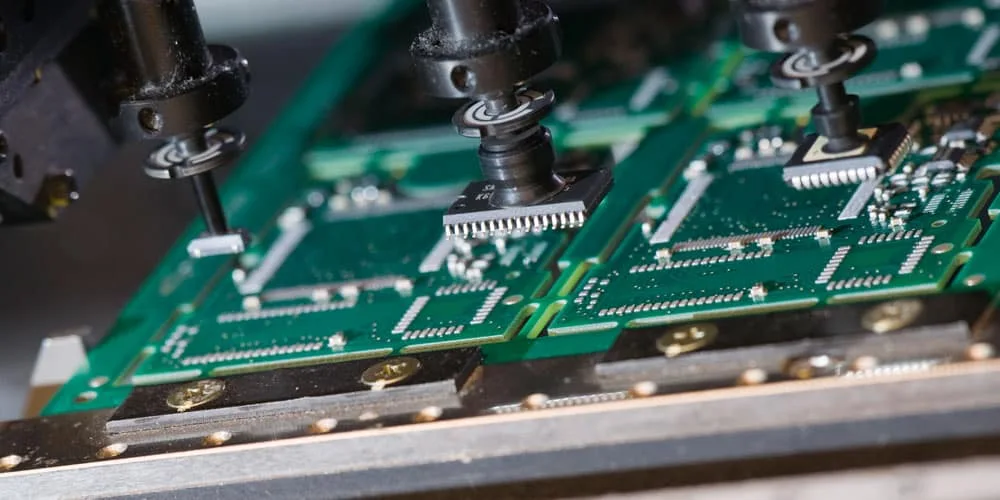
Pick and place programming involves creating instructions for automated machines to position electronic components onto a PCB with precision. These machines are vital in SMT assembly, handling thousands of components per hour with minimal error. The programming dictates where, how, and in what sequence components are placed, directly impacting assembly accuracy and speed.
The importance of effective programming cannot be overstated. Poorly configured instructions can lead to misaligned components, soldering defects, or production delays. For engineers, mastering this process ensures compliance with tight tolerances and quality standards. It also reduces rework costs and enhances product reliability in applications ranging from consumer electronics to industrial systems. As PCB designs grow more complex with smaller components, robust programming becomes a critical skill in maintaining competitive manufacturing capabilities.
Technical Principles of Pick and Place Programming
Pick and place programming relies on a combination of software tools, data inputs, and machine specific languages to execute precise component placement. At its core, the process translates design data into actionable commands for the equipment. This often involves coordinate data, component orientation, and placement sequences.
The primary input is typically a centroid file or component placement list (CPL), which contains X and Y coordinates for each component’s center point on the fast turn PCB. This data, derived from design files, must align with the machine’s coordinate system. Rotation and polarity information are also included to ensure correct orientation. Many systems use G-code for pick and place, a standardized language that instructs the machine on movement and actions, similar to its use in CNC machining.
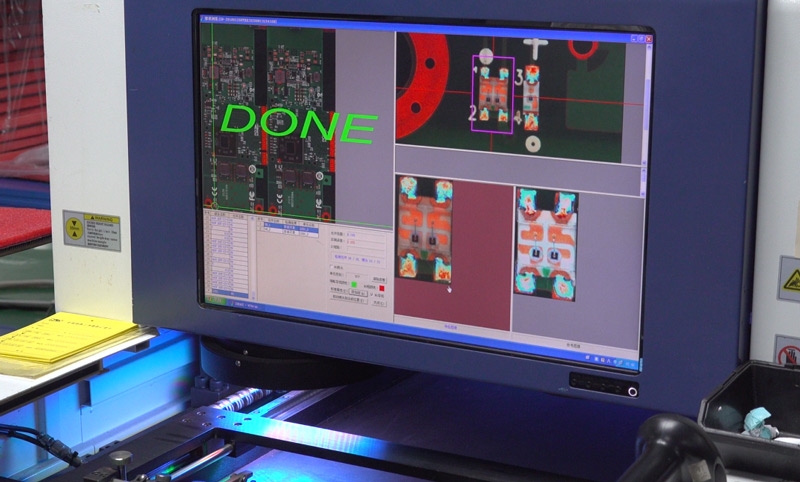
Another key principle is vision system integration. Advanced machines employ cameras to verify component alignment and board fiducials before placement. Programming must account for these checks to adjust for minor deviations in PCB positioning. Timing and speed parameters are equally critical, as they balance throughput with accuracy to prevent errors during high speed operations.
Compliance with industry standards, such as IPC 9850, which addresses SMT placement equipment performance, ensures that programming aligns with accepted benchmarks for precision and reliability. Understanding these principles allows engineers to create programs that maximize machine capabilities while adhering to quality expectations.
Step-by-Step Guide to Pick and Place Machine Setup and Programming
Setting up and programming a pick and place machine requires a structured approach to ensure accuracy and efficiency. Below is a detailed guide tailored for engineers working on PCBA assembly.
Step 1: Prepare Design Data
Begin by extracting component placement data from the PCB design files. This includes the centroid file with X, Y coordinates, rotation angles, and component references. Verify that the data matches the physical board layout using fiducial markers as reference points. Ensure the file format is compatible with the machine’s software to avoid translation errors.
Step 2: Configure PCB Assembly Software
Load the design data into the PCB assembly software. Map the coordinates to the machine’s reference system, accounting for any offsets or scaling factors. Define fiducial locations for board alignment, as these markers help the machine adjust for positional variances. Set up component libraries with details like package type and nozzle requirements for accurate handling.
Step 3: Define Component Feeders
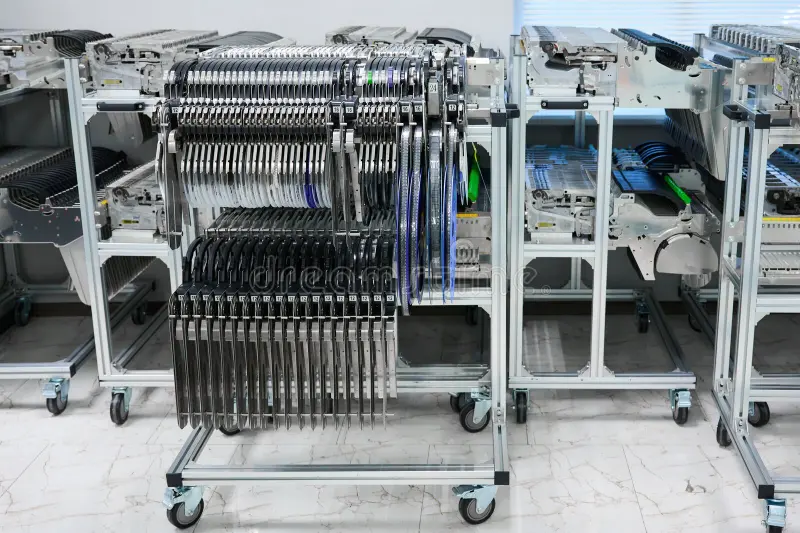
Assign feeder positions for each component type based on the bill of materials. Specify whether components are on tape, tray, or stick feeders. Input pickup offsets if the machine requires adjustments for feeder alignment. This step is crucial to prevent pickup errors during operation.
Step 4: Program Placement Sequence
Develop the placement sequence to optimize machine head movement and minimize travel time. Group components by feeder location or package type when possible. Incorporate vision checks for critical parts to confirm orientation before placement. If using G-code for pick and place, ensure commands reflect precise coordinates and actions.
Step 5: Set Speed and Accuracy Parameters
Adjust placement speed based on component size and board complexity. Smaller components often require slower speeds for precision, while larger parts can be placed faster. Define pressure settings for the placement head to avoid damaging delicate components. Reference standards like IPC 9850 for guidance on acceptable performance metrics.
Step 6: Simulate and Test the Program
Run a simulation within the software to identify potential collisions or inefficiencies in the placement path. Conduct a dry run on the machine without components to verify alignment with fiducials and board edges. Make adjustments to the program as needed based on test outcomes.
Step 7: Execute and Monitor Production
Load components into feeders and start the assembly process. Monitor initial placements for accuracy, using the machine’s vision system to detect misalignments. Log any errors and refine the program to address recurring issues. Continuous monitoring ensures consistent quality throughout production.
Best Practices for SMT Programming
Achieving optimal results in SMT programming requires adherence to proven practices. These guidelines help engineers avoid common pitfalls and enhance assembly outcomes.
- Validate Data Inputs: Always cross check centroid data against the PCB layout before programming. Discrepancies in coordinates can lead to systematic placement errors.
- Optimize Feeder Layout: Arrange feeders to minimize head travel distance. Place frequently used components closer to the pickup area for efficiency.
- Use Vision Systems Effectively: Program regular vision checks for high density areas of the board. This ensures precision for fine pitch components.
- Maintain Software Updates: Keep PCB assembly software current to access improved algorithms and compatibility with newer design formats.
- Document Adjustments: Record any changes made during testing or production. This creates a reference for future runs and troubleshooting.
Following standards like IPC A 610, which outlines acceptability criteria for electronic assemblies, provides a framework for evaluating programming effectiveness. These practices contribute to reduced defects and streamlined operations.
Troubleshooting Common Issues in Pick and Place Programming
Even with careful preparation, issues can arise during pick and place operations. Identifying and resolving these problems quickly is essential for maintaining production flow.
Misaligned Component Placement
If components are consistently placed off center, verify the centroid data and machine calibration. Check for discrepancies in fiducial recognition or board clamping. Adjust the program coordinates or recalibrate the vision system to correct alignment.
Component Pickup Failures
Failures to pick components often stem from incorrect feeder setup or nozzle selection. Ensure the feeder offset matches the programmed value and that the nozzle size suits the component dimensions. Inspect for debris or wear in the pickup mechanism.
Slow Production Rates
When throughput is lower than expected, review the placement sequence for inefficient head movements. Reorganize feeders or adjust speed settings for non critical components. Simulation tools can help identify bottlenecks in the program.
Orientation Errors
Incorrect component rotation typically results from errors in design data or programming. Confirm the rotation values in the centroid file and update the program if necessary. Vision systems should be programmed to reject misoriented parts before placement.
Referencing standards like IPC 9850 during troubleshooting ensures that solutions align with industry accepted performance levels. A systematic approach to problem solving minimizes downtime and maintains assembly quality.
Conclusion
Pick and place programming is a vital skill for achieving precision and efficiency in PCB assembly. By understanding the technical principles, following a structured setup process, and applying best practices, engineers can optimize SMT operations. This guide provides actionable steps for programming and troubleshooting, ensuring alignment with industry standards. Effective use of PCB assembly software and G-code for pick and place enhances production outcomes. As designs grow more complex, mastering pick and place machine setup remains essential for delivering reliable electronic products. With these insights, engineers can tackle assembly challenges and drive manufacturing excellence.
FAQs
Q1: What are the key steps in pick and place programming for PCB assembly?
A1: Pick and place programming involves preparing design data, configuring PCB assembly software, setting up feeders, programming placement sequences, adjusting speed parameters, testing the program, and monitoring production. Each step ensures components are placed accurately. Following industry standards and validating data inputs are crucial for success.
Q2: How does G-code for pick and place improve machine performance?
A2: G-code for pick and place provides precise instructions for machine movements and actions. It ensures accurate component positioning by defining coordinates and sequences. This standardized language enhances repeatability and reduces errors, allowing engineers to fine tune operations for better speed and reliability during assembly.
Q3: What challenges arise during pick and place machine setup?
A3: Challenges in pick and place machine setup include misaligned placements, pickup failures, and incorrect orientations. These often stem from data errors or improper calibration. Addressing them requires validating design files, adjusting feeder settings, and using vision systems to detect issues early in the process.
Q4: Why is an SMT programming tutorial important for engineers?
A4: An SMT programming tutorial equips engineers with the knowledge to create effective machine instructions. It covers data preparation, software use, and error troubleshooting. This understanding helps optimize assembly lines, reduce defects, and ensure compliance with quality standards in high volume PCB production environments.
References
IPC-9850 — Surface Mount Placement Equipment Characterization. IPC, 2002.
IPC-A-610H — Acceptability of Electronic Assemblies. IPC, 2020.
IPC-6012E — Qualification and Performance Specification for Rigid Printed Boards. IPC, 2020.