Introduction
Stencil printers play a pivotal role in surface mount technology assembly by depositing solder paste precisely onto PCB pads. Consistent solder paste deposition directly influences solder joint quality, minimizing defects such as bridging, insufficient paste volume, and tombstoning during reflow. For electric engineers managing high-volume production, neglecting maintenance leads to yield losses and increased rework costs. This guide provides practical insights into key maintenance areas, focusing on the stencil printer cleaning process, squeegee blade maintenance, and stencil printer calibration guide. By following these troubleshooting-focused best practices, engineers can achieve reliable print performance aligned with industry expectations. Proper upkeep ensures the printer operates within tolerances for fine-pitch components and high-density boards.
Understanding Stencil Printers and Their Role in SMT Assembly
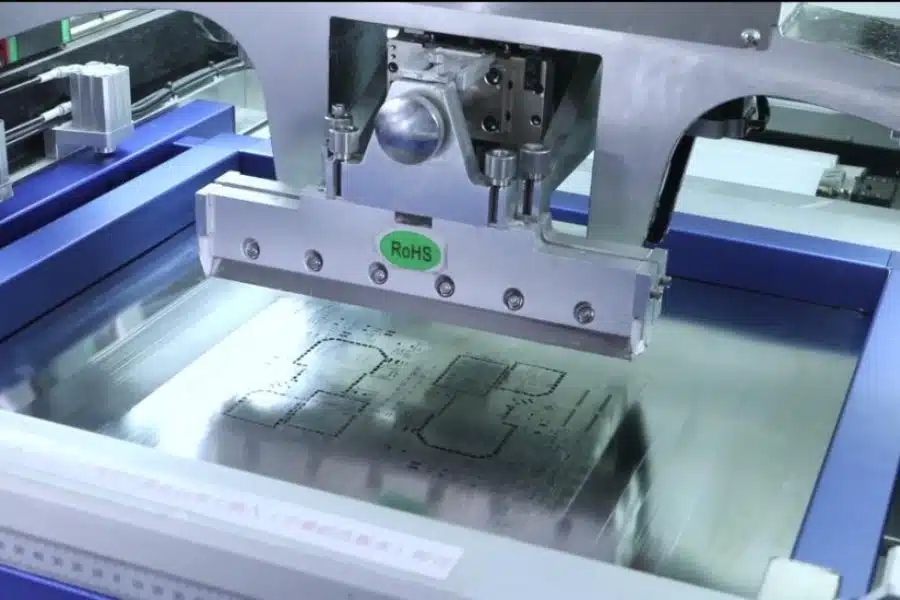
A stencil printer aligns a metal stencil foil with apertures over the PCB, then uses squeegee blades to force solder paste through the openings. This process must deliver uniform paste height, typically verified post-print with solder paste inspection tools for volume consistency across pads. Variations in paste transfer efficiency arise from stencil tension, blade condition, and machine alignment, affecting downstream placement and reflow. In production environments, printers handle thousands of cycles daily, making maintenance essential to sustain aperture release properties. Engineers often troubleshoot by correlating print defects back to printer parameters like snap-off distance and gasketing pressure. Adhering to guidelines in IPC-7525 helps optimize stencil fabrication for better deposition reliability.
Why Maintenance Matters for Consistent Solder Paste Deposition
Poorly maintained stencil printers introduce inconsistencies in paste rheology transfer, leading to skips in small apertures or excess paste in larger ones. Over time, residue buildup alters squeegee pressure distribution, causing uneven shear forces during printing. Calibration drift from vibration or thermal expansion misaligns fiducials, resulting in paste offsets that propagate to assembly defects. Regular maintenance extends equipment life and supports compliance with quality standards like IPC-A-610 for acceptable solder joints. Engineers benefit from reduced downtime, as proactive checks prevent batch failures in high-mix production. Ultimately, consistent deposition hinges on clean interfaces and precise mechanics.
The Stencil Printer Cleaning Process
The stencil printer cleaning process begins with understencil wiping after every few print cycles to remove paste residue that could clog apertures. Automated systems spray solvent or aqueous cleaners followed by vacuum drying, ensuring residue-free surfaces without manual intervention. Manual methods suit low-volume runs but require lint-free wipes saturated with compatible fluids to avoid stencil damage. Focus on both sides of the stencil, paying attention to nano-coatings that enhance release; harsh chemicals degrade these over time. IPC-7526A outlines best practices for cleaning chemistry selection and frequency to maintain understencil cleanliness during operation. Post-clean verification involves visual inspection or gloss measurement to confirm no flux remnants affect paste roll stability.
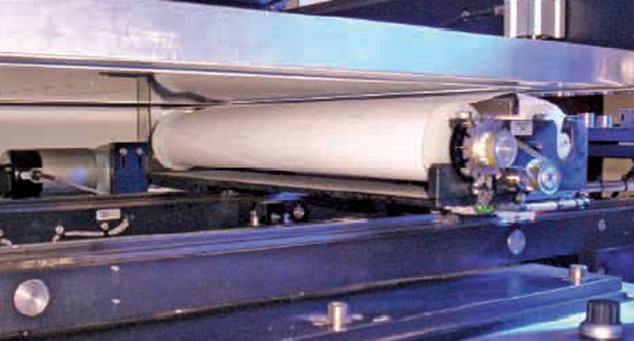
Dry wiping with polyurethane rollers complements wet processes by capturing dry paste without introducing moisture that swells residues. Schedule full stencil removal every shift for ultrasonic or immersion cleaning, using low-pH solutions below 43 degrees Celsius to preserve foil integrity. Engineers should log cleaning intervals and monitor print quality metrics like transfer efficiency drop-off. Incomplete cleaning leads to bridging in fine-pitch QFNs, traceable via SPI data. Integrating cleaning into the process control plan prevents cumulative buildup that hardens paste in apertures.
Squeegee Blade Maintenance Best Practices
Squeegee blade maintenance starts with daily inspection for edge wear, as rounded tips reduce shear force and cause paste skipping. Polyurethane blades, common in SMT, swell from solvent exposure, so clean immediately post-use with approved fluids and store vertically to prevent deformation. Metal blades offer durability for high-volume runs but require polishing if nicks appear, maintaining a sharp 90-degree edge. Replace blades when wear exceeds 0.1 mm or print inconsistency emerges, correlating with volume variation in SPI reports. Proper tensioning prevents stencil tears during snaps, balancing pressure at 1-2 kg/cm for most applications.
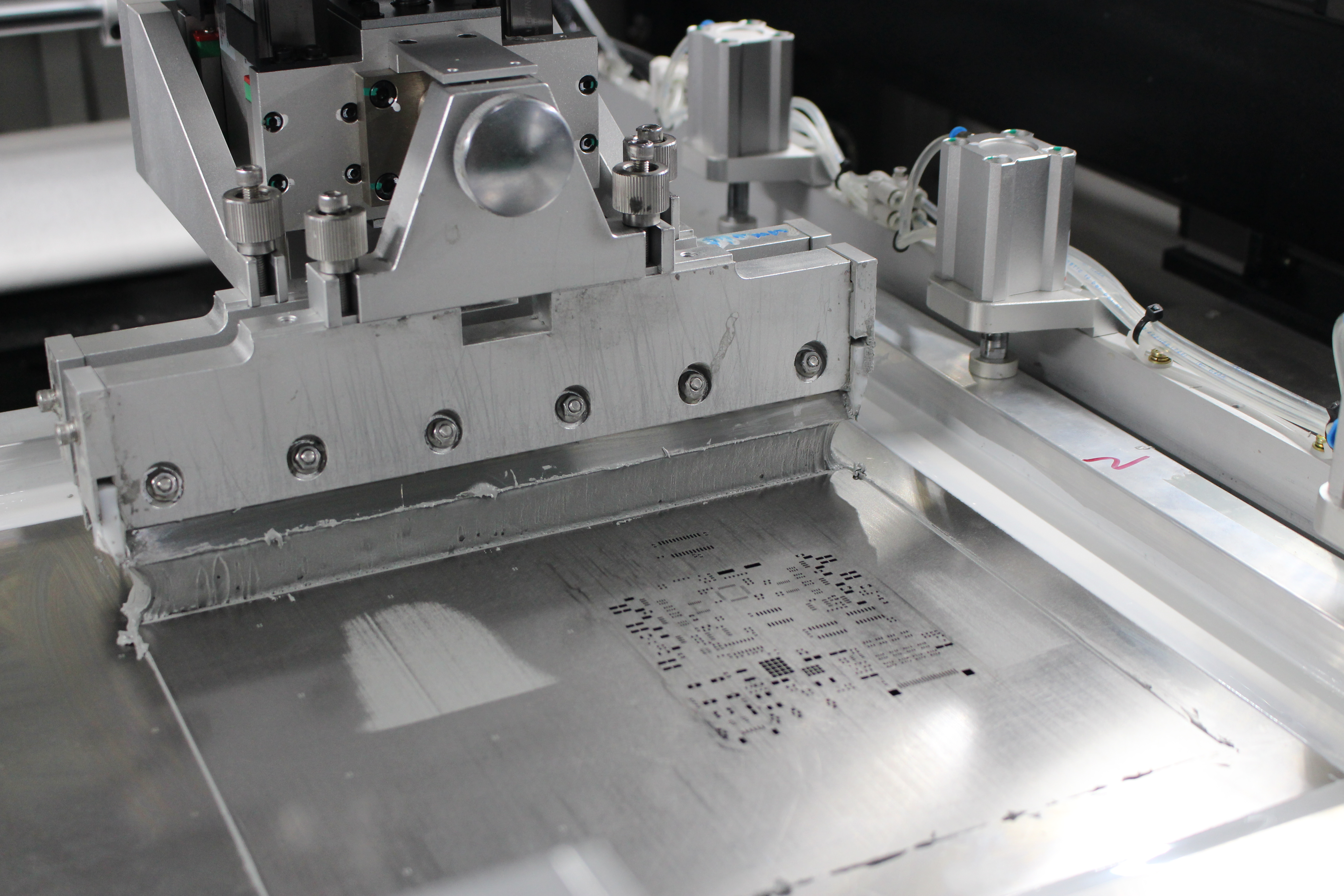
Angle adjustment, typically 55-60 degrees, optimizes paste rollout; troubleshoot by printing test patterns on mirror boards. Lubricate blade holders to ensure smooth travel, avoiding lateral chatter that smears paste. Dual squeegees in opposing directions enhance uniformity for thick pastes. Log blade life cycles, as polyurethane lasts 1-3 months under normal use. Neglected maintenance amplifies stencil wear, compounding deposition issues.
Stencil Printer Calibration Guide
The stencil printer calibration guide commences with vision system alignment using fiducial marks on both stencil and PCB carrier. Calibrate X-Y theta offsets to under 25 microns, verified by printing fiducials and measuring with optical comparators. Adjust Z-axis for consistent stencil-to-board gapping, usually 0-0.1 mm snap-off, to control paste release. Pressure and speed parameters interact: start at 20-50 mm/s print speed and 1-3 kg squeegee force, fine-tuning via DOE on test vehicles.
Stencil tension measurement per IPC-7525 ensures 40-60 N/cm to prevent flexing during printing. Run volume transfer efficiency tests across aperture sizes, targeting 75-125% for Class 2 assemblies per IPC-A-610. Periodic full calibration after 10,000 cycles accounts for mechanical settling. Integrate SPI feedback loops to auto-adjust parameters dynamically. Document baselines for troubleshooting shifts in performance.
Troubleshooting Common Stencil Printer Issues
Insufficient paste volume often stems from dry squeegees or clogged apertures; resolve by increasing humidity or enhancing the cleaning process. Bridging indicates excess pressure or poor snap-off; dial back force and verify blade angle. Paste smearing points to alignment drift, addressed in the calibration guide with fiducial recheck. Stencil tears require tension audit and blade edge inspection during squeegee blade maintenance. Track trends in SPI data to preempt issues, such as viscosity changes from ambient temperature.
For intermittent skips, audit understencil wipe efficacy per IPC-7526A recommendations. Misprints from warped boards demand carrier fixturing checks. Systematic logging isolates root causes efficiently.
Conclusion
Mastering stencil printer maintenance through rigorous cleaning, squeegee care, and calibration ensures reliable solder paste deposition for superior assemblies. Electric engineers gain production stability by integrating these practices into daily workflows. Proactive troubleshooting minimizes defects, aligning with IPC standards for quality. Implement visual aids and logs for team training. Consistent execution yields higher first-pass yields and cost savings.
FAQs
Q1: What is the stencil printer cleaning process for optimal SMT performance?
A1: The stencil printer cleaning process involves understencil wiping after 10-50 prints using automated solvent or aqueous systems, followed by drying. Inspect for residue on apertures and nano-coatings to prevent clogs. IPC-7526A recommends chemistry compatible with paste flux for thorough removal. Verify with gloss checks or test prints to ensure uniform paste transfer. This routine sustains print quality in high-volume lines.
Q2: How do you perform squeegee blade maintenance to avoid print defects?
A2: Squeegee blade maintenance includes post-use cleaning with lint-free wipes and solvent to prevent swelling. Inspect edges daily for wear exceeding 0.1 mm and polish metal types as needed. Store blades upright and replace every 1-3 months based on cycles. Adjust angle to 55-60 degrees for even shear. Proper care eliminates skips and bridging from inconsistent pressure.
Q3: What does a stencil printer calibration guide entail for engineers?
A3: A stencil printer calibration guide covers fiducial alignment to 25 microns, Z-gap snap-off at 0-0.1 mm, and parameter tuning like 20-50 mm/s speed. Use test vehicles and SPI for volume verification targeting 75-125%. Tension stencils to 40-60 N/cm per IPC-7525. Recalibrate after 10,000 cycles or drift detection. This ensures precise deposition across board types.
Q4: Why is consistent solder paste deposition critical in PCB assembly?
A4: Consistent solder paste deposition prevents reflow defects like tombstoning or opens by delivering uniform volume to pads. Maintenance routines directly impact transfer efficiency. Poor control leads to rework, affecting yields. Align practices with IPC-A-610 criteria for reliable joints.
References
IPC-7526A — Stencil and Misprinted Board Cleaning Handbook. IPC, 2022
IPC-7525 — Stencil Design Guidelines. IPC, 2011
IPC-A-610 — Acceptability of Electronic Assemblies. IPC, 2020