Understanding Ultrasonic Cleaning for PCBs
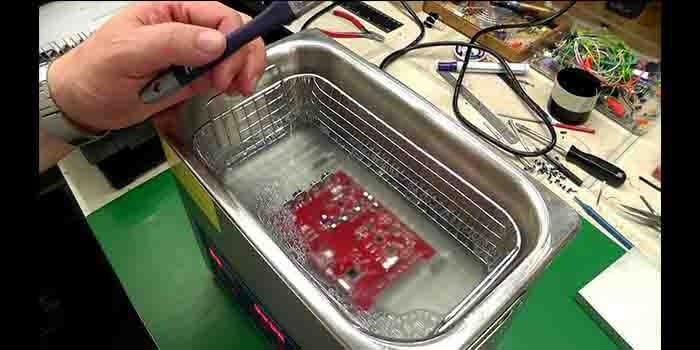
Ultrasonic cleaning harnesses high-frequency sound waves to generate microscopic bubbles within a liquid solution, a phenomenon known as cavitation. As these bubbles rapidly form and implode near the PCB surface, they effectively dislodge dirt, flux residues, and other contaminants without requiring physical scrubbing. This method proves exceptionally effective for intricate electronic assemblies where conventional manual cleaning with brushes might cause damage.
However, the very power of cavitation can be a double-edged sword. If the ultrasonic frequency or intensity is excessively high, or if an inappropriate cleaning solution is used, sensitive components such as capacitors, crystals, or microchips can sustain harm. Achieving the correct balance is paramount to preventing damage during ultrasonic PCB cleaning.
Potential Risks: How Ultrasonic Cleaning Can Harm PCBs
Despite its efficiency, ultrasonic cleaning is not without its risks. Improper use can lead to several types of damage to your PCBs.
Common Damage Scenarios
● Component Displacement or Damage: High-frequency cavitation can potentially loosen, crack, or even dislodge delicate components, particularly surface-mount devices (SMDs) or quartz crystals. Frequencies exceeding 40 kHz, for example, can sometimes prove too aggressive for certain sensitive parts.
● Bond Wire Breakage: Within integrated circuits (ICs), the incredibly fine wires connecting the semiconductor die to its package can rupture under excessive vibrational stress.
● Corrosion from Incompatible Solutions: The use of harsh or chemically incompatible cleaning solutions can corrode exposed metal traces or pads on the fast turn PCB, ultimately leading to circuit failure.
● Thermal Stress: Many ultrasonic cleaners incorporate heating elements. If the solution's temperature surpasses 60°C (140°F), it can induce stress or cause warping in various components or the board itself.
Recognizing these potential risks is the essential first step in preventing them. The following sections will detail how to configure your cleaning process to minimize ultrasonic PCB cleaning damage.
Related Reaindg: PCB Cleaning Equipment for Rework: A Buyer's Guide
Key Factors for Safe Ultrasonic Cleaning
Achieving safe and effective ultrasonic cleaning for PCBs depends on carefully managing several critical parameters.
Selecting the Right Ultrasonic Cleaning Frequency
The operating frequency of the ultrasonic cleaner is one of the most crucial factors for ensuring the safety of your PCBs. Ultrasonic cleaning frequencies for PCBs typically fall within the 25 kHz to 40 kHz range.
● Lower Frequencies (20-25 kHz): These frequencies generate larger cavitation bubbles that deliver more aggressive cleaning power. While suitable for robust items, they are often too harsh for delicate PCBs, carrying a higher risk of component damage.
● Higher Frequencies (35-40 kHz): These frequencies produce smaller, more numerous bubbles, resulting in a gentler cleaning action. This makes them ideal for most PCBs equipped with sensitive components. A frequency of 40 kHz is frequently recommended as a safe starting point for cleaning electronic assemblies.
Always consult the specifications of your ultrasonic cleaner and match the frequency to the sensitivity of your PCB components. If in doubt, begin with a higher frequency and conduct a test on a non-critical or scrap board.
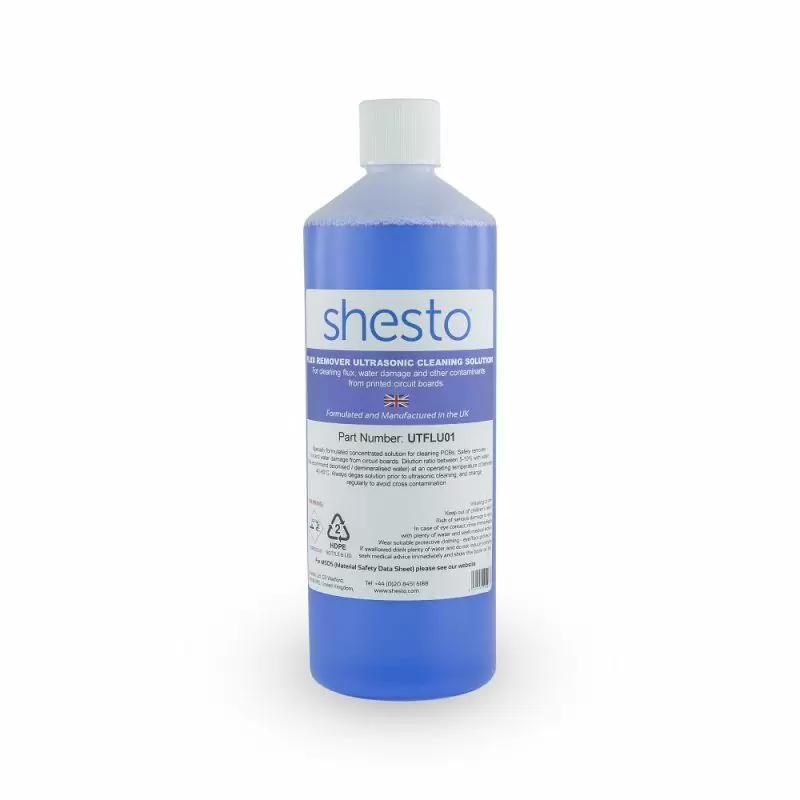
Choosing the Best Ultrasonic Cleaning Solutions
The cleaning solution plays an equally important role as the frequency. Using an unsuitable liquid can lead to corrosion or leave undesirable residues.
● Deionized Water with Mild Detergent: A combination of deionized water and a mild, PCB-safe detergent is often the most secure choice. It effectively removes flux and general dirt without harming components. A typical ratio might be 10 parts water to 1 part detergent, but always adhere to the detergent manufacturer's specific guidelines.
● Isopropyl Alcohol (IPA) Mixtures: For more stubborn residues, such as aged rosin flux, a diluted IPA solution (70-90% concentration) can be effective. However, it's important to avoid prolonged exposure, as IPA can potentially degrade certain plastics or coatings.
● Avoid Harsh Chemicals: Absolutely never use strongly acidic or alkaline solutions unless they are explicitly formulated and certified for use with electronics. Such chemicals can rapidly corrode copper traces or damage solder joints.
Always thoroughly rinse the PCB with deionized water after cleaning to remove all traces of the cleaning solution, and ensure complete drying to prevent any moisture-related issues.
Controlling Cleaning Time and Power Settings
Overexposure to ultrasonic waves can impart stress on components. It is advisable to limit cleaning cycles to 5-10 minutes per session. If residual debris remains, repeat the process with brief intermissions to prevent excessive heating of the board. Additionally, if your cleaner offers adjustable power settings, for sensitive PCBs, operate it at 50-70% of its maximum power output to reduce the intensity of cavitation.
Essential Safety Precautions for Ultrasonic PCB Cleaning
Implementing strict safety measures during the cleaning process safeguards both personnel and the PCBs.
● Wear Protective Gear: Always wear gloves and safety goggles to protect against splashes from cleaning solutions, especially when using alcohol-based mixtures.
● Ensure Proper Ventilation: Some cleaning solutions can release fumes during operation. Always run the ultrasonic cleaner in a well-ventilated area to prevent inhalation risks.
● Pre-Clean Inspection: Before initiating cleaning, thoroughly inspect the HDI PCB for any loose or pre-damaged components. Secure or remove parts such as non-waterproof connectors or batteries that might be adversely affected by vibration or submersion in liquid.
● Avoid Wet Environments: Position the ultrasonic cleaner on a dry, stable surface to mitigate electrical hazards.
● Equipment Check: Prior to each use, inspect the cleaner's power cord and the integrity of its tank to prevent electrical shorts or leaks.
Troubleshooting Common Ultrasonic PCB Cleaning Problems
Even with the most careful setup, issues can sometimes arise. Here’s how to troubleshoot common ultrasonic PCB cleaning problems.
● Problem: Components are damaged after cleaning.
○ Solution: Reduce the cleaner's frequency or power. Try using a higher frequency (e.g., 40 kHz) with a shorter cleaning time (e.g., 3-5 minutes). Always inspect components for pre-existing damage before cleaning.
● Problem: Residue remains on the PCB.
○ Solution: Slightly increase the cleaning time or opt for a more potent cleaning solution, such as a diluted IPA mix. Ensure the solution is at its recommended operating temperature (around 40-50°C or 104-122°F) for optimal cavitation efficiency.
● Problem: Corrosion appears on metal traces.
○ Solution: Immediately switch to a PCB-safe cleaning solution and ensure thorough rinsing with deionized water after cleaning. Avoid prolonged exposure to any liquid.
● Problem: Cleaner is not performing effectively.
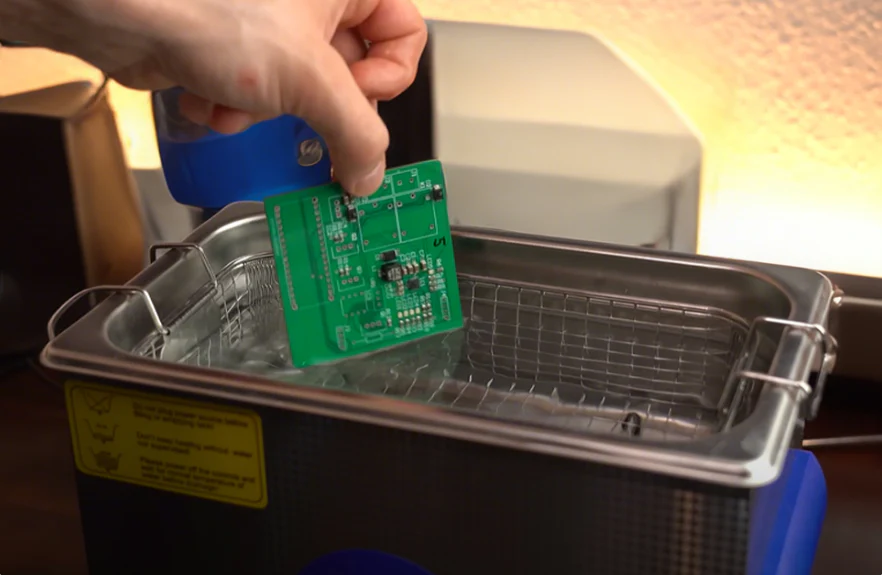
○ Solution: Verify that the tank is filled to the correct level (typically 2/3 full) and that the cleaning solution is fresh. Old or contaminated solutions rapidly lose their effectiveness. Also, ensure the PCB is fully submerged but not resting directly on the tank bottom; always use a basket or holder.
If problems persist, consult the ultrasonic cleaner’s instruction manual or conduct tests on a scrap board to fine-tune your process.
The Dos and Don'ts of Ultrasonic PCB Cleaning
For a quick recap of the essential points, here is a concise guide for safe and effective ultrasonic cleaning.
Do's for Safe PCB Cleaning
● Do use a frequency between 35-40 kHz for most PCBs to minimize the risk of damage.
● Do select PCB-safe cleaning solutions, such as deionized water combined with a mild detergent.
● Do limit cleaning time to 5-10 minutes per cycle to prevent overexposure.
● Do thoroughly rinse and dry the PCB after cleaning to prevent moisture-related issues.
● Do wear appropriate protective gear and work in a well-ventilated area for personal safety.
Don'ts for Safe PCB Cleaning
● Don’t use frequencies below 25 kHz unless the PCB contains no sensitive components.
● Don’t use harsh chemicals or unfiltered tap water, as they can cause severe corrosion.
● Don’t clean PCBs with batteries or non-waterproof components still attached.
● Don’t exceed recommended solution temperatures (typically above 60°C) during cleaning.
● Don’t place the PCB directly on the tank bottom; always use a basket or holder to avoid direct vibration transfer.
Benefits of Properly Executed Ultrasonic Cleaning for PCBs
When performed correctly, ultrasonic cleaning offers unparalleled advantages for PCB maintenance and manufacturing processes.
● Superior Thoroughness: It effectively reaches minuscule crevices and areas beneath components where manual cleaning methods often fail.
● Exceptional Time Efficiency: A short 5-10 minute cycle can clean multiple boards simultaneously, saving many hours compared to laborious hand cleaning.
● Non-Destructive Process: With the appropriate settings, it avoids physical damage that can be caused by brushes or abrasive cleaning techniques.
● Enhanced Performance: Clean PCBs exhibit improved electrical conductivity and reliability, significantly reducing the risk of short circuits or premature failures.
For engineers and manufacturers, mastering this technique can lead to substantial improvements in product quality and longevity.
Related Reading: PCB Cleaning Equipment: Ensuring Reliable Connections Through Proper Cleaning
Conclusion: Clean Safely and Effectively with Ultrasonic Technology
Ultrasonic cleaning represents a transformative method for maintaining PCBs, but its benefits are fully realized only when correct practices are rigorously followed. By understanding potential risks like ultrasonic PCB cleaning damage and optimizing critical factors such as the ultrasonic cleaning frequency for PCBs and the best ultrasonic cleaning solutions for PCBs, you can achieve impeccably clean results without causing harm to your circuit boards. Adhere to the recommended safety precautions for ultrasonic PCB cleaning and utilize our troubleshooting tips to address any unforeseen challenges that may arise.
With a clear understanding of the dos and don'ts, you are now well-equipped to clean your PCBs safely and efficiently. Whether you are a hobbyist or a seasoned professional, these guidelines will assist in maintaining your electronics in optimal condition. Dedicate the necessary time to test and refine your process, and you will undoubtedly observe the significant difference a properly executed cleaning routine can make.