Introduction
Rework on printed circuit boards often involves desoldering and resoldering components, which introduces flux residues that must be thoroughly removed to ensure long-term reliability. Engineers frequently encounter issues like white residue after PCB cleaning, sticky residue after rework cleaning, and challenges in removing stubborn flux, leading to potential corrosion, electrical shorts, or dendritic growth. These problems arise because flux activators and rosin components can harden or react during the high-heat rework process, making complete removal difficult without proper techniques. Troubleshooting PCB cleaning issues requires understanding the chemistry of flux types—rosin-based, no-clean, or water-soluble—and matching cleaning methods to their properties. In high-reliability applications, such as aerospace or medical devices, unclean residues can compromise performance under humidity or voltage stress. This article provides practical guidance for electric engineers to identify causes and implement effective solutions.
Why PCB Cleaning After Rework Matters
Cleaning after rework prevents flux residues from promoting ionic migration or corrosion, which can degrade solder joints over time. Residues trap moisture, leading to electrochemical reactions that form conductive paths between traces, especially in fine-pitch assemblies. According to IPC J-STD-001, assemblies must meet cleanliness requirements to avoid contamination that affects electrical performance and inspection criteria. Poor cleaning also hinders conformal coating adhesion, exposing boards to environmental factors. In rework scenarios, where localized heating bakes flux onto surfaces, neglecting cleaning increases failure rates in field deployments. Engineers must prioritize post-rework cleaning to maintain assembly integrity across Class 2 and Class 3 products.
Common Causes of PCB Cleaning Problems
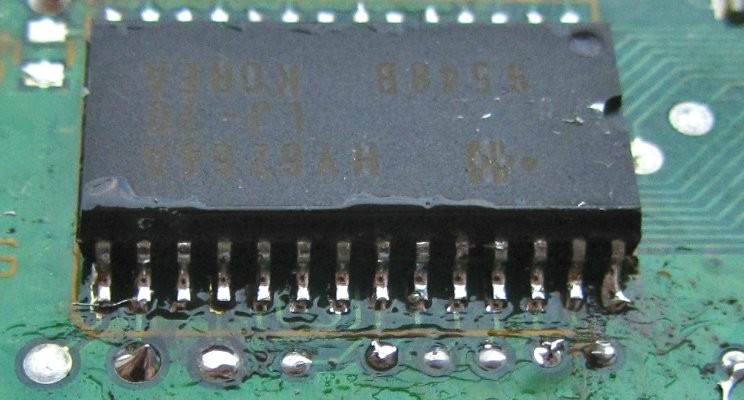
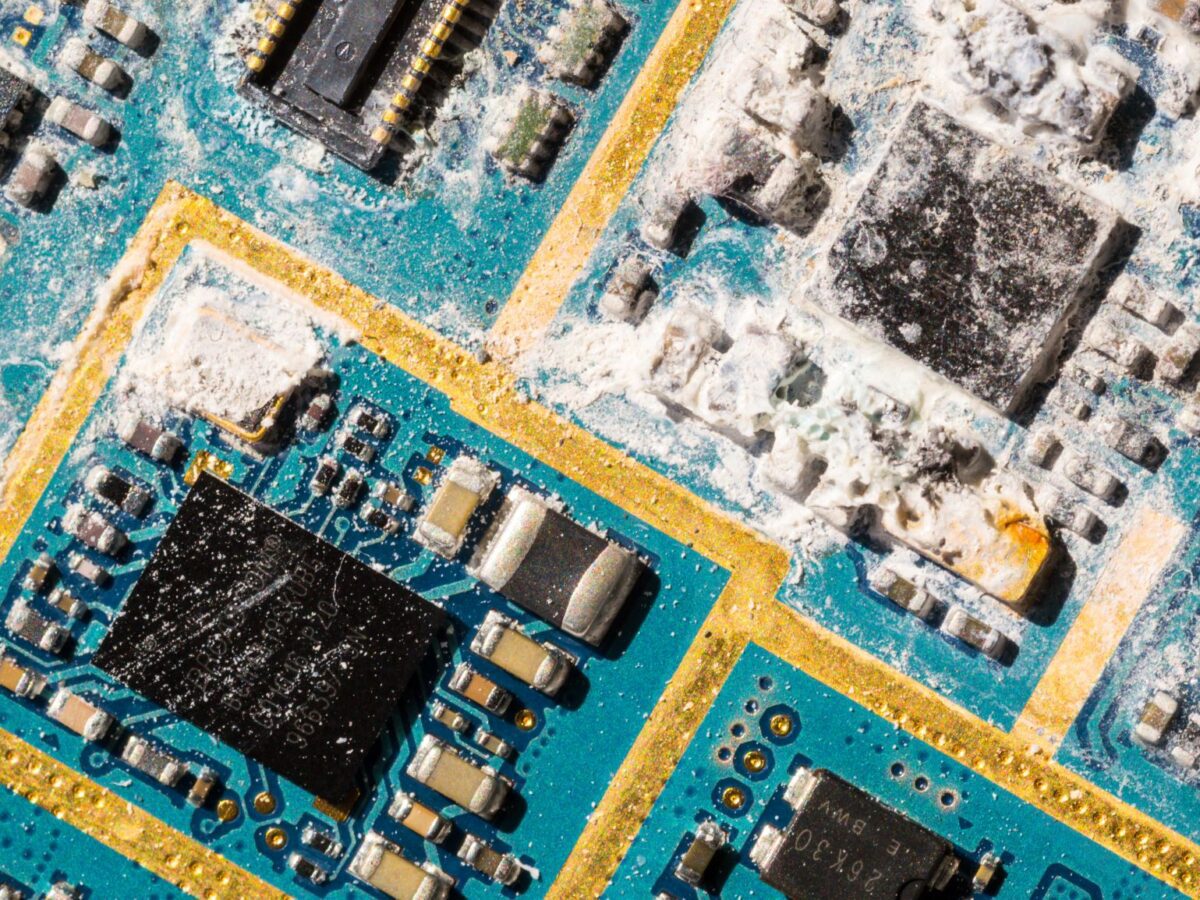
Flux used in rework activates at elevated temperatures to remove oxides but leaves behind activators, rosin, and solvents that require specific removal strategies. White residue after PCB cleaning typically stems from ionic contaminants like halide salts reacting with solder to form lead chloride or carbonate crystals. These form when water-soluble or rosin mildly activated fluxes are incompletely flushed, especially under low-profile components where cleaning fluids struggle to penetrate. Organic white films result from partially dissolved no-clean flux that dries unevenly, often exacerbated by using hygroscopic solvents like lower-grade isopropyl alcohol that absorb moisture and promote crystallization. Engineers notice this most after manual rework, where excess flux pools around pads.
Sticky residue after rework cleaning occurs when rosin-based flux is only partially solubilized, leaving a tacky film as the carrier evaporates. This happens with insufficient solvent volume or agitation, spreading rather than removing the residue during wiping. Inadequate drying times allow residues to re-deposit, particularly in humid environments that soften the flux anew. Troubleshooting PCB cleaning issues reveals that mismatched solvency—using a solvent too weak for the flux solids content—compounds the problem, turning a simple scrub into smeared contamination.
Removing stubborn flux proves challenging when residues bake onto surfaces during prolonged hot air exposure above 250°C, polymerizing rosin into a hardened layer resistant to standard solvents. Trapped flux under components or in vias escapes manual cleaning, leading to persistent ionic activity. Over-application during desoldering exacerbates this, as excess flux carbonizes and bonds to the solder mask or laminate.
Practical Troubleshooting and Solutions
Start troubleshooting PCB cleaning issues by visually inspecting under 10x magnification and testing with a multimeter for resistance above 10 MΩ between adjacent traces. For white residue after PCB cleaning, identify if it's ionic by dissolving a sample in deionized water—if it breaks down, use an aqueous rinse followed by thorough drying. Apply 90% or higher isopropyl alcohol (IPA) with a soft-bristled brush, working in sections to flush under components, then wipe with lint-free swabs and dry with compressed air. Repeat if needed, ensuring fresh IPA to avoid saturation with dissolved residues. This method aligns with post-rework protocols that emphasize complete residue evacuation to prevent corrosion cycles.
To address sticky residue after rework cleaning, increase mechanical agitation by soaking the area in IPA for 1-2 minutes before brushing vigorously, preventing flux from merely redistributing. Follow with a deionized water rinse if the flux is water-soluble, as this neutralizes activators without leaving films. Dry immediately in a low-heat oven at 60°C for 30 minutes to evaporate solvents fully, avoiding moisture trapping. Test surfaces for tackiness post-drying; persistent stickiness indicates needing a stronger hydrocarbon-alcohol blend solvent applied via precision syringe for targeted delivery.
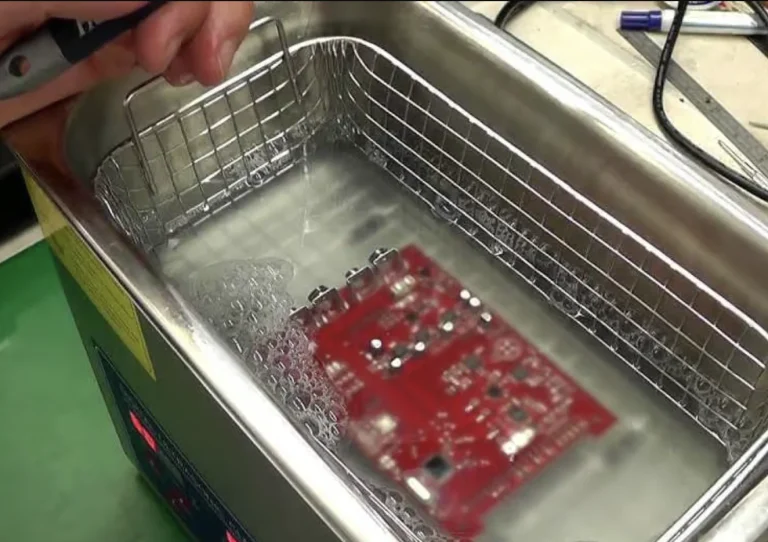
For removing stubborn flux, soften hardened residues with localized low-heat air (around 100°C) to liquify without reflowing solder, then swab with IPA or specialized flux removers. Ultrasonic cleaning excels here: submerge the board in a 10:1 distilled water-to-detergent solution at 25-40 kHz for 3-5 minutes, ensuring basket orientation allows cavitation under components. Rinse copiously with deionized water and dry as above. Per IPC-7711/7721 procedures, such as 2.2.1 for flux cleaning post-rework, verify no visible residues remain before reassembly.
Best practices include matching cleaners to flux type—rosin fluxes need alcohol-based solvents, while water-soluble require aqueous systems—and always disconnecting power to prevent ESD damage. Use anti-static mats and gloves, working in ventilated areas to handle vapors safely. Inspect tight-pitch areas (<0.5 mm) with oblique lighting for hidden residues. Document cleaning parameters for repeatability, ensuring compliance with IPC-A-610 acceptability criteria for clean joints. Avoid over-cleaning, which can erode solder masks on thin boards.
Advanced Techniques for Persistent Issues
When standard methods fail, escalate to vapor degreasing for stubborn flux in high-volume rework, where solvent vapors penetrate crevices without mechanical stress. Combine with inline spray systems for consistent agitation, optimizing nozzle pressure and dwell time. For ionic white residues, acid-based rinses neutralize salts but demand immediate neutralization and drying to avert laminate attack. Engineers should validate processes by residue analysis, such as surface insulation resistance testing, to quantify cleanliness.
Conclusion
Effective troubleshooting of PCB cleaning problems after rework hinges on understanding residue chemistry and applying targeted methods like IPA brushing, ultrasonics, and proper drying. Addressing white residue after PCB cleaning, sticky residue after rework cleaning, and stubborn flux removal prevents reliability failures in demanding applications. Adhering to standards like IPC J-STD-001 and IPC-7711/7721 ensures assemblies meet performance thresholds. Engineers gain confidence through systematic inspection and process optimization, extending board lifespan. Prioritize cleanliness to avoid costly field returns.
FAQs
Q1: What causes white residue after PCB cleaning, and how can I remove it?
A1: White residue often forms from halide salts in flux reacting with solder or incomplete rosin removal under components. Troubleshoot by testing solubility in water or IPA; use 90%+ IPA with brushing and compressed air drying. For persistent cases, ultrasonic cleaning at 25-40 kHz flushes ionic contaminants effectively. Always inspect under magnification to confirm cleanliness.
Q2: How do I eliminate sticky residue after rework cleaning?
A2: Sticky residue results from partially dissolved rosin flux when IPA evaporates, leaving tacky films. Apply fresh high-purity IPA generously, scrub with a soft brush, and rinse with deionized water if compatible. Dry thoroughly at 60°C to prevent re-deposition. This prevents conductivity issues in humid conditions.
Q3: What are the best steps for removing stubborn flux from PCBs?
A3: Stubborn flux hardens from rework heat; soften with 100°C air, then use IPA or solvent blends with ultrasonics for 3-5 minutes. Follow IPC-7711/7721 cleaning procedures, rinsing and drying completely. Test resistance to verify no residues remain.
Q4: Why is troubleshooting PCB cleaning issues critical after rework?
A4: Unremoved residues cause corrosion, shorts, or migration, violating IPC J-STD-001 cleanliness rules. Proper methods like targeted solvents and inspection ensure reliability, especially for Class 3 assemblies.
References
IPC J-STD-001H — Requirements for Soldered Electrical and Electronic Assemblies. IPC, 2018
IPC-7711/7721C — Rework, Repair and Modification of Electronic Assemblies. IPC, 2017
IPC-A-610H — Acceptability of Electronic Assemblies. IPC, 2019