Overview
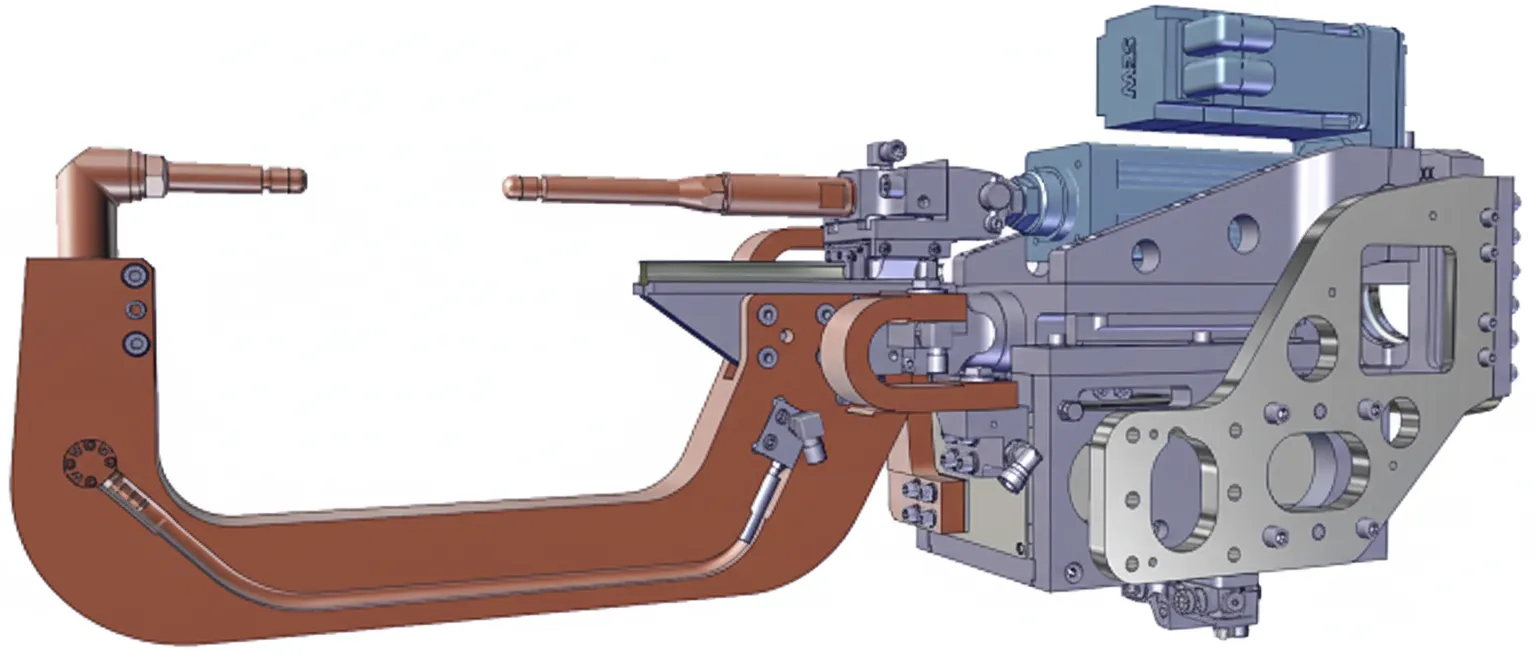
C-5000 welding tongs
Component Positions
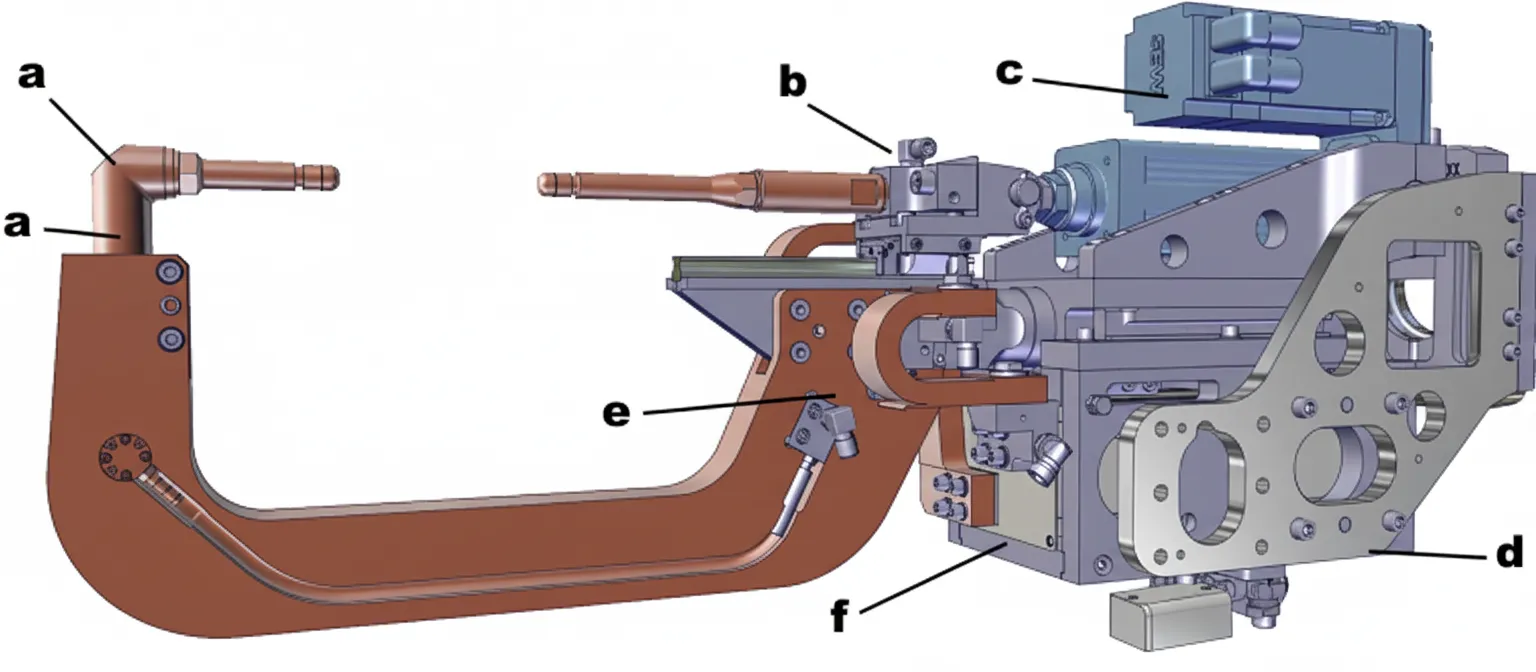
Position a: fixed electrode arm. Position b: sliding electrode. Position c: drive motor. Position d: bracket and support plate for manual quick-change clutch. Position e: conductive strap. Position f: transformer.
Aligning the C-5000 Electrode Arms
Misalignment between electrode arms can cause poor welds or workpiece deformation. Alignment can be adjusted according to the assembly. C-type welding tongs are designed so that either both electrodes can rotate or the sliding electrode can be aligned to the fixed electrode. The following describes both options.
Before You Begin
Step 1: Disconnect the robot weld tongs power.
Step 2: Shut off the cooling water circuit.
Step 3: Move the robot with the weld tongs to a safe maintenance position. Alternatively, detach the weld tongs from the robot and place the weld tongs on a fixture suitable for maintenance work.
Rotate Both Electrodes
To rotate the entire clamp of both electrode arms, loosen the side clamping bolt (a) and screw in the expansion bolt (b) until the electrode arm can rotate. After setting the desired position, unscrew the expansion bolt (b) so the clamping bolt (a) can clamp the electrode arm again. Check all insulating parts before clamping to ensure there is no damage. Replace insulating parts if necessary. Align the insulating sleeve groove so it faces downward at the tongs mounting position to prevent contamination. After adjustment, retighten the clamping bolt.
Adjust the Sliding Electrode
To adjust the sliding electrode laterally, loosen the clamping bolts (a) on both sides and change the electrode position. After adjustment, tighten the clamping bolts. The electrode height is not adjustable.
Adjust the Fixed Electrode
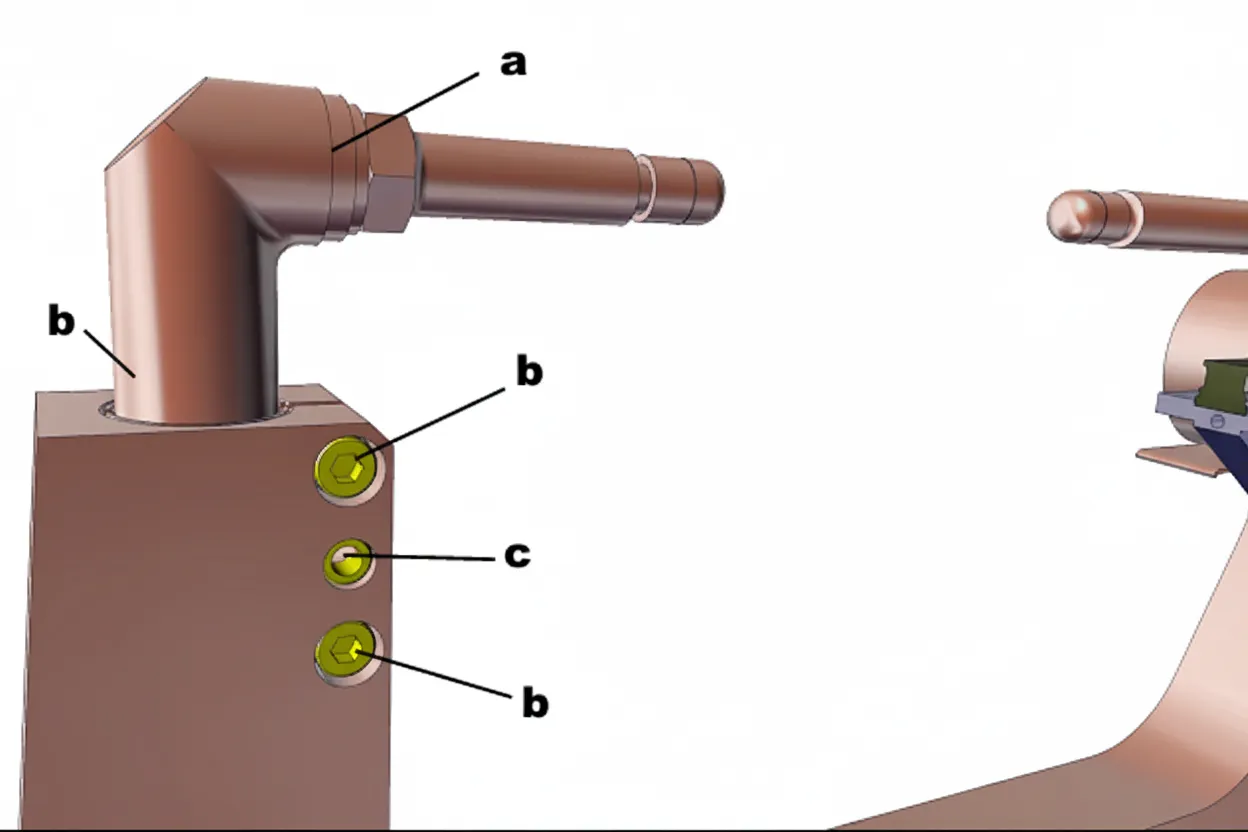
To adjust the fixed electrode (a), loosen the clamping bolt (b) and screw in the expansion bolt (c) until the electrode can rotate. After completing the adjustment, unscrew the expansion bolt (c) so the clamping bolt (b) can clamp the electrode arm again.