What is cloud computing?
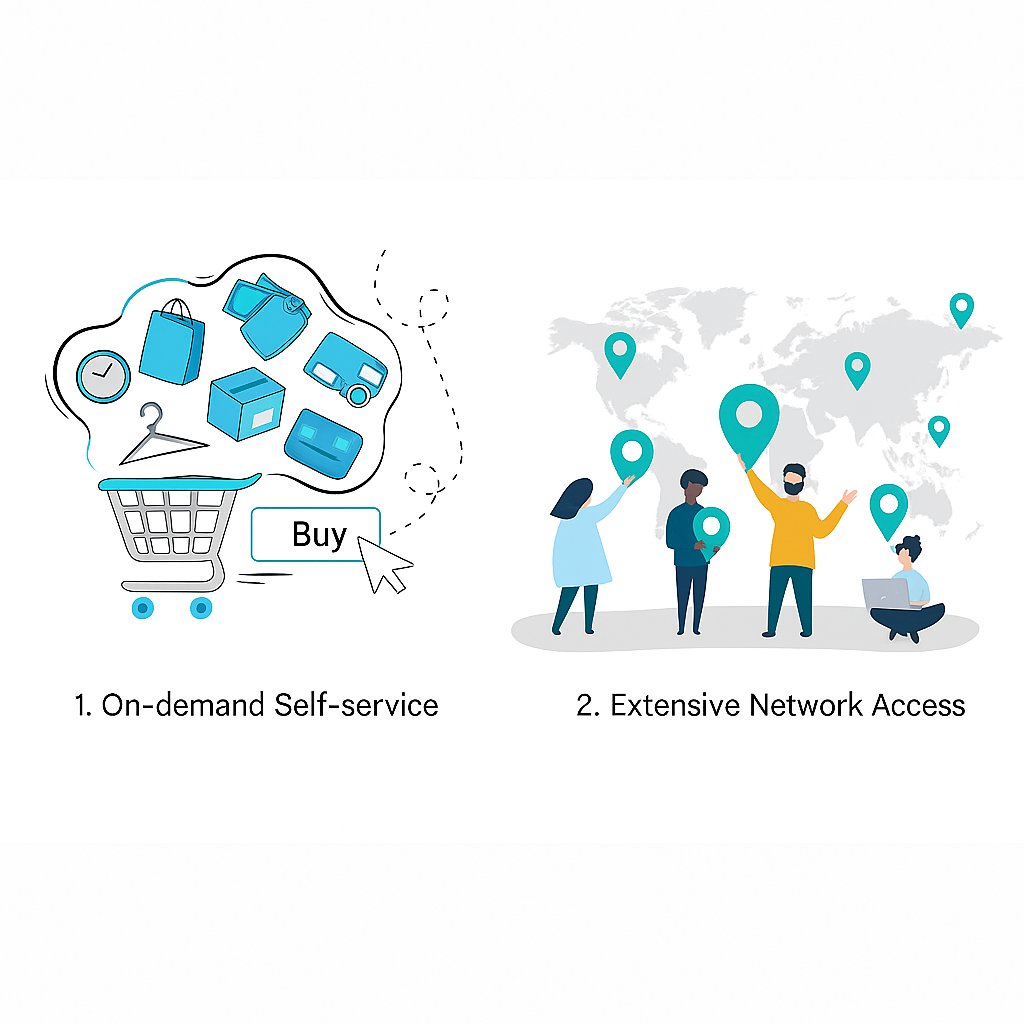
Cloud computing is an emerging model for consuming computing resources. Service providers virtualize hardware resources to create a pool of IT resources that can be scheduled on demand. This enables pay-as-you-go services for compute, storage, and data processing. Users can scale resources dynamically based on business needs, while providers can improve utilization and reduce cost by sharing infrastructure across customers.
Cloud deployment models
1. Public cloud — shared infrastructure rented to the public
Owned and managed by cloud providers and delivered over the Internet to businesses or individuals. It is similar to municipal utilities where resources are shared and billed according to usage.
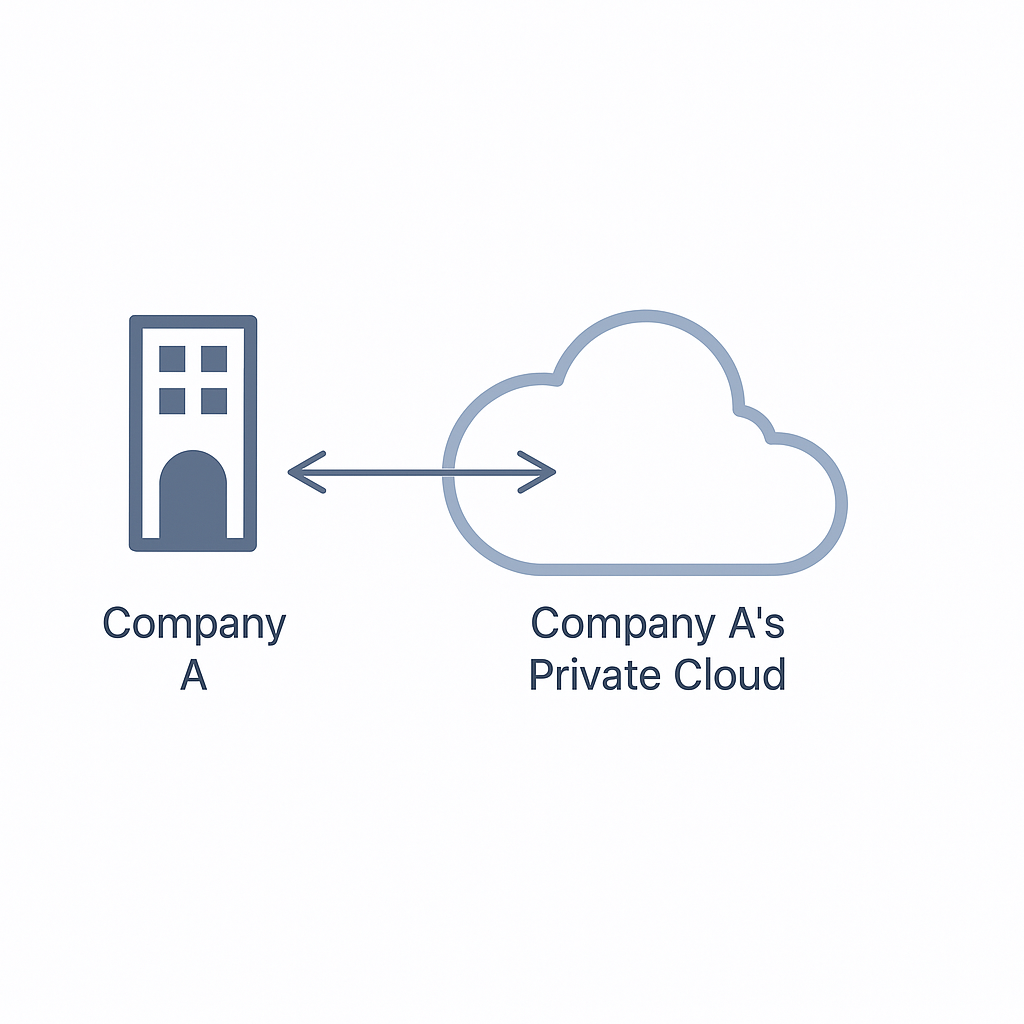
2. Private cloud — cloud built on dedicated or leased infrastructure
Provisioned for a single organization without resource sharing. A private cloud can be managed internally or hosted by a third party. The difference between public and private cloud is similar to owning a personal washing machine versus using a commercial laundry service.
3. Hybrid cloud — a combination of two or more deployment models
Organizations use public and private clouds together so that sensitive data can remain in the private cloud for security while public cloud resources provide low-cost scalability for other workloads. For example, a public-facing website may run in the public cloud while core business systems remain on an internal network.
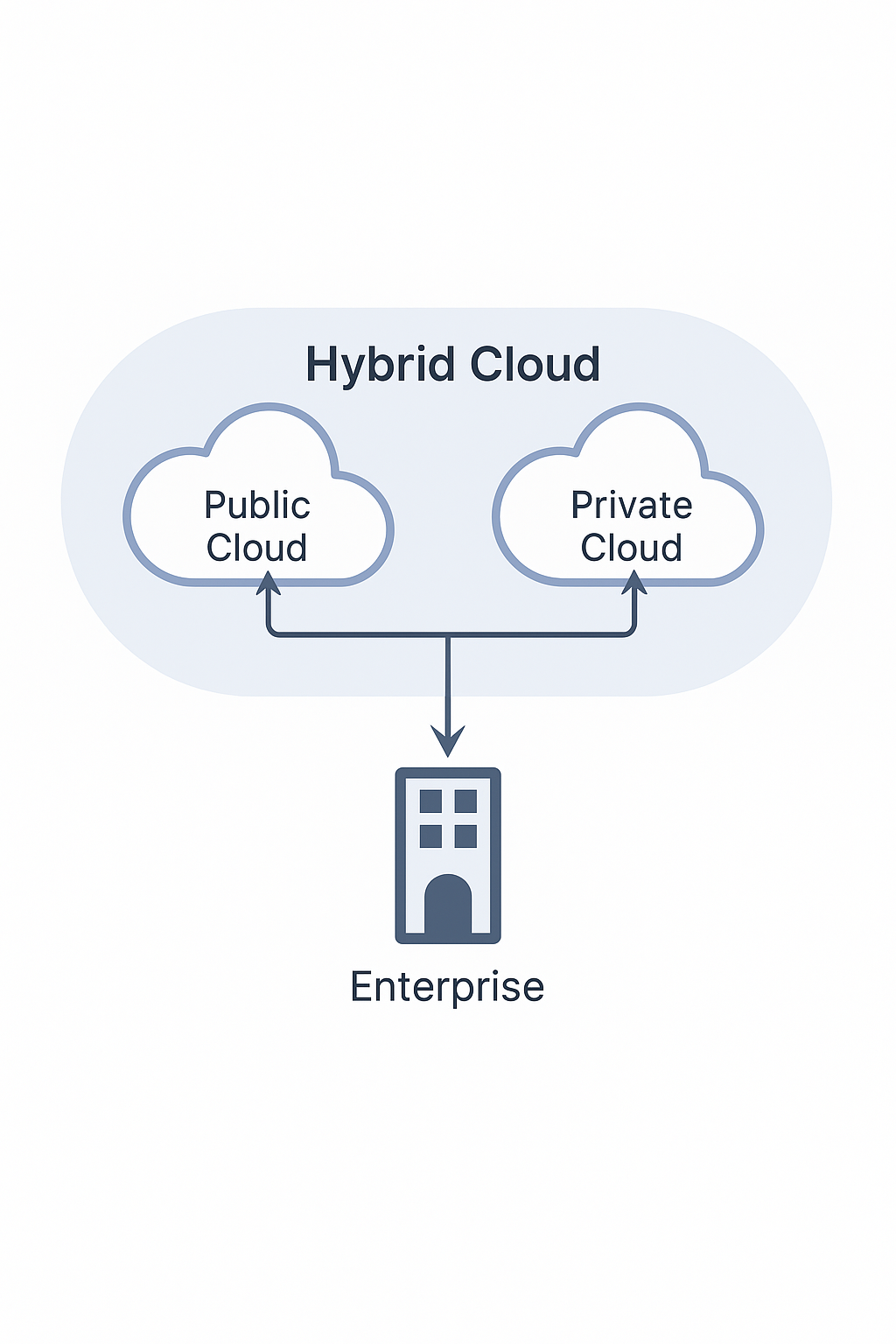
4. Community / industry cloud — shared infrastructure for a specific community or industry
Cloud environments shared by organizations with similar requirements for security, privacy, and compliance. Examples include clouds tailored for government, finance, or healthcare that must meet industry regulations and data protection standards.
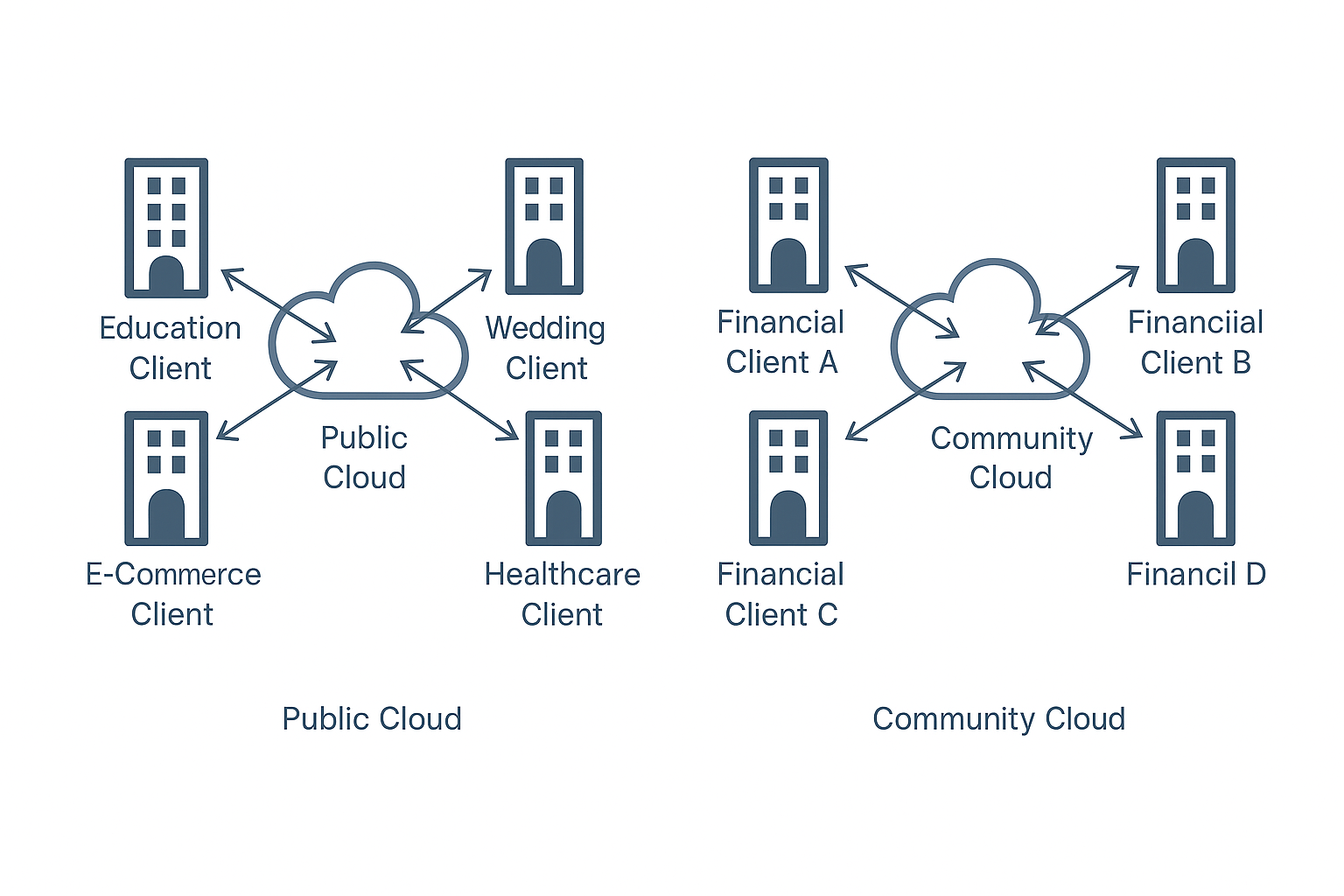
Cloud service models
1. Infrastructure as a Service (IaaS) — basic compute, storage, and network resources
IaaS providers supply foundational infrastructure such as CPU, RAM, disk, and bandwidth. Users install and manage their own operating systems and applications. Virtual private servers (VPS) offered by cloud providers are typical examples of IaaS.
2. Platform as a Service (PaaS) — deployable environments for application development
PaaS provides platforms for developing and distributing applications, including virtual servers and managed operating systems. Container orchestration platforms such as Docker and Kubernetes are commonly used in PaaS-style environments.
3. Software as a Service (SaaS) — ready-to-use applications delivered over the network
On top of PaaS, SaaS users do not manage any cloud infrastructure, including networks, servers, operating systems, or storage. Most consumer-facing web services are delivered as SaaS.
What is cloud security?
Cloud computing has transformed data storage by enabling remote storage and management of business functions, accessible from anywhere. While storage and retrieval have become simpler, cloud data is also more exposed to leakage or tampering. In many small development companies, operational tasks are handled by developers rather than dedicated operations engineers, which can lead to weak security practices such as misconfigured authentication, incorrect settings, and insecure database configurations. These issues can make cloud servers vulnerable to attack.
How cloud security differs from traditional security
Traditional security problems still exist in cloud environments, such as SQL injection, weak passwords, insecure file uploads, and leaked backups. In addition, cloud environments introduce new classes of issues, like leaked access keys, misconfigured cloud permissions, and misuse of cloud-specific APIs.
Cloud security attack classification
From an attack surface perspective, cloud security can be split into two areas: cloud services and cloud-native.
Cloud services
Cloud services are services provided by cloud vendors. In China, representative vendors include Alibaba Cloud, Tencent Cloud, and Huawei Cloud. International vendors include Amazon Web Services, Microsoft Azure, and Google Cloud. Different providers use different names for services; the descriptions below use common industry terms and service examples.
Common cloud services and their purposes:
- Object Storage Service (OSS): A storage service similar to a file hosting system used for storing user-uploaded files and static assets.
- Elastic Compute Service (ECS): Virtual machines provided by the cloud.
- Relational Database Service (RDS): Managed cloud database instances.
- Identity and Access Management (IAM): Identity and permission management for cloud console access and subaccounts.
The following summarizes common security issues encountered in cloud services and will be expanded in later sections.
Object storage
- Bucket permission misconfiguration - public access: Buckets default to private, but granting list or public read/write permissions can expose stored objects.
- Bucket name enumeration: When bucket names are unknown, brute-force techniques can discover bucket names similar to directory brute-force.
- Specific bucket policy exploitation: If a bucket policy allows access under certain conditions that an attacker can satisfy, restricted objects may be accessed.
- Bucket object listing: If object listing is permitted, an attacker can enumerate and retrieve files within the bucket.
- Arbitrary file upload and overwrite: If anonymous write permission exists, an attacker can upload files or overwrite existing files using PUT requests.
- AccessKeyID and SecretAccessKey leakage: Leaked credentials give an attacker the same permissions as the credential owner, enabling bucket manipulation.
- Bucket takeover: If DNS records pointing to a storage service are not removed when the original owner deletes the bucket, an attacker can create a same-named bucket and have traffic resolve to it.
- Policy modification causing service disruption: Writable policies can be altered to revoke access to resources, potentially causing website outages.
Elastic compute service (ECS)
- Credential leakage
- Console password leakage
- AccessKeyID and SecretAccessKey leakage
- Temporary credential leakage
- Instance login credential leakage
- These credentials can be collected from public code repositories, decompiled mobile apps, or leaked site source code.
- Metadata service
The metadata service exposes instance metadata. Through it, an attacker can obtain attributes of the running instance and any temporary credentials associated with the instance role, which can be used to access cloud console APIs.
- Malicious images
An attacker with console access can import images containing backdoors. When users later create instances from these images, the embedded malicious code executes.
Cloud databases
- Credential leakage: Similar to other services, misconfiguration can expose access credentials or temporary tokens.
- Backup files: With appropriate permissions, attackers can download database backups.
- Weak passwords: Weak or default passwords can be brute-forced to gain database access.
Cloud-native
Cloud-native architectures are based on distributed storage and unified operations, with representative technologies including containers, orchestration, microservices, immutable infrastructure, and declarative APIs.
Kubernetes
Kubernetes (K8s) is an open-source container orchestration platform originally released by Google. Compared with platforms such as Swarm and Mesos, Kubernetes simplifies container scheduling and management and is the most widely used orchestration system today.
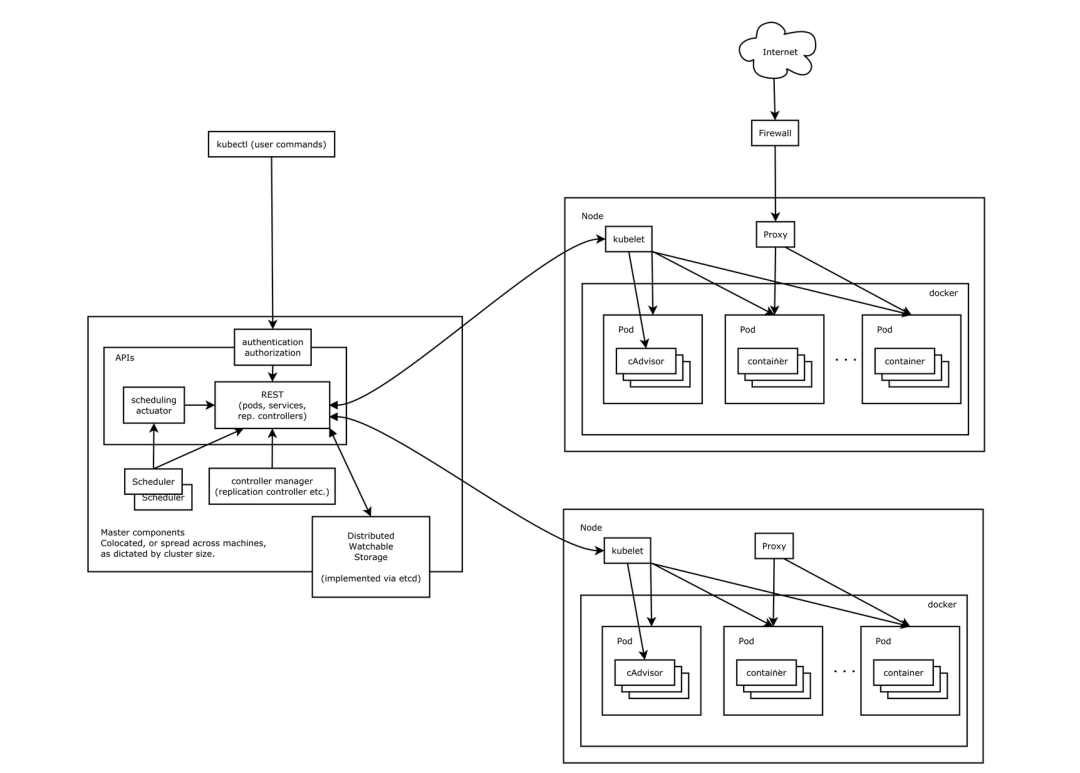
A typical Kubernetes cluster consists of a control plane (Master) and worker Nodes. External applications interact with the cluster through the API Server's HTTP interface, which requires authentication. Nodes run pods that contain containers (e.g., Docker). Services provide a network abstraction to expose a set of pods, typically with a stable IP and port mapping to reach the underlying pods.
Docker
Docker is an open-source platform for developing, shipping, and running applications in lightweight, portable containers. Containers virtualize the operating system rather than hardware, making them more portable and efficient than virtual machines. The Docker ecosystem includes the client, Docker host machines where containers run, and image registries for storing images.
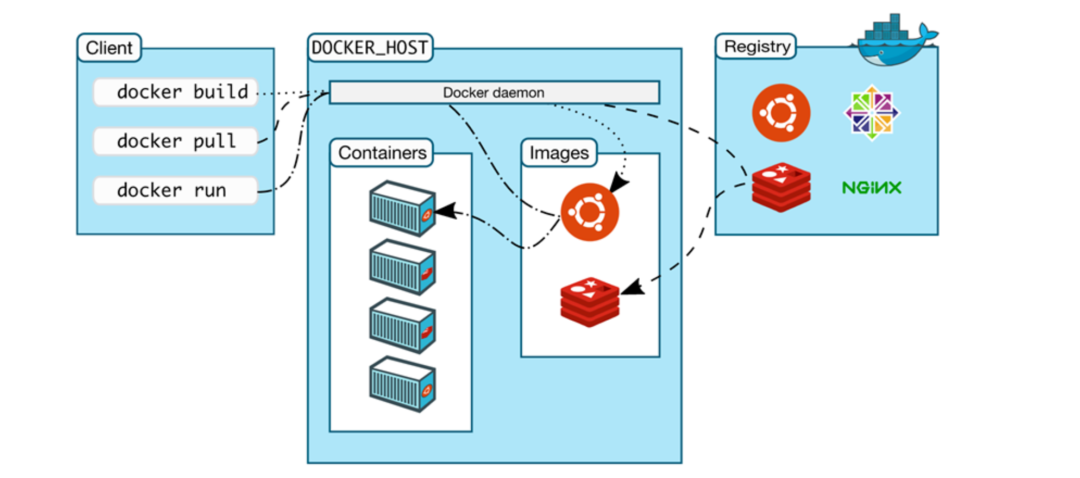
Developers can package applications and dependencies into images and use Docker commands to manage containers. Images can be pushed to or pulled from registries, which can be public or private.
Cloud-native security concerns
As organizations adopt Docker, Kubernetes, and other cloud-native technologies, new risks arise, such as container escape, misconfiguration of Kubernetes or Docker, insecure container images, and DevOps security issues.
Kubernetes security issues
Component and API authentication and authorization misconfigurations can expose cluster controls:
- API Server unauthorized access: If the API Server is not properly secured, attackers can interact with the control plane.
- Kubelet unauthorized access: Kubelet exposes an API on nodes; if unauthenticated access is allowed, attackers can control a node.
- Dashboard unauthorized access: Kubernetes Dashboard provides a web UI. If login is bypassed or misconfigured, attackers may access cluster resources via kubeconfig or tokens.
- Kubeconfig file leakage: If an attacker obtains a kubeconfig file via webshell, public repositories, or leaks, they can operate the cluster and potentially take over containers.
- Etcd unauthorized access: Etcd listens on ports 2379 and 2380 by default. If the client port is exposed publicly, sensitive data may leak.
Cluster-level risks
- Unsafe use of kubectl proxy: An attacker can use the proxy to access the local kube-apiserver and create or control pods, potentially attempting container escape to the host.
- RBAC not enabled: Role-based access control (RBAC) regulates access by roles. If RBAC is not configured or the Kubernetes version defaults to disabled RBAC, access control is insufficient.
Docker security issues
- Risks in container images
- Developers may accidentally bake sensitive credentials into images, exposing them when images are shared.
- Public registries can contain vulnerable or malicious images; using such images poses a security risk.
- Inclusion of vulnerable third-party libraries (for example, a vulnerable log4j version) can introduce risks even if the application code itself is not vulnerable.
- Risks in running containers
- Incorrect configuration can break container isolation. For example, running a container with --privileged grants root-equivalent access to the host.
- If resource limits are not enforced, a container can exhaust host CPU or memory resources.
- Exposed ports mapping vulnerable services to the network increases attack surface.
- Risks in container runtime interfaces
The Docker daemon listens on UNIX and optionally TCP sockets. The daemon runs with host-level root privileges, so access to the daemon socket can allow privilege escalation or container escape.
- Software vulnerabilities
Docker and related tooling have had vulnerabilities (for example CVE-2019-14271, CVE-2021-22555) that could enable container escape. Investigating container escape and hardening the host and runtime is essential.