Overview
Since 2019, Chinese regulators including the Cyberspace Administration, the Ministry of Industry and Information Technology, the Ministry of Public Security, and the State Administration for Market Regulation have carried out a nationwide campaign to curb illegal collection and use of personal data by apps, strengthening personal information protection. The Personal Information Protection Law added specific requirements for apps. With new application forms such as mini programs emerging, which are easier to develop and use than traditional apps, mini program security largely follows the host app's security model. Therefore, unlike traditional app testing that focuses on the client, testing emphasis often shifts to the server side, i.e., risks in interactions between the mini program and backend services.
Unpacking the mini program on macOS
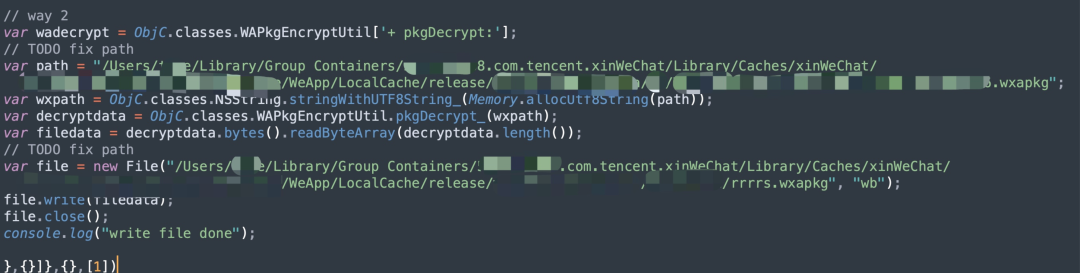
Historically, decompiling mini program source code required capturing packages from a mobile device, which is more cumbersome than using a desktop. The following method applies to decrypting wxapkg files on macOS using the mac_wxapkg_decrypt tools. That tool provides two decryption approaches: one extracts the decryption key, the other lets the mini program auto-decrypt. The example here uses the latter by modifying _agent.js to point to the mini program path and hooking it so it writes decrypted files automatically. First, locate the local mini program directory on the mac.
Example path on macOS:
/Users/XXXX/Library/Group Containers/xxxx.com.tencent.xinWeChat/Library/Caches/xinWeChat/xxxxxxxxxx/WeApp/LocalCache/release/
When the local WeChat client visits a mini program, a directory is generated based on the AppID. Locate the target mini program by AppID.
Then modify the _agent.js file to set the mini program path and the output path for decrypted files.
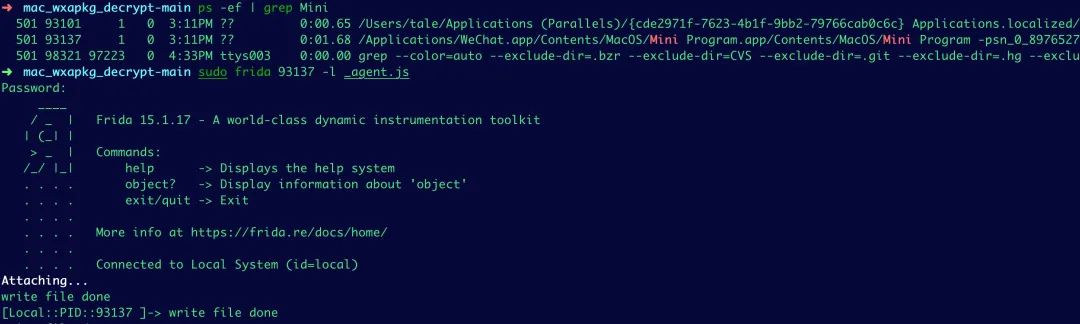
Search for the mini program process locally:
ps -ef | grep Mini
Use frida to load the modified _agent.js script to hook the process and generate decrypted wxapkg files automatically.
Decompiling the mini program
After obtaining the decrypted package, the next step is decompilation to recover source files. Many decompilation tools found on public repositories have been removed or converted to paid services. A usable open-source fork based on wxappUnpacker remains available. Download the wxappUnpacker project from Gitee and install dependencies. Example dependency installation commands:
npm install esprima npm install css-tree npm install cssbeautify npm install vm2 npm install uglify-es npm install js-beautify
If the wxapkg contains subpackages, add the -s parameter to specify the main package source path so that subpackage wxss, wxml, and js files are merged into the main package structure. Typical workflow:
Obtain main package and several subpackages Unpack main package: ./bingo.sh testpkg/master-xxx.wxapkg Unpack subpackage: ./bingo.sh testpkg/sub-1-xxx.wxapkg -s=../master-xxx
Running the tool will decompile the mini program into page files and assets.
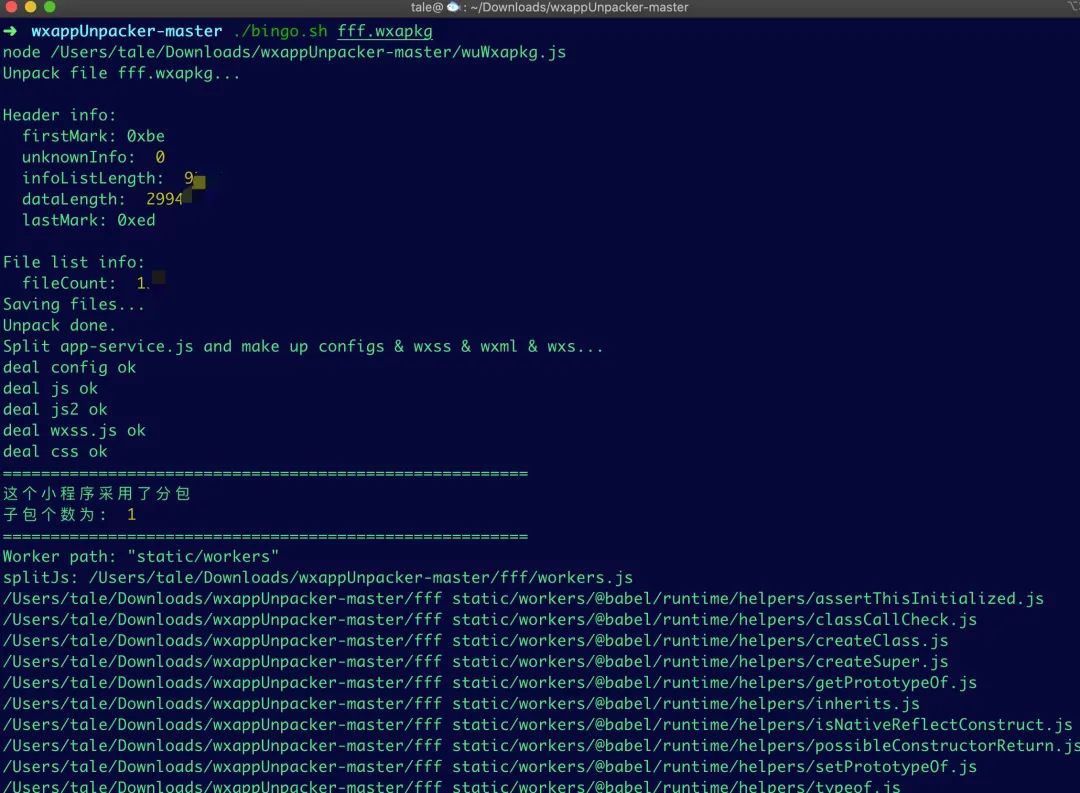
Use the developer tools to restore the mini program for local inspection. The extracted HTML and WXSS files contain page structure and styling. For security testing, focus on JS files: if the mini program encrypts data in transit, trace the encryption parameters in the JS code to analyze how data is being encrypted before sending to the backend.
Traffic capture and security testing
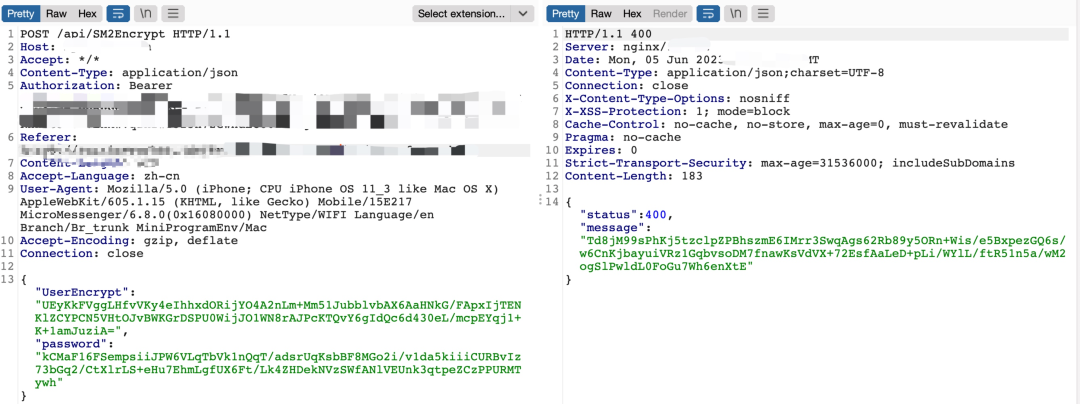
On a PC, capturing mini program traffic is straightforward: set a system proxy and route traffic through Burp to capture HTTPS. After configuring the proxy and running the mini program, capture the login packets. In this example, the account credentials and server responses were encrypted with the SM2 algorithm. By extracting the mini program source, you can identify the encryption method and analyze the encryption algorithm used in transport.
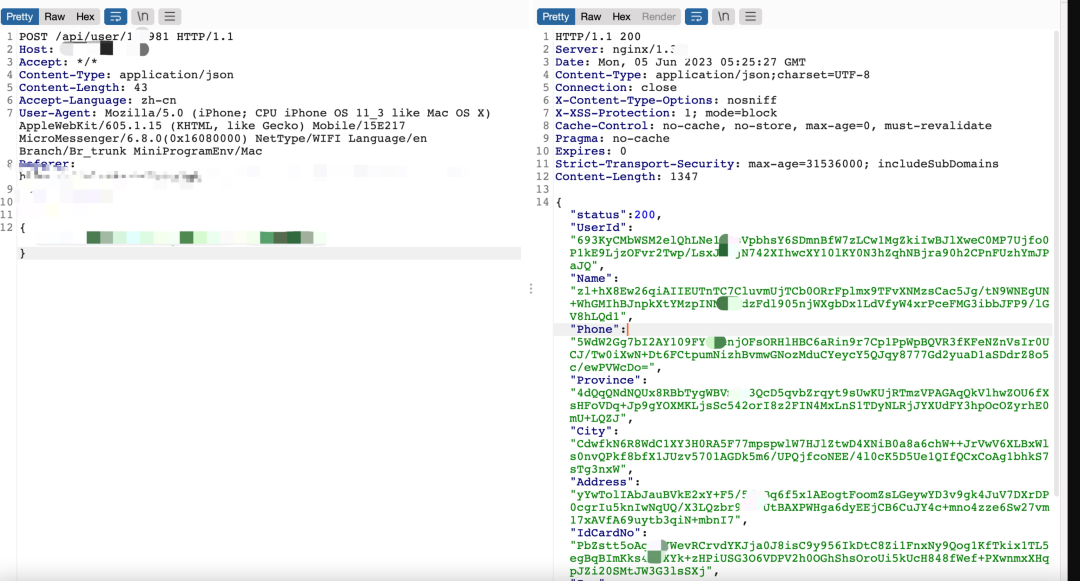
After registering and logging in, inspecting personal information endpoints showed URL parameters using numeric identifiers. By iterating those numeric IDs, response content changed and allowed access to other users' data, indicating an authorization bypass (ID enumeration) vulnerability that could expose sensitive personal information.
Extracting SM2 keys
Decompilation revealed SM2 key material in code or configuration. With a discovered SM2 private key, it is possible to decrypt captured ciphertexts. A discovered public key can be used to encrypt candidate usernames and passwords and attempt to brute-force accounts if the server accepts such encrypted credentials.

Example keys recovered from the decompiled code:
Public key: 04B9C9A6E04E9C91F7BA880429273747D7EF5DDEB0BB2FF6317EB00BEF331A83081A6994B8993F3F5D6EADDB81872266C87C018FB4162F5A24620207
Private key: 00B9AB0B828FF68872F21A837FC303668428DEA11DCD1B24429D0C99E3D5
With these keys it is possible to write scripts to batch-decrypt and recover plaintext sensitive information.
Summary
Searching the decompiled source for encryption-related parameters can reveal the mini program's encryption method. With that information, security testing can include attempts at authorization bypass, SQL injection, credential brute-force, and other common vulnerabilities. Some mini programs also use cloud storage and may hard-code OSS secret keys in source files, which should be checked during a security review.