Introduction
Which year can be considered the true beginning of smart wearables? Motorola released the first Android-based sport smartwatch MOTOACTV in 2011, Google introduced Google Glass in 2012, and brands such as Samsung, LG, and Sony presented concept or trial products in 2013. Smartwatch shipments surged in 2014 after the round-faced Moto 360 made an impact, and Apple released the Apple Watch in 2015. Each of these milestones played an important role in the evolution of smart wearables.
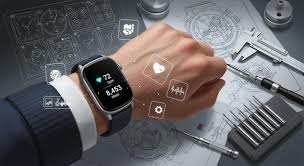
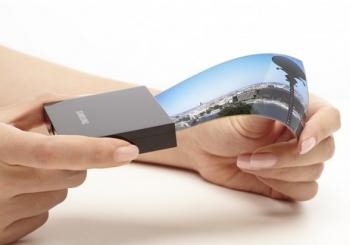
Behind this rapid evolution was not only software innovation and industrial design, but also continuous breakthroughs in hardware integration. As smart wearables demanded thinner profiles, lower power consumption, and higher functional density, advanced PCB solutions—especially HDI PCBs (High-Density Interconnect printed circuit boards)—became a key enabler. HDI technology allows more components, sensors, and wireless modules to be packed into extremely limited internal space, making compact and lightweight wearable designs possible without sacrificing performance.
Although smart wearables still face functional and usability limitations, they have clearly become the next major consumer electronics trend following smartphones and tablets. Watches that once only told time can now connect to smartphones or the internet to display call alerts, messages, social updates, and weather data. To seize opportunities in this fast-growing segment, many technology companies introduced diverse concept devices, pushing both user experience and internal electronics architecture forward.
Below I review Motorola's smartwatch, the Moto 360, from the perspective of a watch-wearing user.
First-generation Moto 360
At the 2014 Mobile World Congress, Motorola announced a round-design smartwatch running the Android Wear platform: the Moto 360. The design attracted attention from both tech and fashion circles. Last year I bought the original Moto 360 via cross-border shopping in China and wrote about its impact on the wearable market.
Second-generation Moto 360: Design and Customization
One year later Motorola released the second-generation Moto 360. Although smartwatches do not refresh as frequently as smartphones, the second-gen model introduced several design and functional upgrades. More importantly, with support for customization via Moto Maker and the positioning as the first smartwatch in the Chinese market to run Android Wear, the second-gen Moto 360 became available in China retail channels. To avoid cross-border shopping complexity, I purchased the China retail version to evaluate the localized Android Wear experience.
Watches are also fashion accessories. Buyers care about whether a watch suits their identity and taste, not just price or style. The second-gen Moto 360 supports customization of dial size, bezel and case color, and strap materials through Moto Maker, allowing users to design a personalized watch. As demand for premium and personalized products grows, the option for individual customization addresses those preferences and helps attract traditional watch users who may prefer classic round dials over overtly techy designs.
Moto Maker customization interface
The second-gen Moto 360 uses a cylindrical package with a transparent plastic lid, displaying the watch clearly. The box includes an integrated charger, a Qi-standard wireless charging dock, a manual, and warranty card.
The watch is offered in two sizes: 46 mm with a 1.56-inch display and 42 mm with a 1.37-inch display. As a first-gen Moto 360 owner, I chose the 46 mm model for a more mature look and larger battery capacity, which improves battery life.
Notable design changes
Overall the second-gen Moto 360 retains the previous style, including the lower black area that houses sensors. Several detail changes were made to increase customization and a more traditional watch feel:
- Added lugs. Some worried that lugs would make the watch bulkier, but in practice their curved angle fits the wrist and does not affect comfort. The lugs make the Moto 360 look more like a traditional watch.
- Changed to a quick-release clasp strap. Motorola now offers leather and metal straps, and the new clasp design makes third-party strap replacement much easier.
- Bezel chamfering is smoother than the first generation, giving a more elegant appearance. A stamped bezel texture improves perceived quality.
- The crown was moved slightly upward for more natural operation when pressing with a finger. The microphone was relocated to the eight o'clock position for symmetry. The crown is marked with Motorola's logo, the only obvious brand element on the exterior.
- The back panel is now black glass, and the heart-rate sensor LEDs form a circular ring instead of the previous layout, improving aesthetics and perceived build quality.
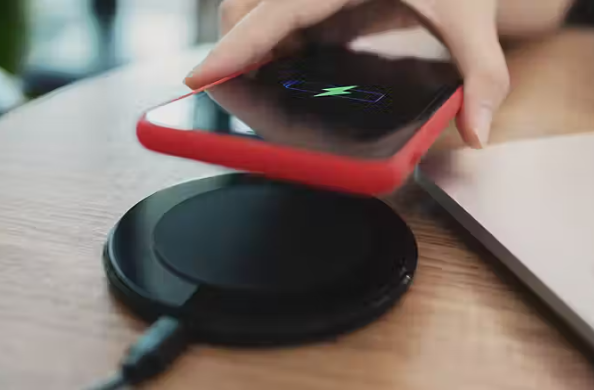
- The watch still uses Qi-standard wireless charging. The new charging dock is slightly larger, but docks from both generations remain compatible. Placing the Moto 360 in the cradle begins charging automatically.
Android Wear and the China retail version
Because Google services are not fully available in the Chinese market, Android Wear experiences there have limitations. The China retail version of the second-gen Moto 360 runs Android Wear based on Android 5.1.1, but lacks Google services. The China retail software replaces Google Now and Google Maps with localized alternatives such as the "Chumenwenwen" and Sogou Maps to better match local usage patterns.
Operation gestures remain largely unchanged: swipe up, down, left, and right handle most interactions. For example, swipe down on the watch face to access quick settings like mute and theater mode; swipe left to open apps; swipe up to view notifications; swipe right to exit a screen; long-press the watch face to change faces; cover the screen with a palm to turn it off. On initial setup, install the Android Wear app on the phone and pair the watch via Bluetooth; an onboarding guide walks through the gestures.
Pairing options
Since the China retail version was released, Android Wear apps for the Chinese market have appeared on Android platforms. The China retail Moto 360 can connect to phones in three primary ways:
- Install the Android Wear app on an iOS device and pair with the Moto 360. The iOS version is similar to the Android one: users can receive notification push from an iPhone, though some app notifications may be delayed. Third-party apps are available to extend functionality.
- Pair with an Android phone that has a full set of Google services using the international Android Wear app. Because Google services are missing on the watch, Google Now and other Google apps still cannot run on the watch. Some third-party apps from Play Store may work, but built-in China-specific apps such as Chumenwenwen and Sogou Maps will be limited.
- Pair with the China-local Android Wear app, which supports all Android phones running Android 4.3 or later. This is currently the most convenient and practical option for most users in China.