Overview
The MateStation X is an all-in-one PC that adopts a minimalist metal unibody and a high-resolution touch display. This review summarizes the device's industrial design, display quality, performance, connectivity, and smart interaction features.
Design and Display
The MateStation X continues Huawei's minimalist PC design language with an integrated metal chassis that emphasizes clean lines and a professional aesthetic. It is available in deep space gray and moonlight silver finishes.
The display uses a floating glass panel seamlessly integrated with the metal body. Huawei adopts a separated architecture that relocates components such as the motherboard into the system base, enabling an unusually thin screen and chassis. The external ports and the power key are hidden on the side of the stand; from the rear, aside from the power connector, there are no other openings.
Physical connectivity includes a 3.5 mm headset jack on the left, one Type-C USB 3.2 Gen 1 port and one Thunderbolt 4 port (supporting 5 V/3 A external power and up to 40 Gbps theoretical bandwidth). The right side offers two Type-A USB 3.2 Gen 1 ports (each supporting 5 V/2 A external power).
The display is a 28.2-inch panel with bezels as narrow as 8.5 mm and a screen-to-body ratio of 92%. Resolution is 3840 x 2560 (4K+), about 18.5% more pixels than standard 4K, which yields finer detail and improved clarity when using tiled windows or multiple on-screen panels.
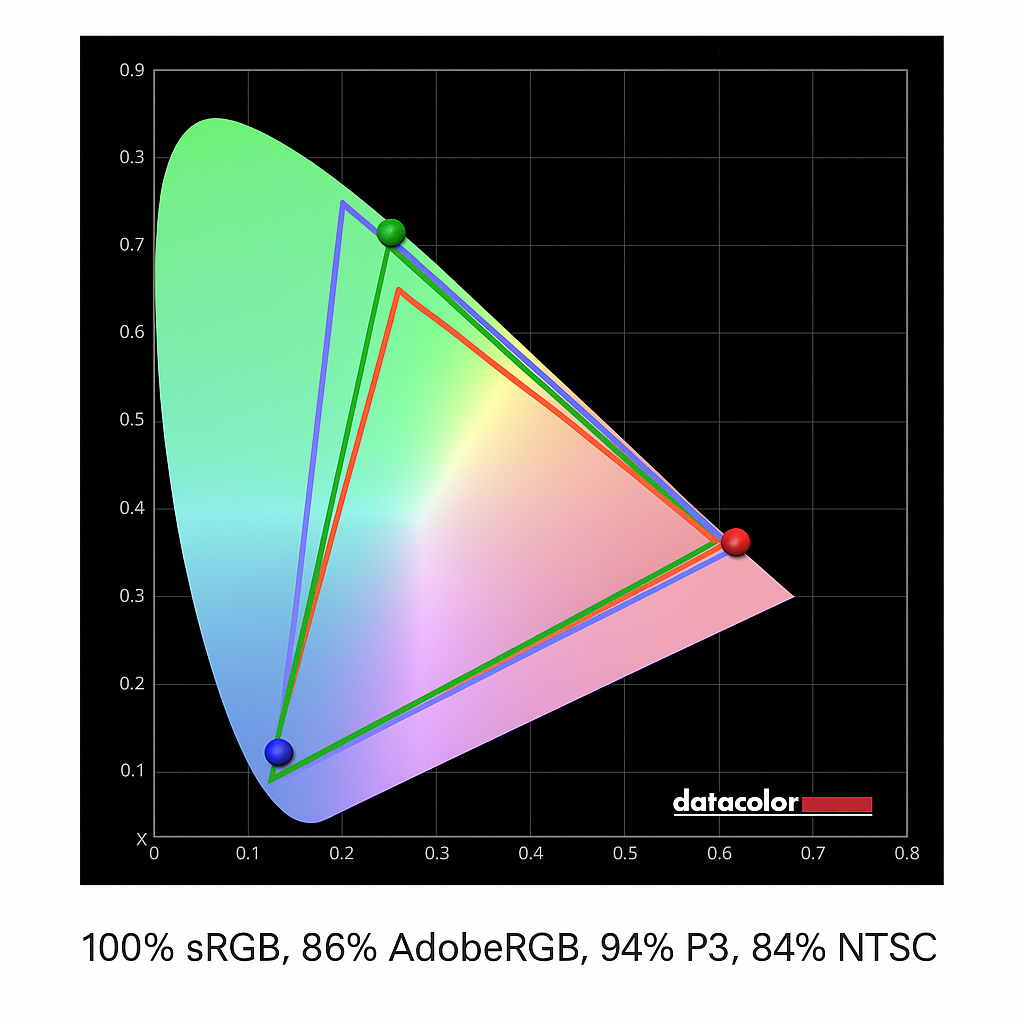
Measured color coverage reaches 100% sRGB, with an average Delta E of 0.76, delivering accurate and rich color reproduction. The system provides six color modes and an e-book mode for different content types. The display holds TüV Rheinland low blue light and flicker-free certifications. The screen features a five-layer coating for reduced glare and supports high-precision ten-point touch input, which, combined with Windows 11 touch interaction, provides direct touch control.
Huawei implemented a patented counterweight hinge that balances screen movement. The hinge design dynamically offsets more than 80% of the display's weight, allowing single-finger adjustment of the tilt angle from 0 to 20 degrees with stable control.
Included Peripherals
The packaged keyboard and mouse are well built and include upgraded functionality. The keyboard supports one-touch pairing and fingerprint power-on. Both peripherals include built-in lithium batteries with Type-C charging and can automatically connect when placed near the all-in-one, with reconnection notifications after disconnection.
Performance
The reviewed configuration uses an Intel Core i9-12900H, a 12th-generation Alder Lake mobile processor built on Intel 7 process technology. The CPU features a hybrid core design with 6 performance cores and 8 efficiency cores, totaling 14 cores and 20 threads, and a maximum boost frequency up to 5.0 GHz.
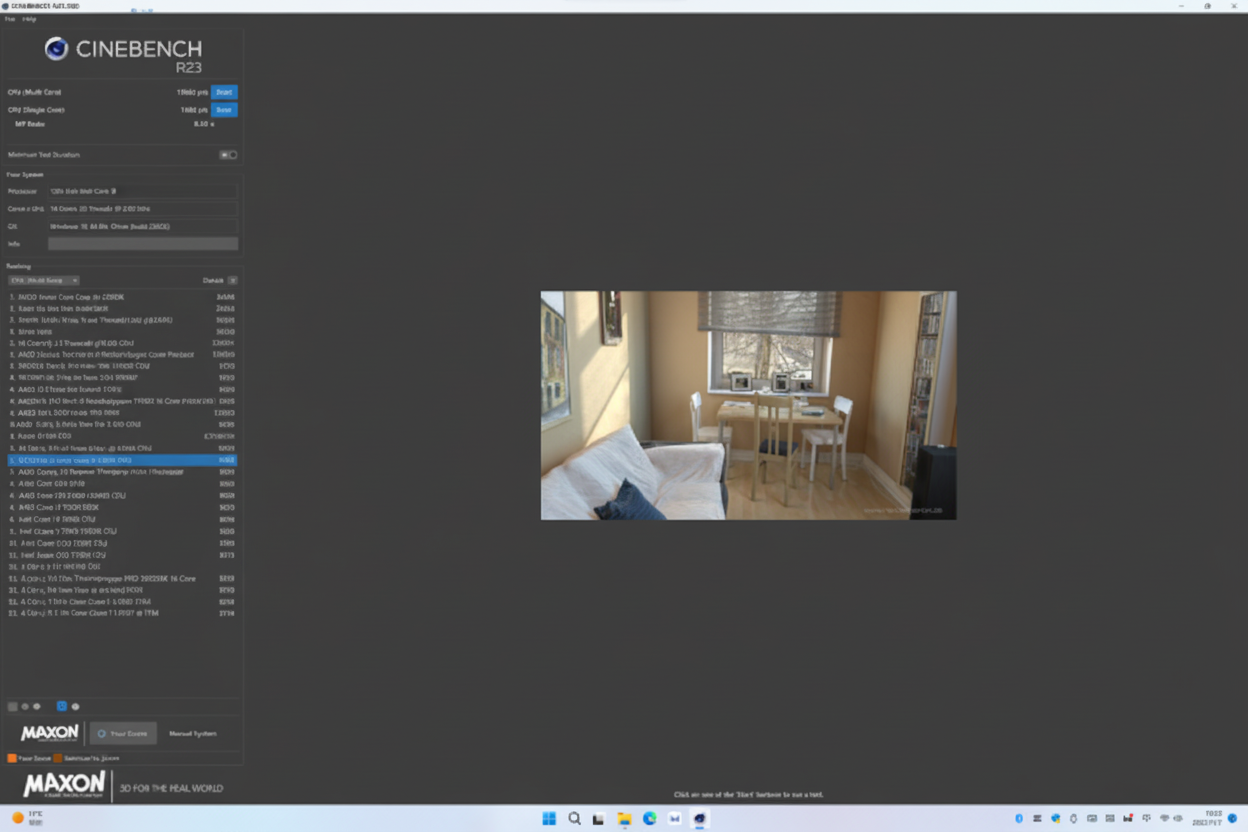
In CPU-Z benchmark tests, the i9-12900H achieved a single-thread score of 805 and a multi-thread score of 7656. In Cinebench R23 tests, the CPU posted 1882 pts single-thread and 15900 pts multi-thread. These results place the mobile i9-12900H in performance ranges comparable to some previous-generation desktop i9 parts while demonstrating strong energy efficiency for a mobile-class design.
Thermal management uses an ultrathin motor-driven fan assembly with 0.3 mm thin blades in a Shark Fin 3.0 design. The combination increases airflow and static pressure to improve cooling efficiency while reducing noise.
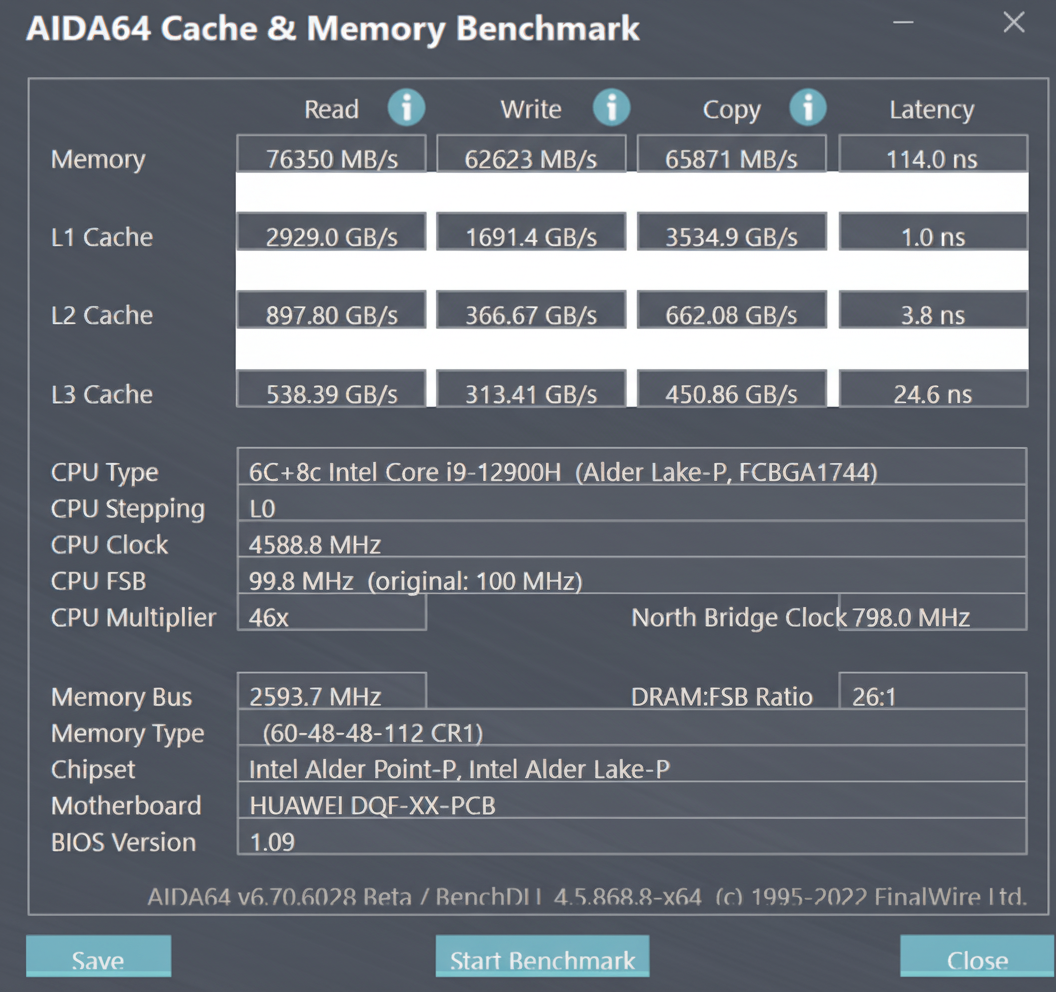
The system ships with 16 GB of low-power, high-speed memory. In AIDA64 Cache & Memory Benchmark, memory read reached 76,350 MB/s, write 62,623 MB/s, and copy 65,871 MB/s, which benefits latency-sensitive and memory-intensive workloads.
Storage in this configuration is a 512 GB NVMe solid-state drive. In CrystalDiskMark, sequential read reached 5,063.35 MB/s and sequential write 4,028.47 MB/s. 4K random read was 89.11 MB/s and 4K random write 286.56 MB/s, providing responsive performance for large file transfers and application loading.
On PCMark 10, the system scored 6,494 overall, with Essentials 11,802, Productivity 8,212, and Digital Content Creation 7,669. These results indicate balanced performance across general office tasks, productivity workloads, and content creation scenarios.
Smart Features and Multi-device Interaction
Huawei integrates multi-device interaction capabilities that enable seamless collaboration between phones, tablets, and the all-in-one. Devices can be paired from the system's Super Device interface with simple drag-and-drop actions. Supported Huawei phones can use a one-touch transfer method by touching the keyboard's NFC area to initiate quick file transfer between phone and PC.
The Super Transfer Hub feature enables content flow across devices. Users can drag text and images into the transfer hub, select the desired content, and transmit it to the target device's transfer hub. For example, clipboard content copied on a phone can be pasted directly into a messaging app running on the PC, reducing the need to switch apps during content collection.
Mobile App support is provided via Huawei's AppGallery, enabling installation of news, games, and social apps to run on the all-in-one display. This allows users to run some Android apps on the PC screen alongside Windows applications.
Ultrasonic gesture control allows contactless interaction with the screen from up to 60 cm away, supporting wave and press gestures for scrolling and media playback control. Additional features include voice control, remote PC access, and system search tools for extended workflow convenience.
Summary
The MateStation X combines a minimalist metal design, a high-resolution touch display, and a high-performance Intel mobile platform inside an all-in-one form factor. It offers comprehensive connectivity, solid thermal design, and multi-device interaction features that suit office productivity and content-creation workflows. The configuration reviewed balances strong CPU performance, fast storage, and responsive memory, providing a capable desktop experience within a compact all-in-one enclosure.