An oscilloscope is an essential tool for electronic engineers, commonly used in circuit design, PCB manufacturing, and equipment repair. Given its importance, what should you consider when selecting an oscilloscope? The following outlines 10 key factors to evaluate.
1. Bandwidth
Bandwidth determines an oscilloscope's ability to measure analog signals and sets the maximum frequency the instrument can accurately capture. Bandwidth is also a major factor in price. Define your needs before selecting an instrument. For example, a 100 MHz oscilloscope typically guarantees less than 30% attenuation at 100 MHz. To ensure amplitude accuracy better than 2%, the input frequency should be below 20 MHz.
When choosing bandwidth, follow the "five-times rule": the oscilloscope bandwidth should be at least five times the highest frequency you need to measure. If the bandwidth is too low, the oscilloscope will not resolve high-frequency variations.
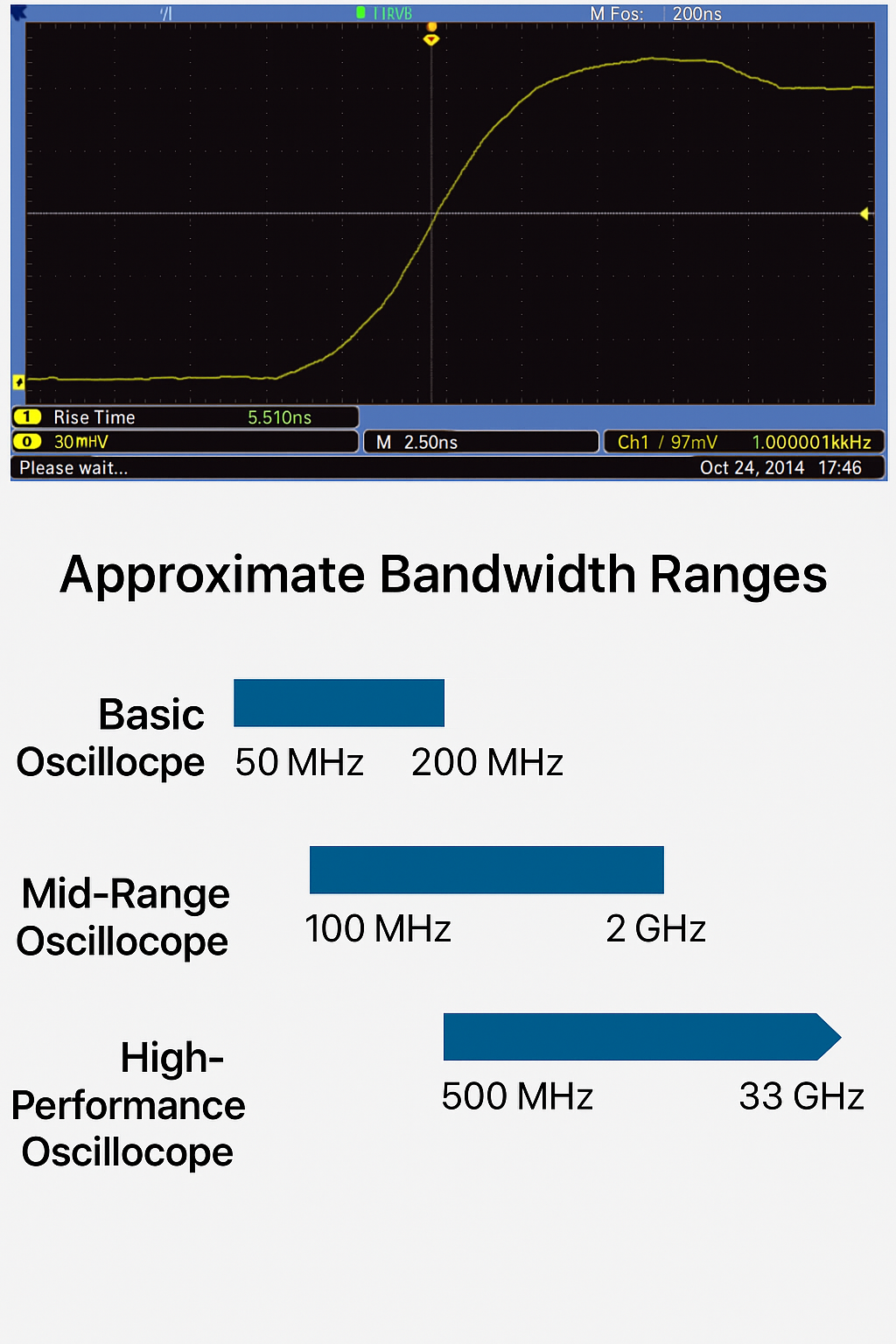
Basic oscilloscopes typically range from 50 MHz to 200 MHz. If you need more bandwidth, higher-performance instruments cover 350 MHz and above, up to tens of GHz.
2. Sample Rate
The sample rate (samples per second) is the oscilloscope's sampling speed, similar to a camera frame rate; it determines how much waveform detail is captured. Use the "five-times rule" again: choose a sample rate at least five times the highest frequency component in your circuit. Most basic oscilloscopes offer 1 to 2 GS/s maximum sample rates. Keep in mind that many basic scopes with up to 200 MHz bandwidth are designed to oversample by 5 to 10 times at the maximum bandwidth.
Higher sample rates preserve more information and allow the oscilloscope to present the measured signal more accurately, but they also fill memory faster and limit the time span you can capture. Entry-level models typically have 1 to 2 GS/s, while mid-range models may offer 5 to 10 GS/s.
3. Sufficient Channels and the Right Channel Types
Oscilloscopes use analog channels to acquire and display signals. Generally, more channels are better, though additional channels increase cost. Whether to choose two or four analog channels depends on your application. Two channels let you compare input and output of a component. Four channels give more flexibility to compare multiple signals and combine channels mathematically (for example, multiply to obtain power or subtract to get differential signals).
Note: the number of active channels may reduce the achievable sample rate.
4. Compatible Probes
Good measurements begin with the probe. The oscilloscope and probe operate as a system, so consider probes when choosing an oscilloscope. During measurement, the probe becomes part of the circuit and introduces resistance, capacitance, and inductance. To minimize this influence, use probes matched to the oscilloscope. A variety of compatible probes extends the oscilloscope's applicability. Also choose passive probes with sufficient bandwidth; the probe bandwidth should match the oscilloscope bandwidth.
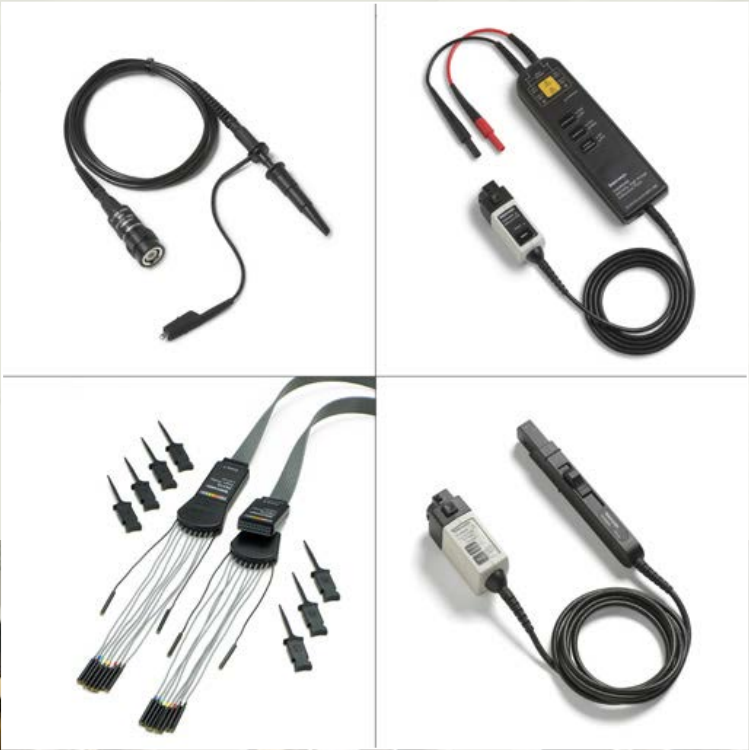
Probe types:
Passive probes: Typical 10x attenuation passive probes present controlled impedance and capacitance and suit most ground-referenced measurements. Most oscilloscopes ship with these. You need one passive probe per input channel.
High-voltage differential probes: Differential probes allow safe, accurate floating and differential measurements with a ground-referenced oscilloscope. Every lab should have at least one.
Logic probes: Logic probes provide digital signals to mixed-signal oscilloscopes, including floating leads and accessories for connecting to small on-board test points.
Current probes: Adding a current probe enables current measurement and lets the oscilloscope calculate and display instantaneous power.
5. Triggering
Triggering provides a stable display and lets you lock onto specific portions of complex waveforms. All oscilloscopes offer edge triggering, and most provide pulse-width triggering. The wider the range of triggering options, the more flexible the oscilloscope and the faster you can isolate root causes of problems.
6. Record Length
Record length is the number of points in a full waveform record. Oscilloscopes can store only a limited number of samples, so longer record lengths are better.
Acquisition time = record length / sample rate
For example, with a 1 Mpoint record length and a 250 MS/s sample rate, the oscilloscope can capture 4 ms. Basic oscilloscopes typically store more than 2,000 points, which is fine for stable sine waves (which might need ~500 points). To investigate timing anomalies in complex digital data streams, consider record lengths greater than 1 Mpoints.
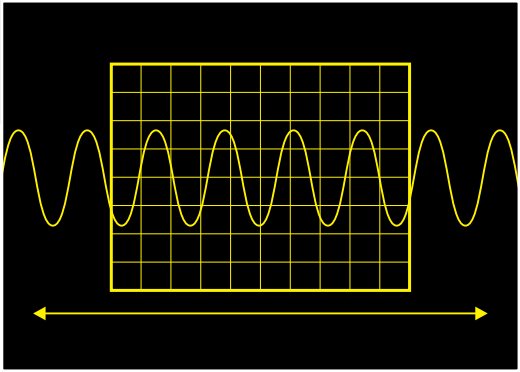
Oscilloscopes with record lengths in the millions of points can display long sequences of activity and are essential for analyzing complex waveforms.
7. Automatic Measurements and Analysis
Automated waveform measurements make it easier to obtain accurate numeric readings. Most oscilloscopes provide front-panel buttons and on-screen menus for common automated measurements, including amplitude, period, and rise/fall times. Many digital scopes also offer averaging and RMS calculations, duty cycle, and other math functions. Channel math lets you add, subtract, and multiply waveforms. Multiplying voltage and current waveforms yields power; subtraction can approximate differential measurements. FFT functions show the frequency spectrum of a captured waveform.
8. Ease of Use
An oscilloscope should be easy to operate, even for occasional users. Ease-of-use criteria include:
- Dedicated knobs for frequently used adjustments.
- AUTOSET and/or DEFAULT buttons for quick configuration.
- Fast response to changing events.
- Support for your language in menus, built-in help, manuals, and clear front-panel labeling.
9. Connectivity
Connecting an oscilloscope directly to a computer or using removable media for data transfer enables advanced analysis and simplifies record keeping and sharing. Many oscilloscopes can export JPG, BMP, or PNG files for easy documentation. Many include or offer downloadable software to capture screen images, collect waveform data, or save instrument setups. Some scopes provide VGA output for connection to an external monitor. When choosing an oscilloscope, check which connectivity features you need; available drivers and software can save considerable time and effort.
10. Serial Bus Decoding
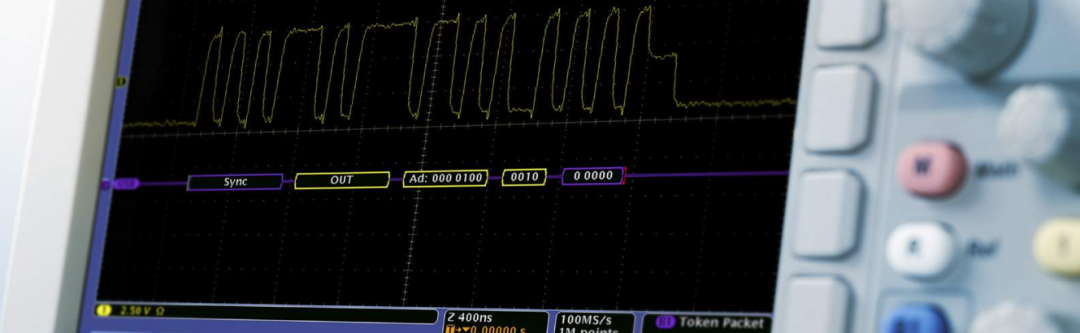
Most system-level communications are transmitted over serial links. Even on modern PCBs, much chip-level data is transferred over serial buses. Some oscilloscopes can decode serial buses and display decoded data synchronized with other waveforms. Automatic decoding is far faster and less error-prone than manual decoding. Beyond decoding, some oscilloscopes offer triggering and search capabilities for specific serial data values. These features help speed up troubleshooting.