After the EXR series oscilloscope extended bandwidth to 6 GHz, it has seen broader use. Its advanced triggering capabilities address a range of time-domain waveform testing challenges for engineers.
Why advanced triggers are needed
An oscilloscope displays waveforms by capturing signals according to configured trigger conditions and presenting them stably on the screen. With traditional oscilloscopes, trigger setup is a technical task that often requires estimating settings from the approximate waveform shape. Early instruments typically provided only simple triggers such as rising-edge or falling-edge, usually on a single trigger channel. As digital signals become more complex, designers of serial links and parallel buses need to identify signal anomalies quickly. Relying only on hardware triggers and deep memory to capture and locate sporadic events is time-consuming and can miss events entirely.
Some high-end oscilloscopes have added triggers for specific waveform features or event counts, but they often lack multiple trigger channels or compound conditions, limiting their practical usefulness. Conveniently and reliably capturing complex anomalous signals remains a key objective.
InfiniiScan technology
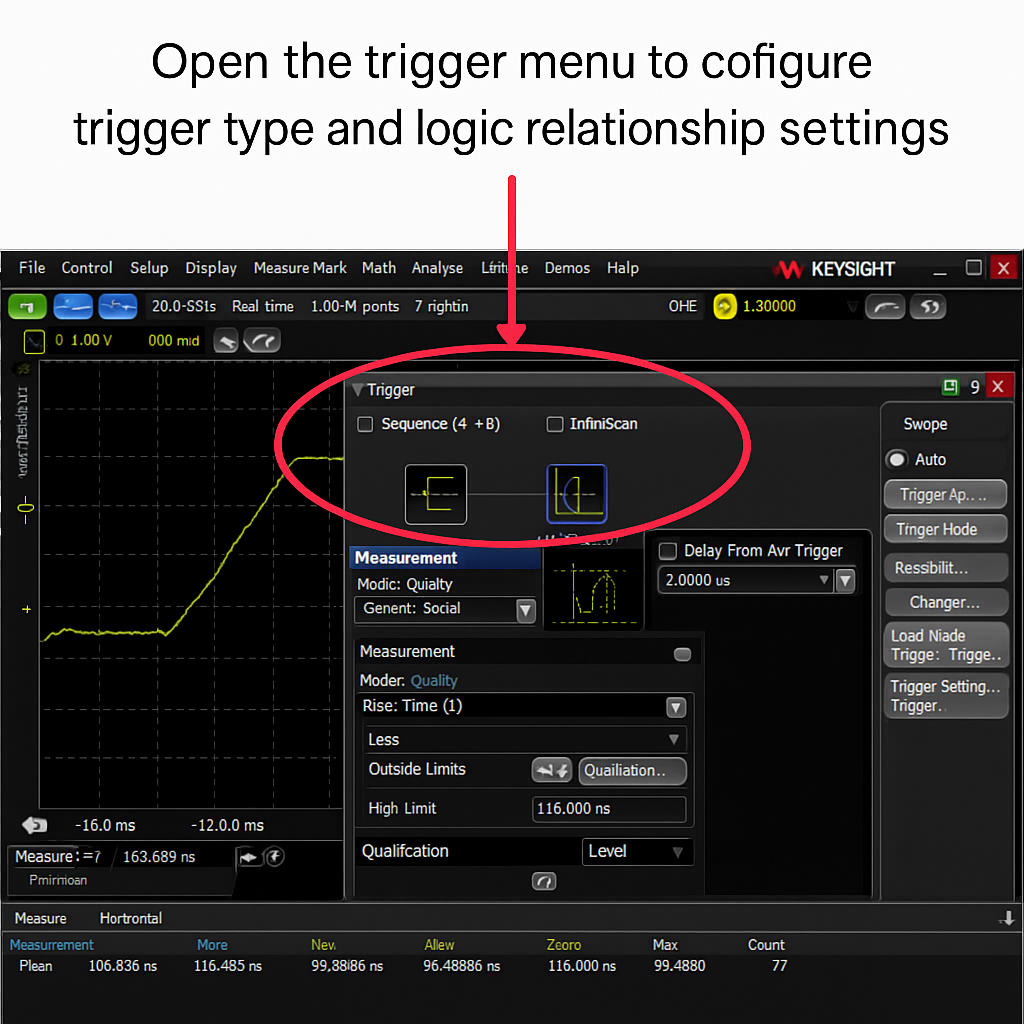
Keysight introduced region triggering and mask/template triggering in its InfiniiScan (D9010SCNA) technology. This functionality enables the oscilloscope hardware trigger to identify signal integrity problems that are difficult to see otherwise. The software scans thousands of acquired waveforms per second to help isolate anomalies and reduce troubleshooting time.
The advanced trigger package comprises two main components: the InfiniiScan search tool and limit testing. It can act as an additional trigger condition and supports up to three levels of triggering on the EXR oscilloscope.
Region triggering
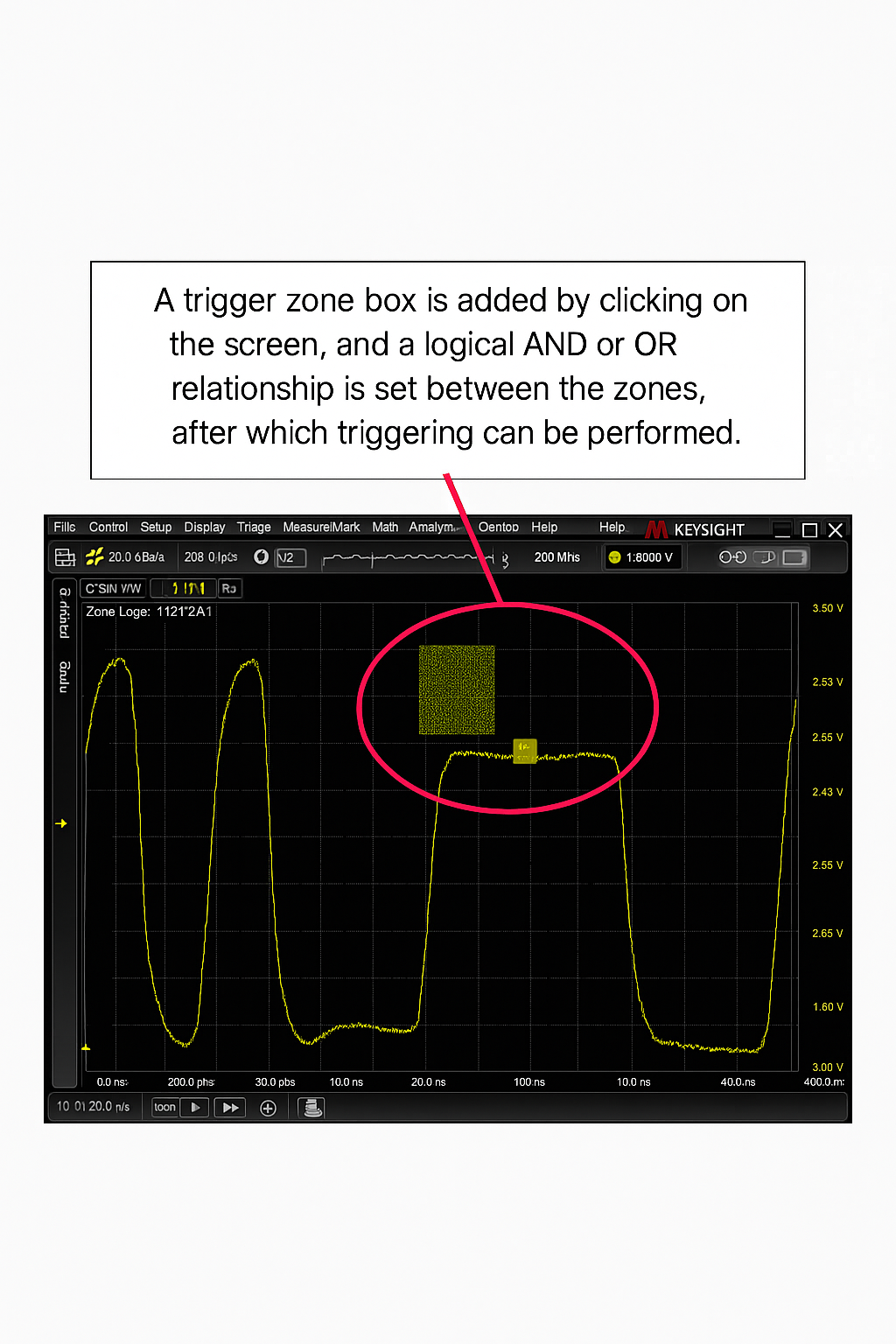
EXR's region triggering lets you trigger on any content that appears on the screen. You can add up to eight rectangular regions, each assigned to an analog channel, and set each region to a "must intersect" or "must not intersect" mode. You can define logical relationships between regions using AND or OR. This provides fine control over triggering on specific positions or waveform shapes. Because the oscilloscope uses a multi-touch capacitive display, regions can be manipulated directly on the front panel with a finger or a mouse. Common serial patterns, runt pulses, and similar anomalies can be located more easily using this method.
Limit (template) testing
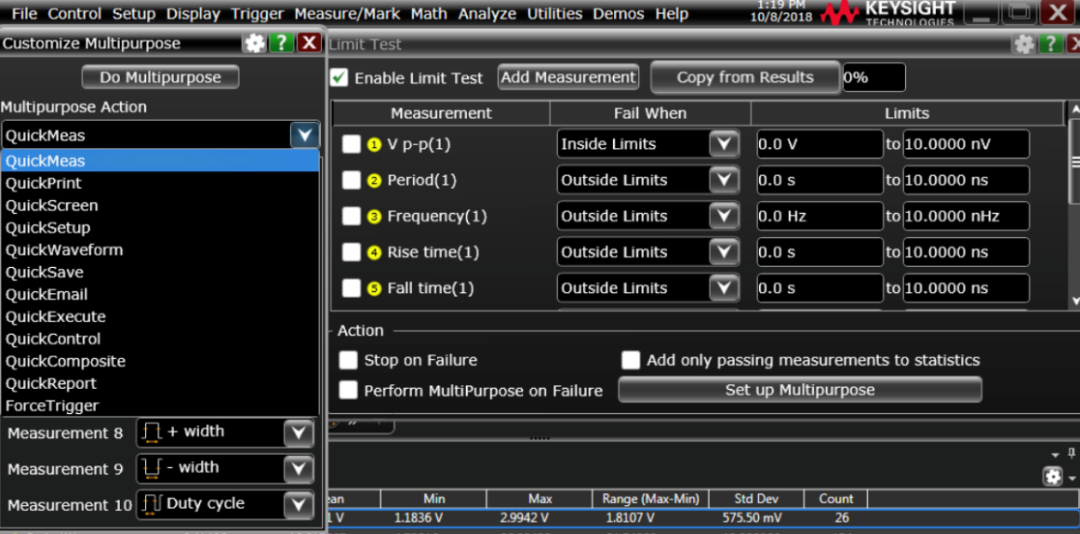
The limit testing feature lets you count violations based on specified measurement conditions. The software allows setting up to five different conditions across all channels. Its navigation feature moves the display to the exact location of any and all identified anomalies.
- Select up to five measurements
- Define acceptable or unacceptable ranges (inside range or outside range)
- Navigate to anomalous events
- Actions on failure: stop, print, email, take a screenshot, save settings, save waveform, perform measurements, and other responses
Summary
EXR's advanced triggering is an effective option in mid- to high-end oscilloscope trigger configurations and offers test engineers a more efficient way to perform waveform testing.