Introduction
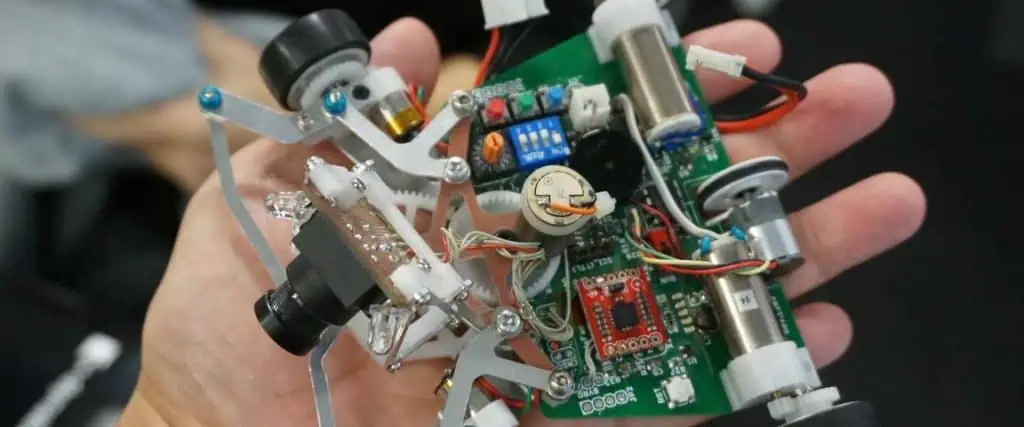
Robotics projects captivate electronic hobbyists with the promise of creating machines that can sense, move, and interact with their environment. At the heart of every robot lies a printed circuit board (PCB), serving as the central hub for robotics electronics. These boards integrate microcontrollers, motor control circuits, and sensor integration to bring a robot to life. Designing and assembling a robotics PCB can seem daunting, but with a structured approach, hobbyists can achieve reliable and efficient results. This guide offers practical insights into crafting microcontroller PCBs tailored for robotics, covering essential design principles and assembly techniques. Whether you're building a simple line-following robot or a complex autonomous system, understanding PCB assembly for robots is key to success. Let's explore the steps to design and build a PCB that powers your robotics vision.
What Is a Robotics PCB and Why It Matters
A robotics PCB is a specialized circuit board designed to manage the electronic components of a robot. It acts as the backbone, connecting microcontrollers, sensors, actuators, and power systems to ensure seamless operation. These boards are critical in robotics electronics because they provide the electrical infrastructure for processing data, controlling movements, and responding to environmental inputs. Without a well-designed PCB, a robot may suffer from unreliable performance, signal interference, or power inefficiencies.
For electronic hobbyists, the importance of a robotics PCB lies in its ability to consolidate complex circuits into a compact, organized layout. A thoughtfully engineered PCB reduces wiring clutter, minimizes errors, and enhances the durability of the robot. By focusing on motor control circuits and sensor integration, hobbyists can create systems that execute precise tasks, from navigating obstacles to manipulating objects. Mastering PCB design for robotics opens doors to innovative projects and deeper learning in electronics.
Technical Principles of Robotics PCB Design
Core Components of a Robotics PCB
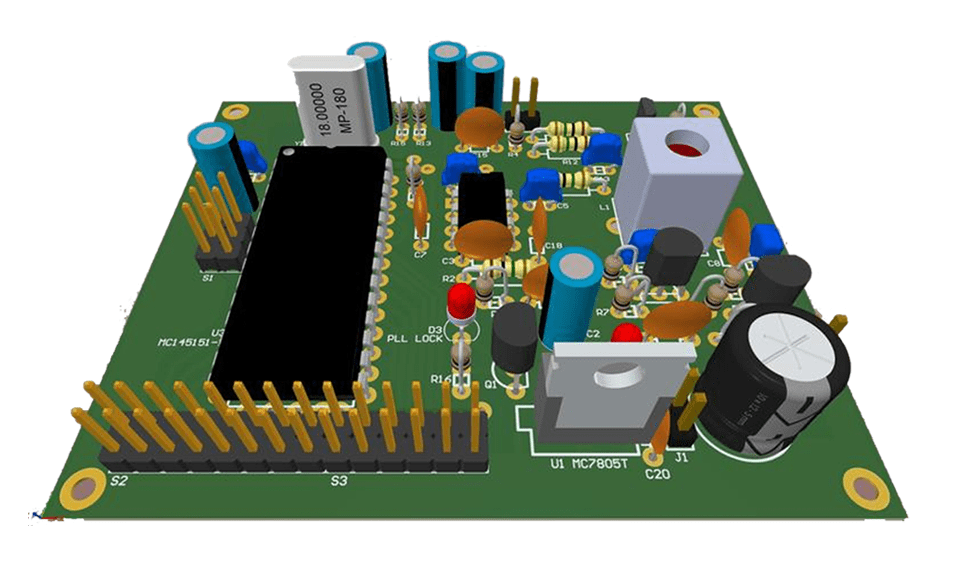
Every robotics PCB revolves around a few essential elements. Microcontroller PCBs form the brain of the system, processing inputs and sending commands. Commonly used microcontrollers handle tasks like reading sensor data and driving motors. Motor control circuits manage the power delivery to actuators, ensuring smooth and accurate movement. Sensor integration allows the robot to perceive its surroundings, using components like infrared, ultrasonic, or gyroscopic sensors to detect obstacles or orientation.
Power management is another crucial aspect. Robotics PCBs must distribute voltage efficiently to avoid overheating or component failure. This often involves regulators and capacitors to stabilize supply lines. Communication interfaces, such as serial or wireless modules, enable interaction between the robot and external devices. Understanding these components helps hobbyists design boards.
Design Considerations for Motor Control Circuits
Motor control circuits are vital for driving a robot's movement. These circuits must handle varying current demands while maintaining precision. Pulse Width Modulation (PWM) is often used to control motor speed by adjusting the duty cycle of the signal. Hobbyists should ensure that the PCB traces carrying high current to motors are wide enough to prevent overheating, adhering to guidelines like those in IPC-6012E for trace width and spacing.
Proper grounding is essential to minimize noise in motor control circuits. A solid ground plane reduces electromagnetic interference, which can disrupt sensor readings or microcontroller operation. Additionally, incorporating driver chips or H-bridge configurations allows bidirectional motor control, enabling forward and reverse motion. Careful placement of these components on the PCB avoids crosstalk and ensures efficient power delivery.
Sensor Integration Techniques
Sensor integration on a robotics PCB requires attention to signal integrity and placement. Sensors often produce low-level analog signals that are prone to interference. Placing sensors away from high-current motor traces reduces noise. Using separate analog and digital ground planes, as recommended by industry practices in IPC-A-600K, helps isolate sensitive signals.
Filtering capacitors near sensor power pins can further stabilize inputs. For digital sensors, ensure proper pull-up or pull-down resistors are included to maintain signal levels. When designing the PCB, allocate space for easy sensor replacement or upgrades, as robotics projects often evolve. These practices ensure reliable data collection, critical for a robot's decision-making process.
Related Reading: Heavy Copper PCB for Robotics: Boosting Your Robot's Performance
Practical Solutions for Designing and Assembling Robotics PCBs
Step-by-Step Design Process for Microcontroller PCBs
Designing microcontroller PCBs for robotics starts with selecting a suitable controller based on processing needs. Hobbyists can begin by creating a schematic that maps out connections between the microcontroller, sensors, and motor drivers. Software tools compliant with standards like IPC-6012E can help validate the design for manufacturing readiness.
Next, focus on component placement. Group related components together to shorten trace lengths, reducing signal delay and noise. Ensure the microcontroller has accessible pins for programming and debugging. During the layout phase, prioritize power and ground planes for stable operation. Finally, review the design for errors, checking for unconnected nets or incorrect footprints before generating manufacturing files.
Related Reading: Designing High-Performance Drone Flight Controller PCBs: A Comprehensive Guide
Best Practices for Motor Control Circuits
When designing motor control circuits, select components rated for the expected current and voltage. Use thermal reliefs on pads connected to power planes to prevent soldering issues, following guidelines from IPC-A-600K. Incorporate overcurrent protection, such as fuses or current-sensing resistors, to safeguard the circuit.
Test the motor control circuit on a breadboard before committing to a PCB layout. This allows hobbyists to verify functionality and adjust resistor or capacitor values as needed. During PCBA assembly, ensure high-current solder joints are robust by applying adequate heat, as poor connections can lead to failures under load.
Sensor Integration and Testing
For sensor integration, start by verifying compatibility with the microcontroller's input range. Use shielding techniques, such as enclosing sensitive traces with ground vias, to protect against interference. After assembling the PCB, test each sensor individually using a multimeter or oscilloscope to confirm signal accuracy.
Create a test routine in the microcontroller code to log sensor data. Analyze this data to identify inconsistencies or noise, adjusting the PCB layout or adding filters if necessary. Document the test results to track performance over time, aiding in troubleshooting if issues arise during robot operation.
PCB Assembly for Robots: Tips and Tricks
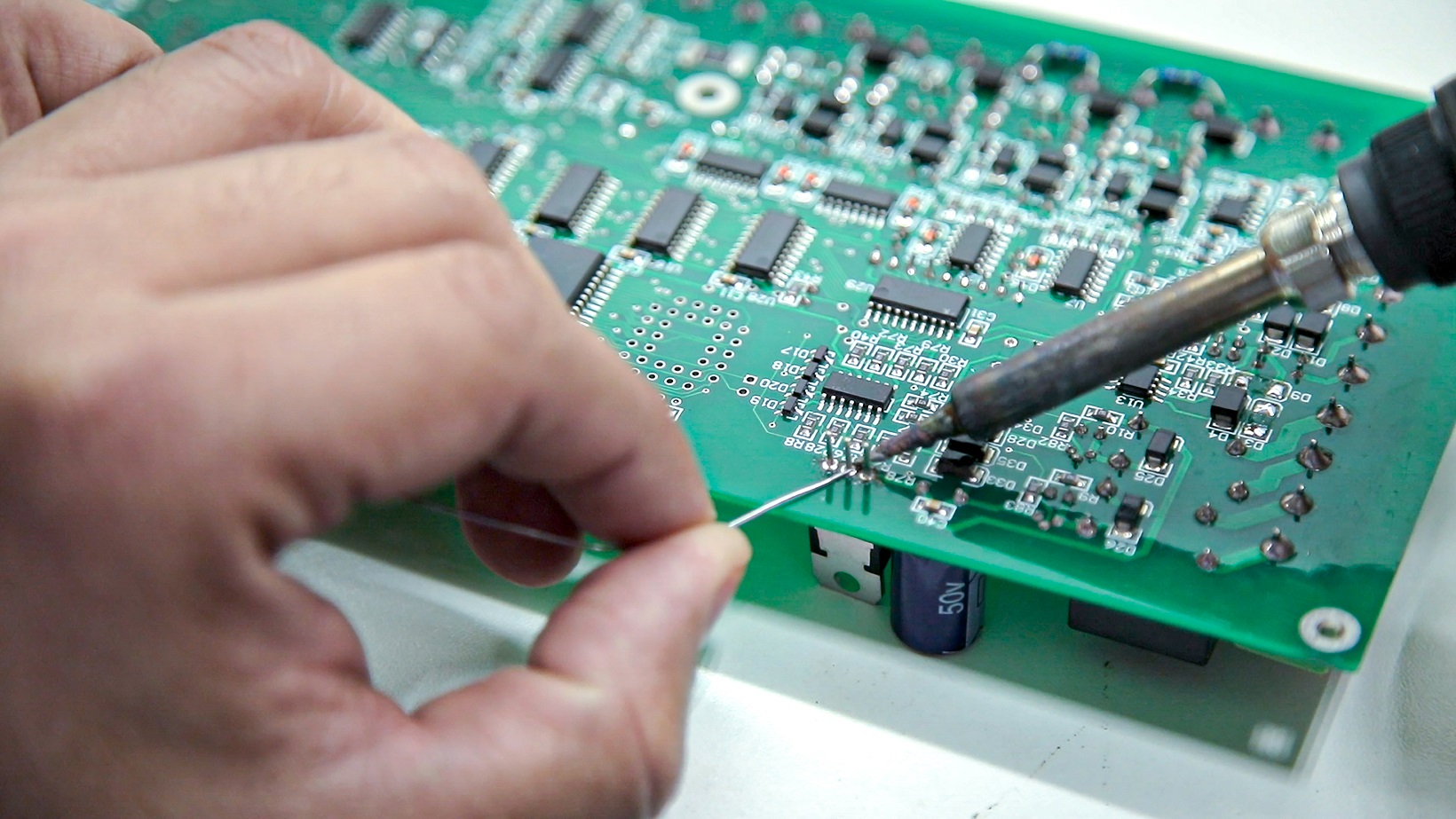
PCB assembly for robots demands precision to avoid damaging components. Begin by organizing parts and tools to streamline the process. Use a soldering iron with a fine tip for small components, ensuring compliance with soldering standards like J-STD-001G for reliable joints.
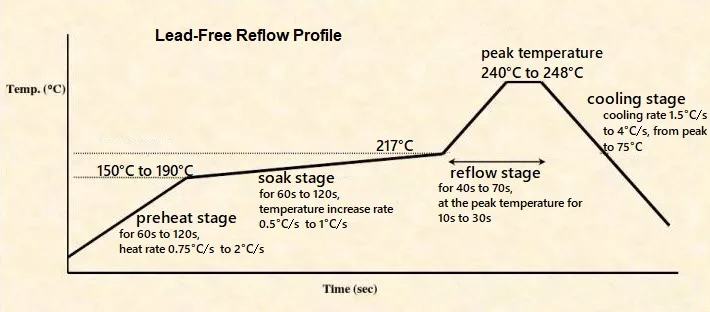
Apply flux to pads before soldering to improve wettability and reduce defects. For surface-mount components, use a reflow oven or hot air station for even heat distribution. After assembly, inspect the board under magnification for cold solder joints or bridges, referencing IPC-A-600K for acceptability criteria. Clean the board with isopropyl alcohol to remove flux residue, preventing corrosion.
Troubleshooting Common Issues
During testing, hobbyists may encounter issues like erratic motor behavior or unreliable sensor data. Start by checking power supply voltages to ensure they meet component specifications. Use a logic analyzer to debug microcontroller PCBs if code execution fails, pinpointing timing or interrupt problems.
For motor control circuits, verify current draw with a meter to detect shorts or overloads. If sensors provide inconsistent readings, inspect solder joints and trace continuity, as breaks can disrupt signals. Keep a log of troubleshooting steps to identify patterns, refining the design for future iterations.
Conclusion
Designing and assembling types of PCBs for robotics projects offers electronic hobbyists a rewarding challenge that blends creativity with technical skill. By understanding the principles of robotics electronics, including motor control circuits and sensor integration, enthusiasts can build reliable and efficient systems. Following a structured approach to design and assembly ensures that microcontroller PCBs meet the demands of dynamic robotic applications. Adhering to industry standards and best practices minimizes errors and enhances performance. With patience and attention to detail, hobbyists can transform concepts into functional robots, paving the way for innovation in personal and collaborative projects.
FAQs
Q1: How do I choose the right microcontroller for my robotics PCB?
A1: Selecting a microcontroller for a robotics PCB depends on processing power, input/output pins, and compatibility with sensors and motor control circuits. Consider the complexity of your project and ensure the controller supports necessary communication protocols. Evaluate power consumption for battery-operated robots. Resources like datasheets provide detailed specifications to match your needs.
Q2: What are common challenges in sensor integration on a robotics PCB?
A2: Sensor integration on a robotics PCB often faces issues like signal noise and interference from motor circuits. Placing sensors away from high-current traces and using ground planes helps. Additionally, ensuring voltage compatibility and proper filtering reduces data errors. Testing each sensor post-assembly confirms reliable performance in real-world conditions.
Q3: How can I ensure reliable motor control circuits in my robotics project?
A3: For reliable motor control circuits, design traces to handle expected currents per standards like IPC-6012E. Use appropriate drivers or H-bridges for bidirectional control. Incorporate protection components to prevent overloads. Test circuits on a breadboard first to validate performance before finalizing the PCB assembly for robots.
Q4: What standards should I follow for PCB assembly for robots?
A4: When assembling PCBs for robots, follow standards like IPC-A-600K for acceptability of boards and J-STD-001G for soldering quality. These guidelines ensure robust connections and minimize defects. Inspect joints for issues like cold soldering and clean flux residue to prevent long-term damage, ensuring durability in robotic applications.
References
IPC-6012E — Qualification and Performance Specification for Rigid Printed Boards. IPC, 2020.
IPC-A-600K — Acceptability of Printed Boards. IPC, 2020.
J-STD-001G — Requirements for Soldered Electrical and Electronic Assemblies. IPC, 2017.