Introduction
Printed circuit boards form the backbone of most electronic projects, especially for hobbyists diving into DIY electronics. Testing these boards ensures they function as intended before powering up your creation. A multimeter serves as an essential, affordable tool for multimeter PCB testing, allowing you to verify connections, voltages, and resistances without complex equipment. This guide walks beginners through the process step by step, focusing on practical techniques suitable for home workshops. By mastering these basics, you can troubleshoot issues early and build confidence in your PCB assembly skills. Whether you etched your own board or ordered a prototype, proper testing prevents frustrating failures down the line.
What Is Multimeter PCB Testing and Why It Matters
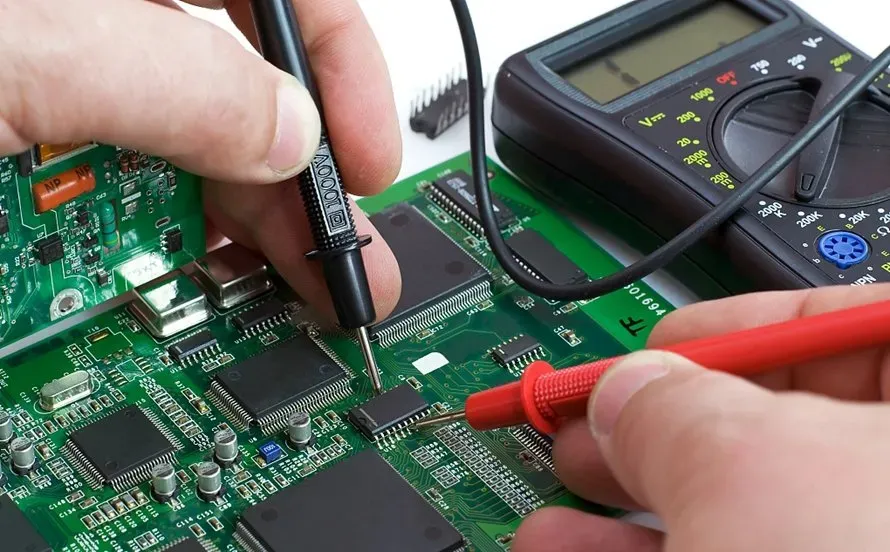
Multimeter PCB testing involves using a handheld multimeter to perform electrical checks on bare or assembled boards. It detects common defects like open circuits, shorts, incorrect voltages, and high resistances that could cause malfunctions. For electronic hobbyists, this DIY PCB testing method stands out because it requires minimal setup and provides immediate feedback. Industry practices emphasize electrical integrity to meet reliability standards, making these tests crucial even in small-scale projects. Skipping them risks damaging components or wasting time on faulty designs. Ultimately, routine testing builds reliable circuits and sharpens your diagnostic skills for future builds.
In professional manufacturing, similar checks align with guidelines like IPC-9252, which outlines requirements for electrical testing of unpopulated printed boards. Hobbyists benefit from the same principles on a smaller scale, ensuring traces and pads connect properly.
Understanding Multimeter Functions for PCB Testing
A multimeter combines several measurement tools into one device, ideal for PCB diagnostics. The continuity mode beeps when resistance drops below a threshold, typically a few ohms, signaling a good connection. Voltage measurement lets you confirm power rails deliver the expected DC or AC levels across the board. Resistance mode quantifies opposition to current flow, helping identify damaged traces or faulty components. Diode testing verifies one-way conduction in protection circuits or LEDs. Familiarizing yourself with these modes ensures accurate multimeter PCB testing every time.
Each function relies on basic electrical principles: continuity checks for low-resistance paths, voltage probes potential differences, and resistance applies Ohm's law. Probes must contact clean metal surfaces for reliable readings. Auto-ranging models simplify use by selecting scales automatically, perfect for beginners. Practice on known good circuits first to build intuition.
Preparing for Multimeter PCB Testing
Start by powering off the PCB and discharging any capacitors to avoid shocks or false readings. Use insulated probes and work in a static-free area to protect sensitive parts. Clean the board with isopropyl alcohol if flux residue obscures pads or traces. Select a stable workbench with good lighting for clear visibility. Gather your multimeter, spare probes, and a notepad to log measurements. Proper preparation makes testing continuity PCB and other checks safer and more efficient.
Inspect visually first for obvious issues like lifted pads, solder bridges, or missing components. This complements electrical tests by catching mechanical defects early. Ensure the multimeter batteries are fresh for consistent performance.
Step-by-Step Guide to Key Tests
Testing Continuity on PCB
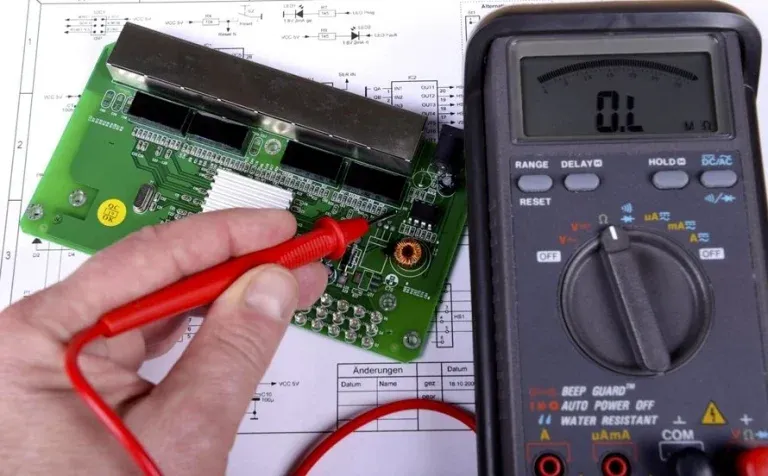
Testing continuity PCB verifies that nets connect without breaks. Set the multimeter to continuity mode, often marked by a sound wave icon. Touch one probe to a pad or trace end and the other to the destination point. A beep confirms low resistance, indicating a good path; silence suggests an open circuit. Probe both sides of vias and under components for thorough coverage. Repeat for all critical nets, comparing against your schematic.
This test excels at finding manufacturing defects like etching errors or drill misalignments. For multilayer boards, check layer-to-layer connections via vias carefully. If no beep occurs, gently flex the board to detect intermittent opens.
Measuring Voltage on PCB
Measuring voltage PCB ensures power supplies and regulators output correct levels. Power on the circuit with a current-limited supply for safety. Switch the multimeter to DC voltage, starting at 20V range. Probe positive to the rail and negative to ground. Expected readings match your design, such as 5V or 3.3V; deviations point to regulator failures or drops. Check multiple points along the rail for uniformity.
AC voltage mode helps with switching supplies or oscillators. Always measure with respect to ground to avoid floating references. Low voltage might indicate high resistance upstream.
Checking Resistance on PCB
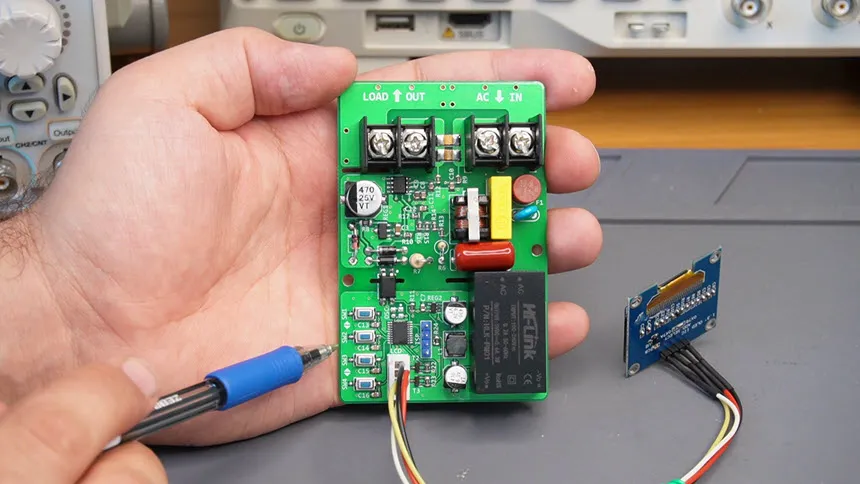
Checking resistance PCB quantifies trace integrity and component values. Power off the board completely. Set to ohms, using the lowest range for traces. Probe across a trace; good ones read near zero ohms, under 1 ohm per inch typically. Higher values signal corrosion or thinning. For resistors, match the color code or schematic value within 5-10% tolerance.
Isolate components by lifting one lead if needed for in-circuit accuracy. High resistance between adjacent nets confirms insulation. This test pairs well with IPC-A-600 criteria for printed board acceptability, focusing on conductor defects.
Common Mistakes and Troubleshooting
Beginners often probe live circuits without discharging, risking meter damage or shocks. Another error involves dirty probes causing erratic continuity beeps. Troubleshooting starts with rechecking power: no voltage might mean a blown fuse or open trace. Shorts show zero resistance between unrelated nets; reflow solder bridges or scrape excess. Intermittents require tapping or heating the board while probing.
Component failures like failed capacitors appear as low resistance to ground. Use the diode mode for semiconductors: forward bias drops 0.6-0.7V for silicon. Systematic tracing from input to output narrows issues. Document findings to spot patterns in future boards.
Best Practices for DIY PCB Testing
Follow a checklist: visual, continuity, resistance, then powered voltage tests. Use bed-of-nails fixtures for repeatability if prototyping multiples. Calibrate your multimeter periodically against known values. Test at room temperature, as heat affects readings. Combine with functional tests after full assembly.
Adhere to J-STD guidelines for soldering quality to minimize test failures upfront. Store boards in anti-static bags post-testing. These habits elevate DIY PCB testing to professional levels.
Conclusion
Multimeter PCB testing empowers hobbyists to verify boards reliably and affordably. From testing continuity PCB to measuring voltage PCB and checking resistance PCB, these steps catch defects early. Practice builds speed and accuracy, turning potential failures into successes. Invest time in preparation and methodical checks for consistent results. Your projects will perform better, fostering creativity in electronics.
FAQs
Q1: What is the first step in multimeter PCB testing?
A1: Begin with a visual inspection for solder bridges, missing parts, or damage. Then power off and test continuity across traces using the beep mode. This detects opens and shorts quickly. Discharge capacitors before probing to ensure safety. Follow with resistance and voltage checks for complete coverage.
Q2: How do I fix a failed continuity test on my PCB?
A2: A no-beep result indicates an open; inspect for breaks or poor soldering. Reflow joints or jumper wires across the gap. Check vias by probing top and bottom. Verify against the schematic. Retest after fixes. This systematic approach resolves most DIY PCB testing issues.
Q3: Why measure voltage during PCB testing?
A3: Measuring voltage PCB confirms regulators and supplies deliver design specs, like 5V rails. Drops signal high resistance or failures. Use DC mode with ground reference. Test powered circuits cautiously with limited current. It prevents component stress from under-voltage.
Q4: Can I check components in-circuit with a multimeter?
A4: Yes, for resistors and capacitors, but parallel paths affect accuracy. Lift leads for precision if possible. Diode mode works well in-circuit for junctions. Checking resistance PCB this way spots obvious faults fast. Power off always.
References
IPC-9252 — Requirements for Electrical Testing of Unpopulated Printed Boards. IPC, 2016
IPC-A-600K — Acceptability of Printed Boards. IPC, 2020
IPC-6012E — Qualification and Performance Specification for Rigid Printed Boards. IPC, 2017