Introduction
Are you ready to become proficient in the SMD rework process or master the art of surface mount component replacement? Whether your goal is to tackle electronics as a hobby or professionally replace intricate components on Printed Circuit Boards (PCBs), this comprehensive SMD soldering guide will equip you with the knowledge for every stage. From the initial setup of your rework station to advanced, detailed techniques, we provide practical advice to guarantee successful outcomes in your electronics repair endeavors.
In this tutorial, we will delve deeply into the entire procedure of SMD component replacement. You will gain insight into the necessary tools, how to organize your workspace effectively, and a sequential approach to both desoldering and soldering surface mount devices. Let's begin, providing you with all the essential information to approach this task with absolute confidence.
What is SMD Component Replacement and Why is it Essential?
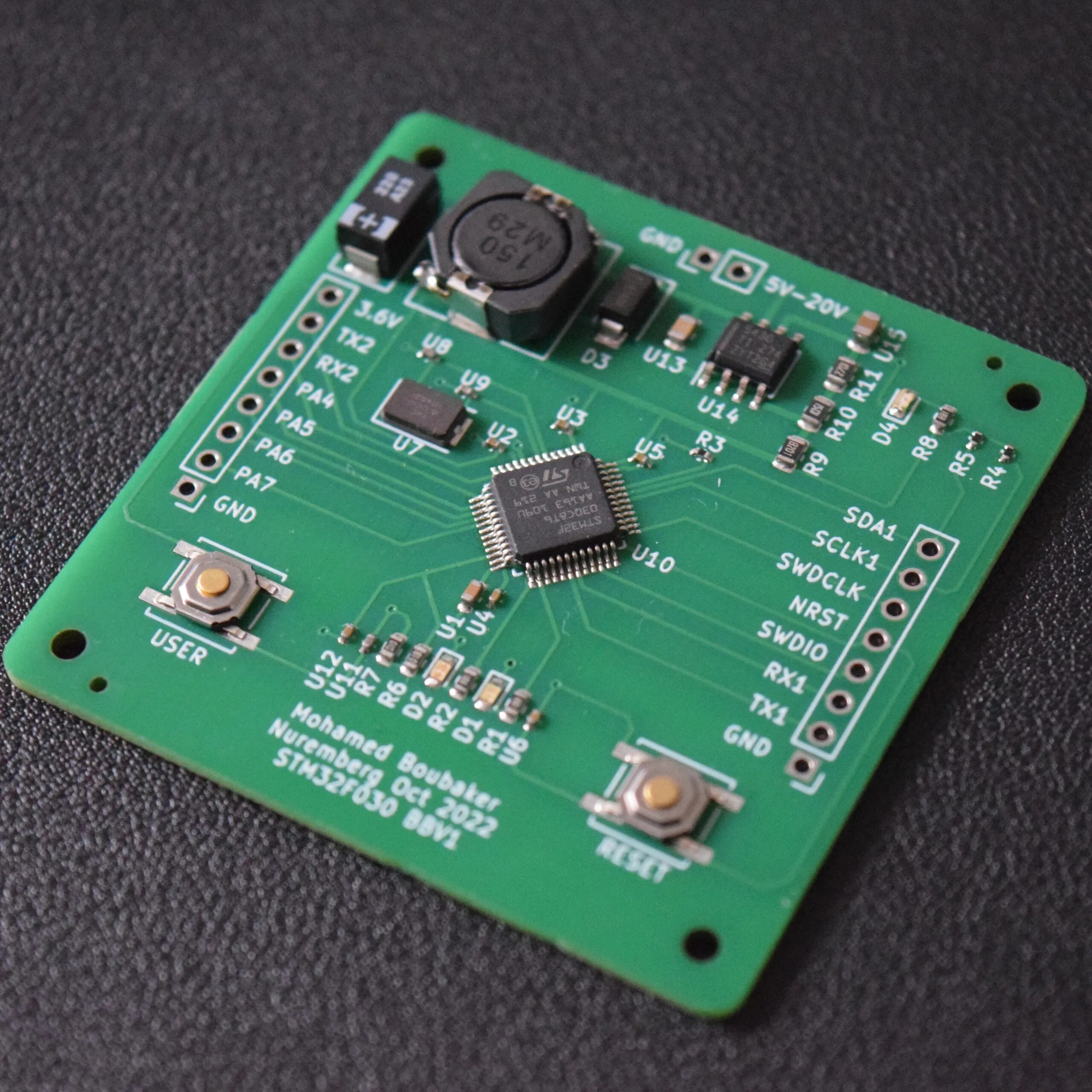
Surface Mount Device (SMD) component replacement is an indispensable skill in the realm of electronics repair and prototyping. Unlike conventional through-hole components, SMDs are directly soldered onto the surface of a quick turn PCB, allowing for significantly smaller and more compact circuit designs. However, this miniaturization necessitates precise techniques for their removal and reinstallation during repair operations or circuit upgrades.
The SMD rework process is critical for rectifying faulty components, updating existing circuits, or salvaging valuable parts from old or damaged boards. With the escalating prevalence of compact electronic devices, proficiency in surface mount component replacement can lead to considerable time savings, cost reductions, and a marked improvement in the overall quality and reliability of your projects. Whether you're addressing minute resistors, capacitors, or complex integrated circuits (ICs), mastering this process ensures your PCBs remain fully functional and dependable.
Essential Tools for the SMD Rework Process
Before embarking on the detailed, step-by-step guide for replacing small components on PCBs, it's crucial to assemble the necessary toolkit. Possessing the correct equipment is paramount for ensuring a seamless and damage-free rework experience. Here is a comprehensive list of indispensable tools:
● Hot Air Rework Station: This is a mandatory tool for both desoldering and soldering SMD components. It precisely delivers controlled hot air to melt solder without direct physical contact, making it ideal for delicate parts. Seek a station with adjustable temperature (typically ranging from 200°C to 450°C) and airflow settings for versatility.
● Soldering Iron: A soldering iron equipped with a fine tip (rated between 15-30W) is essential for precision work on minuscule pads. Ensure it features temperature control to prevent overheating and protect sensitive components.
● Tweezers: High-precision tweezers are vital for handling tiny SMD components without causing damage. Anti-static tweezers are highly recommended to prevent electrostatic discharge (ESD) related issues.
● Desoldering Braid or Solder Wick: This material is invaluable for efficiently removing excess solder from pads after a component has been desoldered, ensuring a clean surface for the new part.
● Flux: Flux serves a dual purpose: it cleans the metallic surfaces of the pads and significantly enhances solder flow, thereby facilitating strong and reliable connections during component replacement.
● Solder Paste or Wire Solder: Required for attaching new components. Solder paste is particularly effective for reflow soldering when using a hot air station, while fine-gauge wire solder is suitable for soldering iron applications.
● Magnifying Glass or Microscope: Absolutely essential for meticulous inspection of small components and ensuring the quality of solder joints, especially on densely populated circuit boards.
● Isopropyl Alcohol and Cleaning Brush: Used for thoroughly cleaning the PCB post-rework, removing all flux residue to prevent corrosion and ensure optimal circuit performance.
● Anti-Static Mat and Wrist Strap: These items are critical for establishing an Electrostatic Discharge (ESD)-safe workspace, protecting sensitive electronic components from static electricity damage.
Setting Up Your Rework Station for Optimal Performance
A meticulously organized and safely configured rework station forms the bedrock of a successful SMD rework process. Without an optimized workspace, you risk inadvertently damaging components or the PCB itself. Adhere to these steps to properly prepare your station:
1. Choose a Well-Ventilated Environment: Soldering processes generate fumes that can be hazardous to health. Always operate in an area with robust airflow or utilize a dedicated fume extractor.
2. Establish an Anti-Static Zone: Deploy an anti-static mat on your workbench and consistently wear a wrist strap connected to a verified ground point. This crucial step safeguards sensitive electronic components from potentially destructive electrostatic discharge.
3. Position Your Hot Air Rework Station: Place the station on a stable, sturdy surface. Verify that the hot air nozzle is clean and securely attached. Initially, set the temperature to a moderate level (e.g., around 300°C) and be prepared to adjust it based on the specific component and solder type.
4. Systematically Organize Tools: Arrange your soldering iron, precision tweezers, flux, and all other necessary tools within easy arm's reach. This organization prevents delays and maintains focus during intricate rework tasks.
5. Secure the PCB: Mount the PCB firmly in a specialized holder or vise. This immobilization is critical to prevent any unwanted movement of the board while you are working on minute components.
6. Optimize Lighting and Magnification: Ensure your workspace benefits from bright, shadow-free illumination. Position your magnifying glass or microscope so that you have an exceptionally clear and magnified view of tiny pads and components.
Step-by-Step SMD Rework Process for Component Replacement
With your workspace meticulously prepared, let's now proceed with the detailed, step-by-step guide for surface mount component replacement. This comprehensive SMD soldering tutorial is structured into clear, actionable stages to effectively guide you through desoldering old components and precisely soldering new ones.
Step 1: Thorough Component and PCB Assessment
Before initiating any work, meticulously identify the component designated for replacement. Note its size, specific type (e.g., an 0402 resistor, a QFN integrated circuit), and its exact orientation on the PCB. If available, consult the board's layout diagram or schematic to prevent accidental damage to adjacent components. Utilize your magnifying tool to inspect for any visible damage or compromised solder joints that could complicate the rework.
Step 2: Precise Flux Application
Apply a minuscule amount of flux directly to the solder joints of the component you intend to remove. Flux facilitates more uniform solder melting and significantly reduces the risk of damaging the underlying pads. For precision, employ a flux pen or a syringe, especially when working with very small components.
Step 3: Desoldering with Hot Air
Adjust your hot air rework station to an appropriate temperature setting. For most SMD components, commence at 300°C, then adjust upward if necessary based on the solder type (lead-free solder typically requires 350°C or higher). Select a nozzle size that closely matches the component to concentrate the heat effectively.
Hold the nozzle approximately 1-2 cm above the component, moving it in a gentle, circular motion to ensure even heating of all solder joints. After an interval of 10-20 seconds, the solder should melt, allowing you to carefully lift the component using precision tweezers. Exercise caution to avoid excessive heat exposure, which can damage the PCB or surrounding parts.
Step 4: Comprehensive Pad Cleaning
Once the old component is successfully removed, meticulously clean the pads in preparation for the new part. Use desoldering braid in conjunction with a soldering iron to absorb any residual solder. Apply a small amount of flux to the braid to enhance its solder-wicking capability. Subsequently, clean the entire area with isopropyl alcohol and a cleaning brush to eliminate all flux residue. Inspect the pads under magnification to confirm they are pristine and undamaged.
Step 5: Preparing the New Component
Retrieve the replacement SMD component and rigorously verify its value or part number against the original. For passive components like resistors or capacitors, check any existing markings (e.g., a 1kΩ resistor might be marked "102"). For integrated circuits, confirm that the pin alignment precisely matches the PCB's layout. Handle the component exclusively with tweezers to prevent contamination or electrostatic discharge damage.
Step 6: Applying Solder Paste or Flux for New Component
Apply a thin, even layer of solder paste to the PCB pads using a fine-tipped syringe or a stencil for maximum precision. If you opt for a soldering iron rather than hot air for replacement, first apply flux to the pads and then lightly tin them with a fresh, thin layer of solder. This preparatory step ensures robust electrical and mechanical connections when the new component is placed.
Step 7: Accurate Placement and Soldering of the New Component
Using precision tweezers, carefully position the new component onto the prepared pads, ensuring it is perfectly aligned with the PCB's orientation markings. If utilizing a hot air station, set the temperature to approximately 300°C and heat the area until the solder paste fully melts and reflows, effectively bonding the component to the pads. This process typically takes between 15-30 seconds. If employing a soldering iron, briefly touch the iron to each pad to reflow the solder and securely affix the component.
Step 8: Meticulous Inspection of Solder Joints
Following the soldering process, perform a thorough inspection of all solder joints under magnification. Look for joints that are shiny, smooth, and concave, indicating good wetting. Crucially, check for solder bridges (unwanted solder connections between adjacent pads) or cold joints (which appear dull, grainy, or uneven). If any imperfections are observed, reapply flux and briefly reflow the solder to rectify them. Confirm that the component is firmly attached and correctly aligned.
Step 9: Final PCB Cleaning
Upon successful component replacement, clean the rework area once more with isopropyl alcohol and a cleaning brush to remove any lingering flux residue. Residual flux can cause corrosion and negatively impact circuit performance over time, so comprehensive cleaning is paramount. Ensure the board is completely dry before proceeding to testing.
Step 10: Circuit Functionality Testing
Apply power to the PCB and conduct thorough tests of the circuit to confirm that the newly installed component functions as expected. Utilize a multimeter to check for electrical continuity or to measure specific values like resistance or voltage at critical test points. If the circuit does not operate correctly, meticulously recheck all solder joints and verify the component's orientation.
Suggested Reading: Step-by-Step Guide to Removing and Replacing SMD Components with a PCB Assembly Rework Station
Advanced Tips and Tricks for Replacing Small Components on PCBs
Working with incredibly small SMD components can be inherently challenging, but incorporating these advanced tips will significantly enhance your skills and help you avoid common errors during the rework process:
● Optimal Nozzle Sizing: Always match the hot air nozzle's diameter to the component's footprint. For miniature parts like 0402 or 0603 packages, employ a narrow nozzle (e.g., 2-3 mm) to precisely focus heat and prevent overheating adjacent components.
● Precise Heat Control: Overheating is a primary cause of lifted pads or irreversible PCB damage. Always begin with lower temperature settings and incrementally increase the heat only if absolutely necessary for solder reflow.
● Dedicated Practice Boards: If you are new to SMD soldering, dedicate time to practice desoldering and soldering on old, non-functional, or scrap PCBs. This builds confidence and refines technique without risking valuable boards.
● Systematic Component Organization: Utilize small, compartmentalized containers or a specialized component tray to prevent the loss of tiny parts during the intricate rework process.
● Avoid Excessive Force: Never attempt to forcibly remove or install a component. If it does not move with gentle pressure, it indicates that the solder has not fully melted—apply more heat and/or fresh flux.
● Pre-heating the PCB: For larger PCBs or those with a high thermal mass, consider pre-heating the entire board on a hot plate or a lower-temperature hot air setting before focusing localized heat. This reduces thermal stress on the PCB and minimizes the risk of warping or delamination.
● Using a Stencil for Solder Paste: For multiple-pin components or when working with many identical parts, a mini stencil for solder paste application ensures precise and consistent solder deposition, simplifying the reflow process.
● Flux Type Selection: Experiment with different types of flux (e.g., no-clean, rosin, water-soluble) to find what works best for your specific solder and components. Ensure thorough cleaning for residue-leaving fluxes.
● Component Removal Techniques for ICs: For multi-pin ICs, you can use specialized hot air nozzles that match the IC's outline for very even heating. Alternatively, for difficult ICs, gently rocking the component with tweezers as the solder melts can aid removal.
● Repairing Lifted Traces: If a trace lifts during rework, carefully scrape away a small section of solder mask to expose a nearby, undamaged portion of the trace. Then, use a fine wire (e.g., from an old coil) to bridge the gap and re-establish the connection.
Why Consider Professional PCB Services for Intricate Rework?
While this SMD soldering guide provides you with comprehensive knowledge to manage routine rework tasks, certain projects may necessitate professional intervention. Highly complex boards featuring extremely high-density component layouts or intricate multilayer designs can be exceptionally challenging to repair accurately without specialized, high-precision equipment. Partnering with a reputable PCB service provider ensures both precision and unwavering reliability for large-scale or mission-critical repairs. At AIVON, we deliver expert rework and assembly services designed to support your projects, thereby conserving your valuable time and guaranteeing superior quality outcomes.
Conclusion: Master the SMD Rework Process Through Dedicated Practice
The task of replacing small components on PCBs through the SMD rework process need not be intimidating. With the appropriate tools, a meticulously configured rework station, and this detailed, step-by-step tutorial, you can confidently undertake surface mount component replacement. Begin by thoroughly preparing your workspace, diligently follow the comprehensive steps for desoldering and soldering, and continuously apply the provided tips to refine and enhance your skills.
Each successful rework operation will significantly build your expertise, regardless of whether you are repairing a single circuit board or managing numerous repairs. Maintain a consistent practice regimen, cultivate patience, and you will swiftly master the nuanced art of SMD component replacement. For any advanced requirements or professional support, AIVON is readily available to assist with high-quality PCB solutions meticulously tailored to your exact specifications.