










MEMS & Sensor Technology
MEMS & Sensor Technology represents a cornerstone of modern electronics, blending microfabrication techniques with sensing capabilities to enable compact, efficient devices that interact with the physical world. This category delves into the intricate world of Micro-Electro-Mechanical Systems (MEMS) and advanced sensor technologies, covering everything from fundamental principles to cutting-edge innovations. Whether you are an engineer designing next-generation wearables or a researcher exploring environmental monitoring solutions, understanding these technologies is essential for driving progress in fields like IoT, automotive systems, and healthcare. At the heart of this category, you will find comprehensive guides that break down MEMS fabrication processes, including photolithography and etching methods, alongside tutorials on integrating sensors into PCB designs for optimal performance. Our articles offer practical insights into selecting the right sensors for specific applications, such as accelerometers for motion detection or pressure sensors for industrial automation. We also share best practices for calibration, signal processing, and overcoming common challenges like noise reduction and power efficiency, ensuring you can apply these concepts to real-world projects with confidence. The practical value of MEMS & Sensor Technology extends far beyond theory, powering everyday devices from smartphones with gesture recognition to autonomous vehicles equipped with LiDAR and radar systems. In medical applications, these technologies facilitate precise diagnostics through biosensors, while in environmental science, they enable accurate data collection for climate monitoring. By exploring the articles in this category, you gain access to a wealth of knowledge that highlights technical relevance and inspires innovative solutions. Stay informed on emerging trends, such as flexible sensors for wearable tech or AI-enhanced data interpretation, to remain at the forefront of this dynamic field.
Latest Blogs
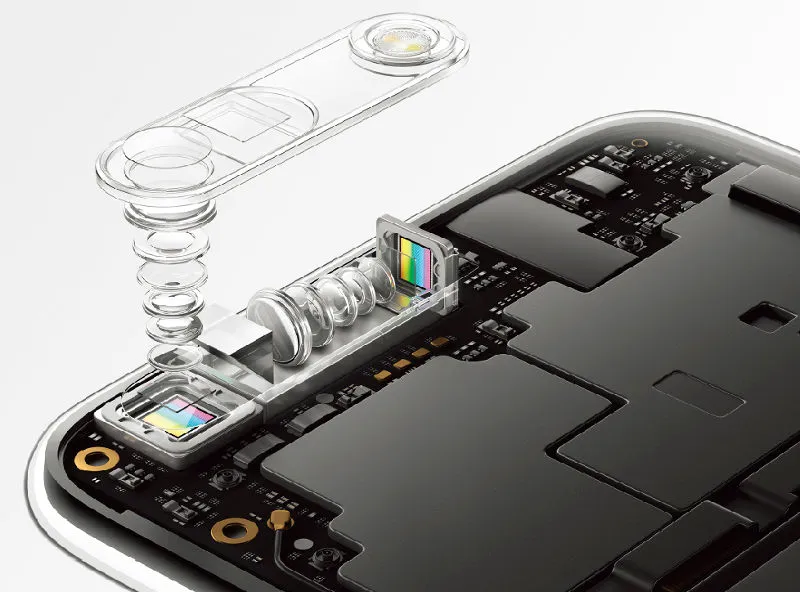
Production Processes for Optical Lenses and Camera Modules: Glass, Plastic, Hybrid, and Industry Trends
Detailed overview of optical lens and camera module manufacturing processes (glass spherical/aspheric, plastic molding, hybrid), industry chain, performance requirements by application (smartphone, automotive, surveillance), market size, and downstream trends. Insights into precision manufacturing and PCB integration for high-performance imaging systems.
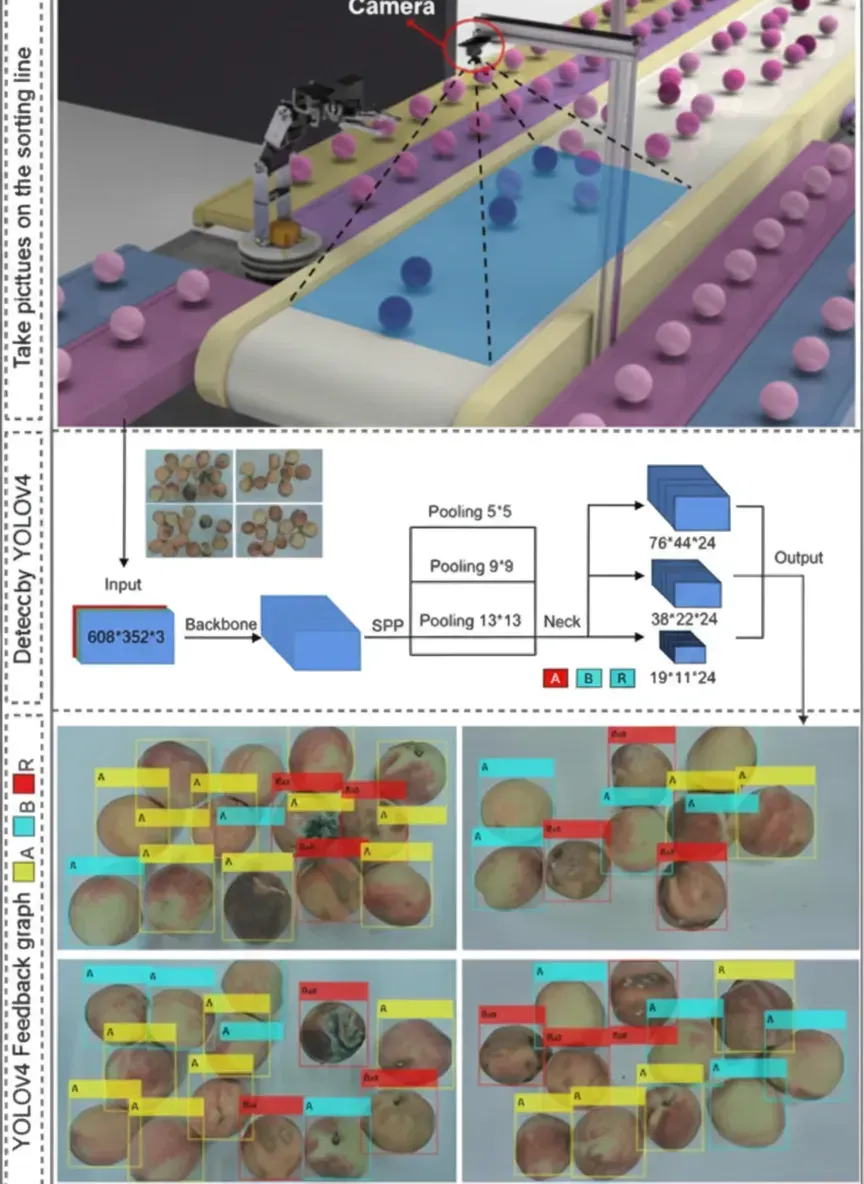
Peach Sorting Line Design Using Flexible Sensors
Integrated peach maturity sorting using YOLOv4 vision and flexible piezoelectric sensor for combined appearance and firmness classification, validated by texture analysis.
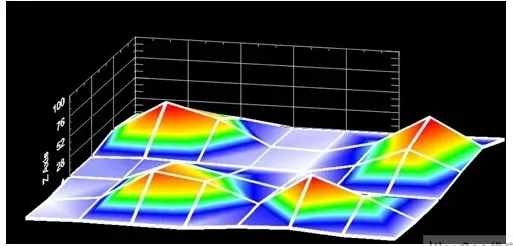
Transverse-Mode Charge-Transfer Capacitive Touch Sensing: Principles, Advantages, and PCB Integration
Explore transverse-mode charge-transfer technology for capacitive touchscreens, including comparisons with resistive panels, pulse-train sampling, single-layer designs, multi-touch capabilities, and key benefits for noise immunity and optical performance. Practical insights for PCB design and manufacturing of touch-enabled electronics.
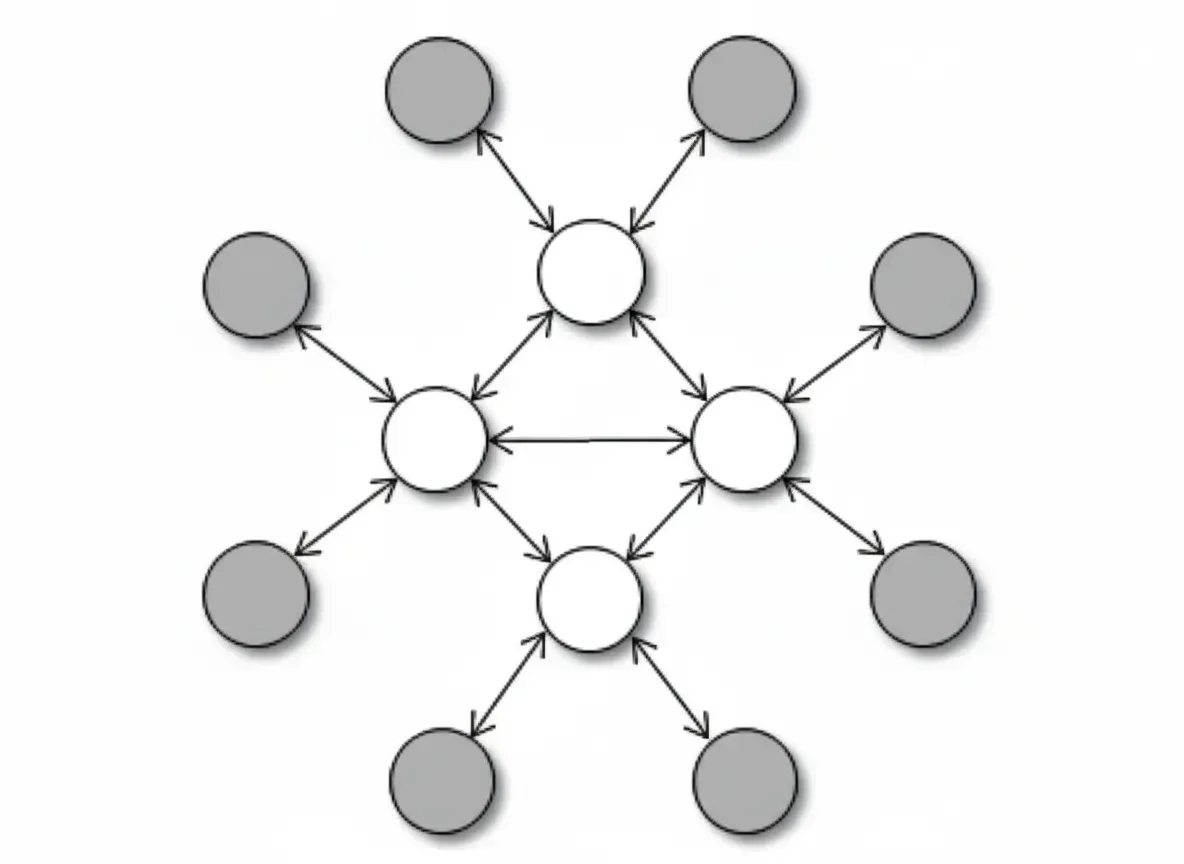
Overview of Wireless Sensor Networks
Technical overview of wireless sensor networks, covering ISM bands, standards, topologies, protocols, coexistence, and integration challenges for engineers.
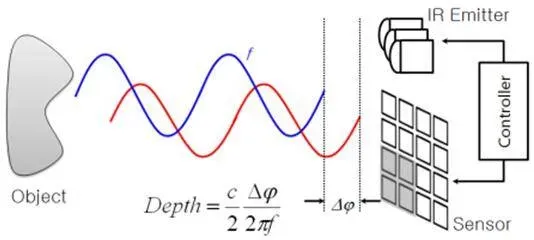
Principles of 3D Vision Measurement and Time-of-Flight (ToF) Depth Sensing: Active, Passive, and Emerging Sensor Technologies
Thorough exploration of 3D vision principles including structured light, Time-of-Flight (ToF), triangulation, stereo and multi-view passive methods. Detailed analysis of optoelectronic techniques, image sensor advancements, VCSEL integration, and practical considerations for MEMS, camera modules, and high-performance PCB design in automotive, consumer, industrial, and robotics applications.

Smart Sensors: Structure, Features, Trends and PCB Integration
Discover what smart sensors are, their architecture with MEMS elements and microprocessors, key features like self-calibration and data fusion, and industry trends. Insights for electronics engineers on PCB design, assembly, and integration challenges in IoT, automotive, and industrial applications.
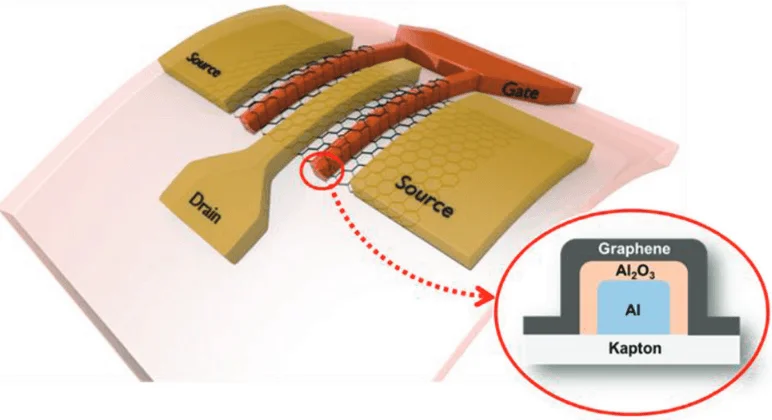
Graphene in Flexible Sensors: Applications, Properties, and PCB Integration Challenges
Explore graphene’s unique properties for flexible strain, gas, humidity, and biosensors. Learn technical advantages, real-world applications in wearables and medical devices, manufacturing considerations, and how advanced FPC and PCB technologies enable reliable graphene-based flexible electronics.
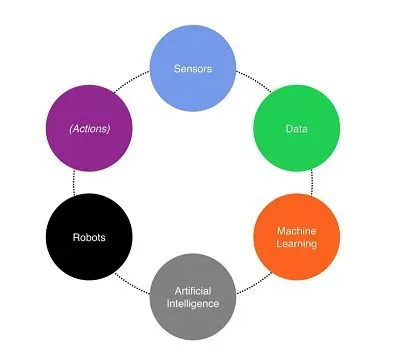
How Sensors, Big Data, ML, AI and Robots Interact
Overview of the connected-things technology chain: how sensors and big data feed machine learning to enable AI-directed robots and optimize sensor systems.
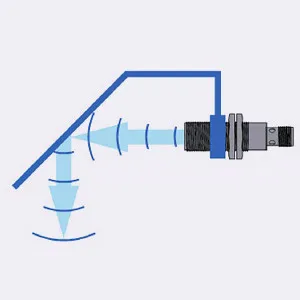
Ultrasonic Sensor Installation Considerations
Guidance on ultrasonic sensors installation: spacing, parallel and face-to-face mounting, synchronization to avoid interference, including chemical-resistant stainless housings.
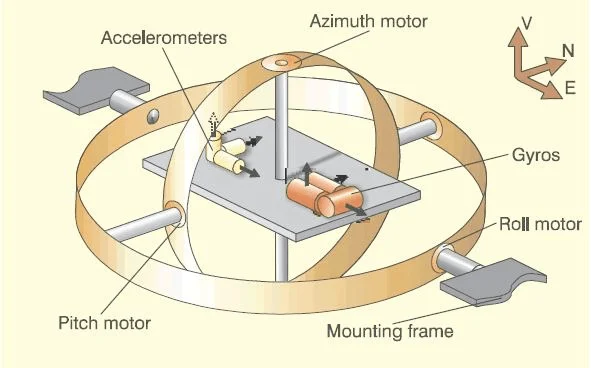
Inertial Navigation Technology: Principles, Systems, and Electronics Integration
Comprehensive overview of inertial navigation systems (INS), including gyroscopes, accelerometers, strapdown vs platform architectures, MEMS advancements, and key applications in aerospace, automotive, robotics, and consumer electronics. Explore PCB design considerations for reliable inertial sensor integration.
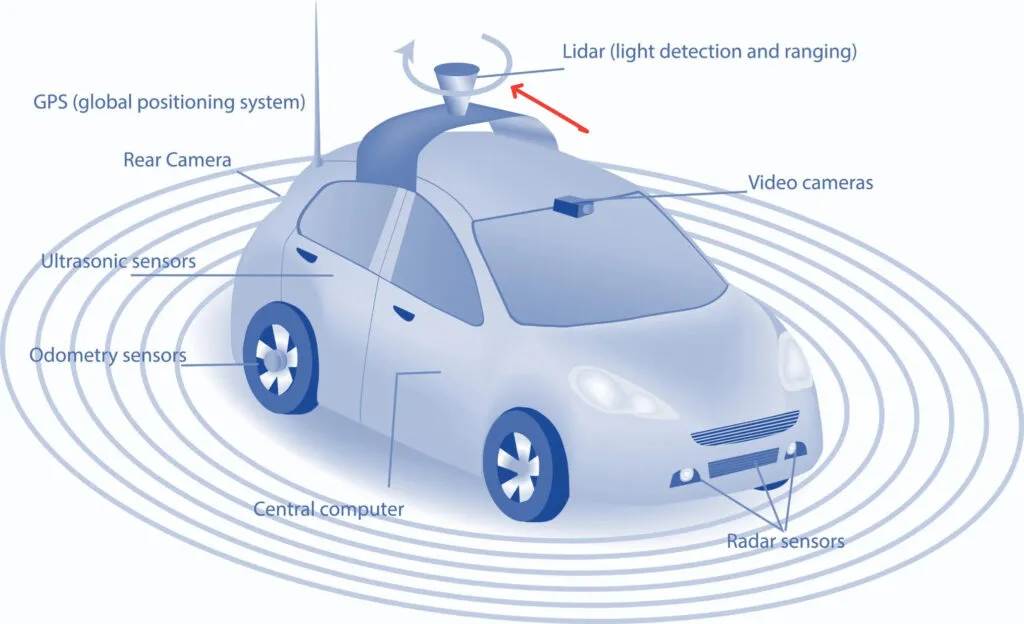
Three Common Sensors in Autonomous Vehicles
Overview of automotive perception sensors—camera, millimeter-wave radar, and lidar—comparing strengths, limitations, and complementary roles in autonomous driving.
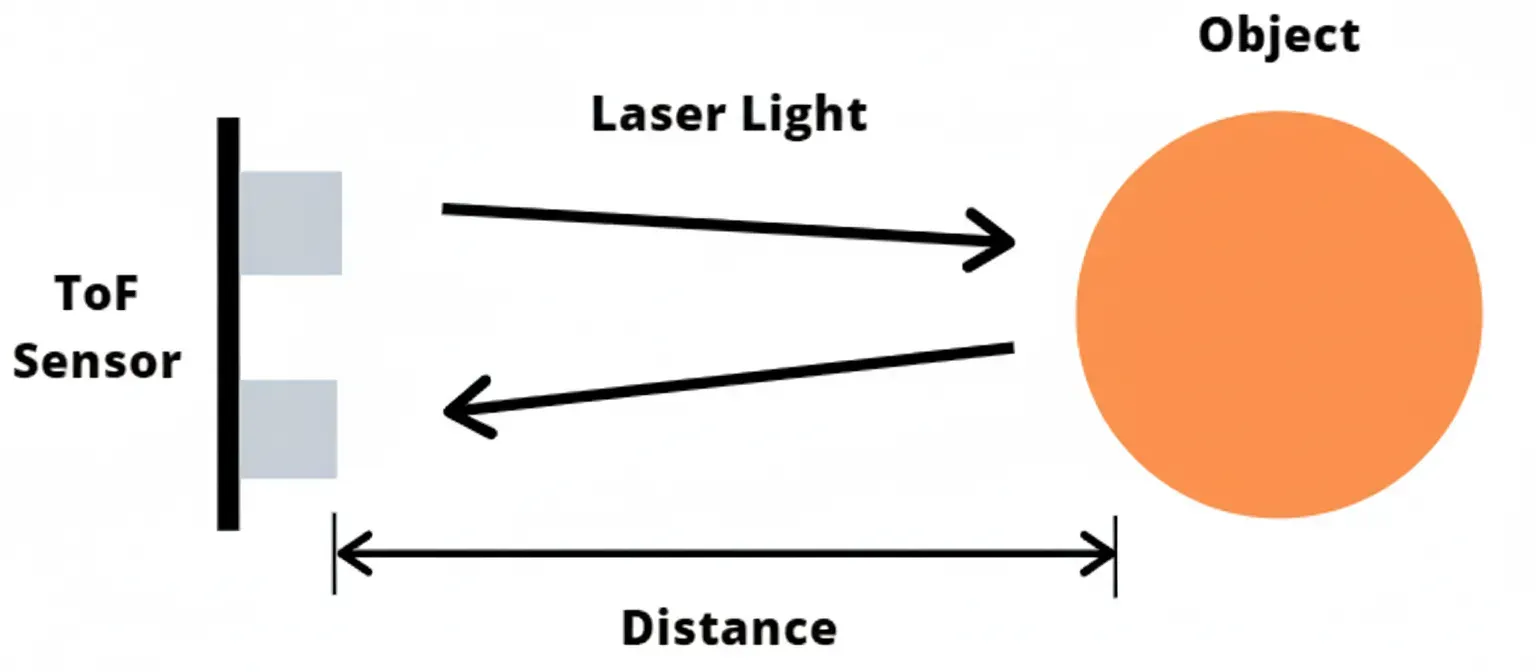
ToF Sensors: Principles, Advantages, Limitations, and Electronics Integration
Explore Time-of-Flight (ToF) sensor technology, including working principles, depth measurement, key advantages over other 3D sensing methods, and practical limitations. Learn about integration with cameras, PCB design considerations, and applications in automotive, robotics, smartphones, and AR/VR systems.


