Why Embark on a DIY Portable Game Console Project?
Embarking on a DIY project to construct a portable game console offers a profoundly engaging and educational experience. It provides a unique opportunity for hands-on learning across various disciplines, including electronics, programming, and mechanical design. Unlike commercially available devices, a custom-built console grants you complete control over every aspect—from selecting the hardware specifications to dictating the types of games it can run. Furthermore, for those who are resourceful in component sourcing, it can be a surprisingly budget-friendly alternative to purchasing a retail product. This project is ideally suited for anyone with an interest in retro gaming, keen on understanding custom PCB design steps, or simply eager to explore the fascinating world of DIY electronics.

Step 1: Conceptualizing Your Portable Game Console PCB Project
Before any physical work begins, meticulous planning is paramount for the successful realization of your DIY game console project. Start by clearly defining the core purpose and desired features of your unique gaming device. Are you envisioning a retro-style console primarily for 8-bit games, or do you aspire to build a more contemporary device with enhanced processing power? For the scope of this guide, we will focus on creating a straightforward, retro-inspired portable console capable of running basic games effectively.
Key Planning Considerations
● Core Processing Unit: Select a suitable microcontroller or a compact single-board computer to serve as the brain of your console. For beginners, a microcontroller with sufficient processing power for simple games, such as one operating around 16 MHz, is a popular and accessible choice.
● Display Interface: Opt for a small, power-efficient OLED or LCD screen. A 2.8-inch display with a resolution of 240x320 pixels offers a good balance of portability and visual clarity.
● User Input Controls: Plan for the necessary buttons or a small joystick for gameplay. Typically, a configuration of 4-6 buttons provides ample control for most retro gaming titles.
● Power Solution: To ensure the console's portability, incorporate a rechargeable lithium-ion battery. A common choice is a 3.7V, 1000mAh battery, offering a good balance of size and operational duration.
● Storage Medium: Include a slot for a microSD card, which will be essential for storing game files and the console's firmware.
Once these features are outlined, create a preliminary sketch of how the various components will interconnect. This initial layout will serve as a crucial guide during the subsequent custom PCB design steps.
Step 2: Crafting the Custom PCB for Your Gaming Device
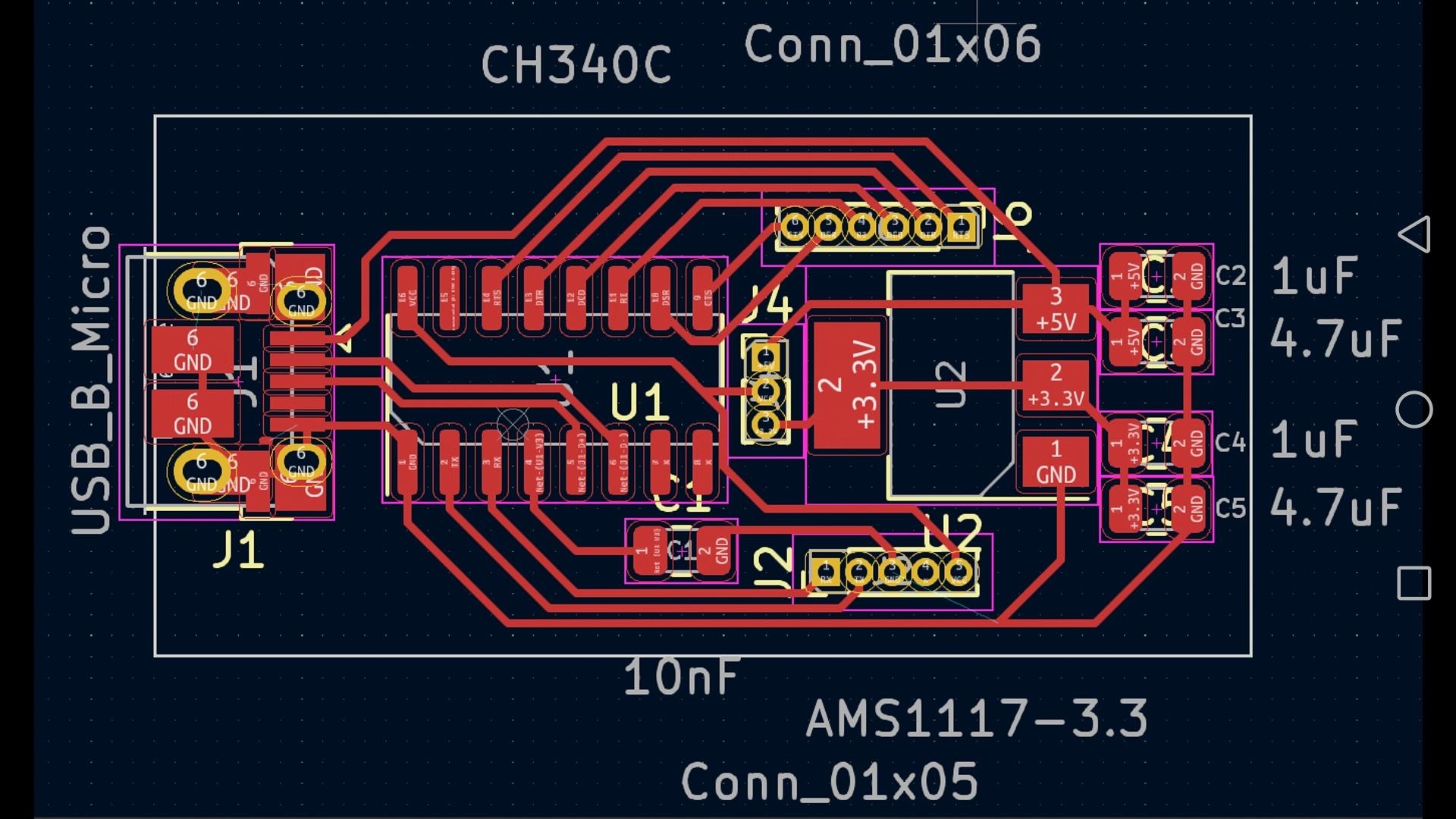
The design of the Printed Circuit Board (PCB) forms the very heart of this DIY game console project. The PCB acts as the fundamental platform upon which all electronic components are mounted and interconnected. Here's a systematic approach to the custom PCB design steps:
PCB Design Workflow
1. Schematic Design: Begin by utilizing specialized PCB design software to create a comprehensive schematic. This schematic functions as an electrical blueprint, illustrating how components like the microcontroller, display, and input buttons are logically connected. Pay careful attention to proper pin assignments and include necessary passive components, such as 10kΩ resistors for pull-up or pull-down configurations, to stabilize inputs.
2. Component Placement: Carefully arrange the components on the PCB layout. Maintain adequate spacing between parts to avoid crowding and ensure efficient heat dissipation. If your design includes any high-speed signal traces, keep them as short as possible to minimize potential interference. For instance, positioning the microcontroller close to the display driver can help reduce signal delay and maintain display integrity.
3. Trace Routing: Proceed to route the electrical traces that connect the various components. Aim to incorporate a solid ground plane across your HDI PCB. A continuous ground plane is crucial for reducing electrical noise, a particularly important consideration for a gaming device that relies on stable power and clear signals.
4. Design Rules Check (DRC): Before finalizing your design, execute a Design Rules Check within your PCB software. This automated check will identify potential errors such as overlapping traces, insufficient clearance between elements (e.g., ensuring at least 0.2mm clearance for 5V power lines), or violations of other manufacturing constraints.
Once the design is complete and thoroughly reviewed, export the Gerber files. These files contain all the necessary information for a PCB fabrication service to precisely manufacture your custom board, preparing it for the subsequent assembly stages of building your own gaming device.

Step 3: Sourcing Components for Your Portable Console
With your custom PCB design finalized and ready for fabrication, the next critical step involves acquiring all the necessary electronic components. A comprehensive list of essential parts for a basic portable game console typically includes:
Essential Component Checklist
● Microcontroller: Choose a suitable 16-bit or 32-bit microcontroller with a minimum clock speed of 16 MHz to handle game logic and display refreshing.
● Display Module: A small display, such as a 2.8-inch TFT LCD, provides the visual interface.
● Input Buttons: Acquire 4-6 push buttons for directional control and action inputs.
● Power System: A rechargeable lithium-ion battery (e.g., 3.7V, 1000mAh) along with its associated charging circuit to ensure portable power.
● Storage: A microSD card slot to facilitate game storage and firmware updates.
● Audio Output: Include a small speaker or a standard headphone jack for sound.
● Passive Components: Various resistors, capacitors, and connectors to complete the circuit.
Procure these components from reputable electronics suppliers. Always consult the datasheets for each part to ensure compatibility, especially regarding voltage requirements (e.g., matching 3.3V or 5V logic levels) between your chosen microcontroller and its peripherals.
Step 4: Soldering Components onto Your Custom PCB
Soldering is a pivotal stage in building your own gaming device, as it establishes all the electrical connections. Precise soldering ensures the reliability of these connections and prevents common issues like short circuits.
Best Practices for Soldering
1. Workspace Preparation: Set up a well-illuminated workspace equipped with a soldering iron (a 25-40W iron is suitable for hobbyists), appropriate solder wire (e.g., 0.8mm diameter, 60/40 tin-lead alloy), flux for improved solder flow, and a desoldering tool for any necessary corrections.
2. Low-Profile First: Begin by soldering the smallest and lowest-profile components, such as resistors and capacitors, as they sit closest to the board. To solder, heat both the pad and the component lead for 2-3 seconds, then apply solder until a shiny, conical joint forms.
3. Larger Components Next: Proceed to install larger components like the microcontroller, display connector, and input buttons. Exercise caution with heat-sensitive parts; avoid exceeding 300°C for more than 5 seconds per solder joint.
4. Joint Inspection: After soldering, meticulously inspect each joint for quality. Look for "cold solder joints" (which appear dull or cracked) and reflow them if necessary. Crucially, ensure no solder bridges have formed between adjacent pads, which can cause short circuits.
5. Board Cleaning: Conclude by cleaning types of PCBs with isopropyl alcohol and a soft brush to remove any residual flux, which can lead to corrosion over time.
Patience is key throughout the soldering process. Rushing can lead to mistakes, so take your time to achieve clean, robust electrical connections.