Local grids, rotated grids, and polar grids, combined with "grid-aware placement", address a long-standing issue that affects layout efficiency.
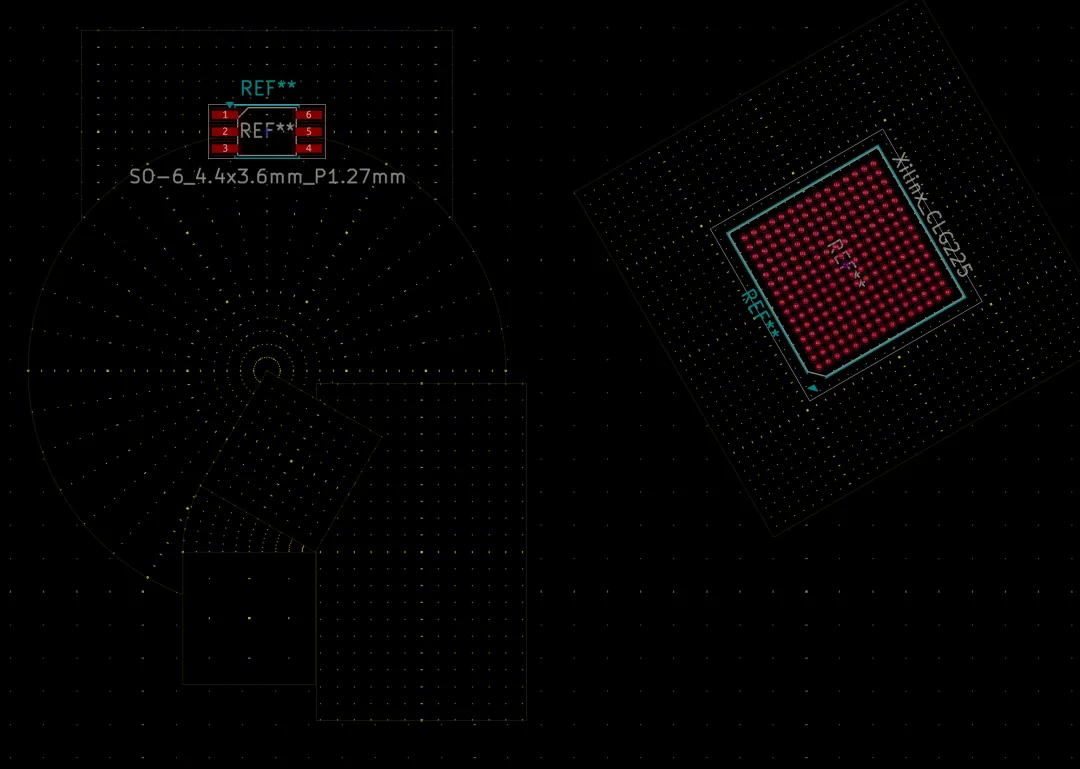
Cartesian, rotated, and polar grids used together on the same PCB
Why a single global grid can be limiting
On typical rectangular PCBs, a single global grid is often sufficient. However, in areas such as dense BGA fanouts, tilted connectors, circular LED arrays, or boards combining multiple component pitches, a single grid can be awkward. Engineers usually switch the global grid repeatedly or rely on coordinate calculations, copy/rotate, and array tools for placement.
Grid Items: define local grid regions on the board
The KiCad 11 PCB editor introduces Grid Items, which act as local or sub-grids. Engineers can place multiple grid objects in specified PCB regions and independently set grid type, spacing, coverage area, rotation angle, priority, and major tick interval.
The global background grid still exists outside local grids. This allows configurations such as a global coarse grid plus a fine BGA grid, a rotated module grid, and a polar grid for circular areas to coexist on one board.
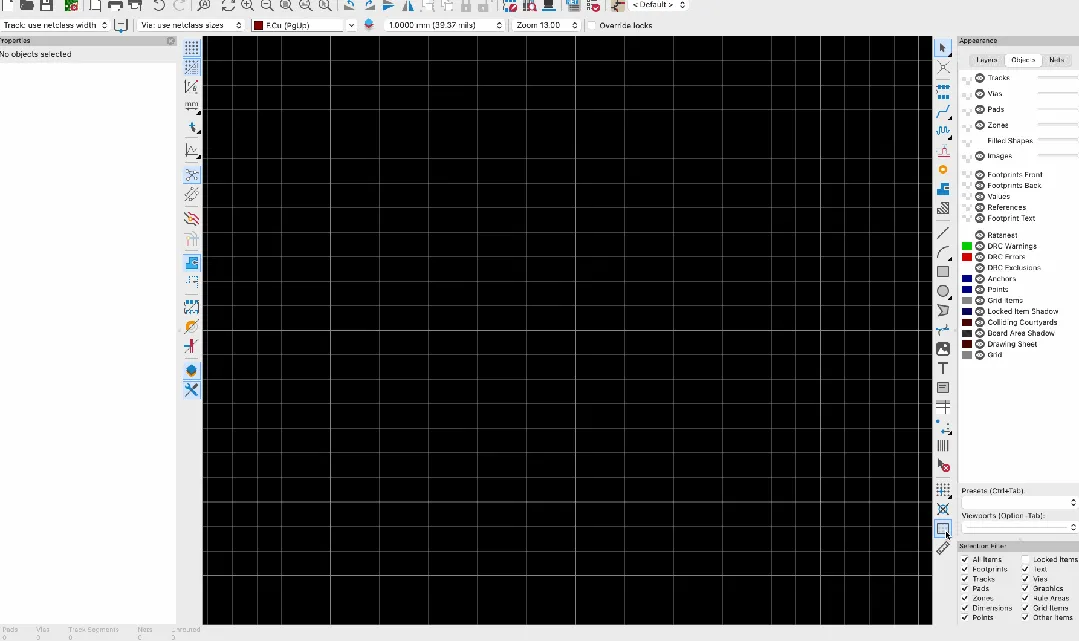
Developer demo showing creation, coverage adjustment, and parameter editing of local grids
Two grid types: Cartesian and polar
Cartesian grid: adjustable spacing and arbitrary rotation
The Cartesian grid is the common X/Y square grid, but local Cartesian grids allow independent X and Y spacing and their own orientation. Tilted connectors, edge modules, or daughter boards can therefore have a local coordinate system aligned to their physical orientation.
Polar grid: for round PCBs and ring layouts
Polar grids consist of radius and angle. You can set radius range and step, angle range and step, the grid center, and an overall rotation. This is suited to LED rings, knobs and encoder panels, circular sensor arrays, ring buttons, radial connectors, and round PCBs.
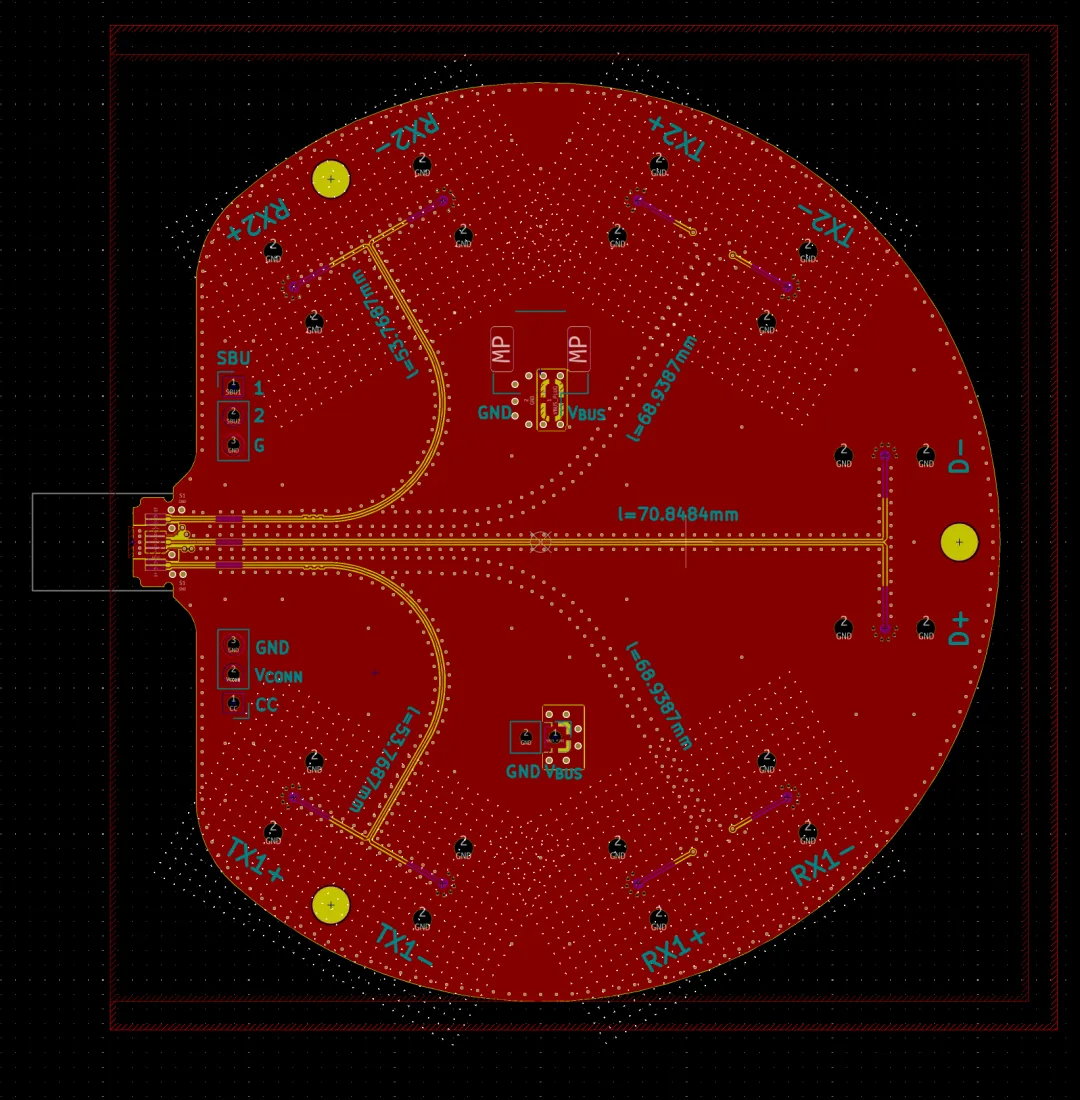
Different regions can have independent grid directions and spacings
Polar grids are native objects in the KiCad PCB file. They are selectable, movable, rotatable, editable, lockable, and saved in the .kicad_pcb file.
Practical upgrade: components "follow grid orientation"
Making the cursor snap to a local grid is not enough. KiCad 11 adds grid-aware placement so that when a component is moved or placed, KiCad recognizes the local grid in effect and adjusts the component orientation to match the grid direction.
In a rotated Cartesian grid, a footprint aligns to the local coordinate axes. Inside a polar grid, the footprint rotates to the local radial direction. As a component is moved around a circumference, its orientation updates according to position.
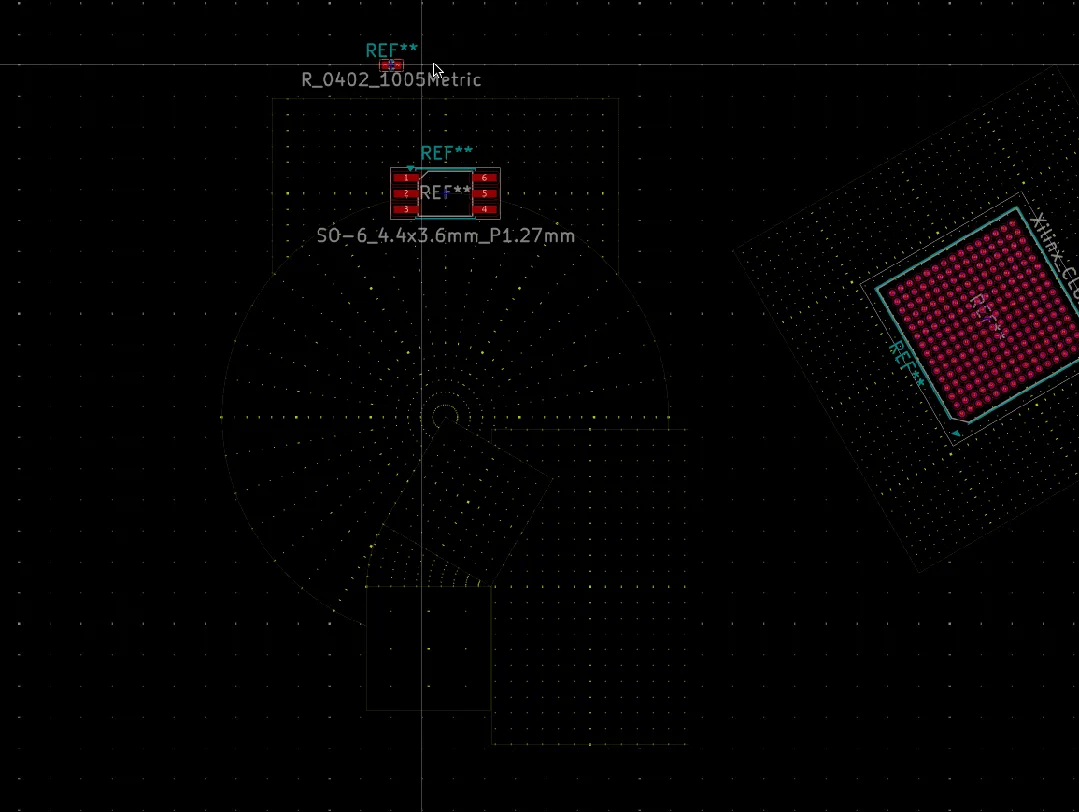
Placement position and orientation automatically switch when a component crosses grid regions
This feature is especially useful for circular LEDs, ring sensors, and components around knobs. Repetitive workflows such as copy-rotate-enter-angle-check-position can be replaced by intuitive drag-and-drop.
Overlapping grids: which one applies?
When multiple local grids overlap, KiCad selects the active grid by Priority:
- Local grids with higher numeric priority take precedence.
- If priorities are equal, the grid with the smaller coverage area or more specific definition wins.
- The original global background grid serves as the lowest-priority fallback.
For example, define a 1 mm grid across the board and place a higher-priority 0.1 mm grid around a BGA. The cursor uses the fine grid inside the BGA and reverts to the global grid outside, eliminating manual switching.
Which workflows benefit most?
- Mixed pitches: Different board regions use optimal pitch without frequent global grid changes.
- Tilted modules and edge connectors: Create rotated coordinate systems so placement and alignment occur in local orientation.
- Round PCBs and ring arrays: Components can snap to radius and angle and auto-adjust orientation as they move along the circumference.
- Mechanical and visual layouts: Buttons, indicators, mounting holes, and contacts can be arranged quickly around a structural center.
- Team collaboration: Local grids are saved in the PCB file, so placement intent is preserved and shared among designers.
Current focus is on snapping and placement
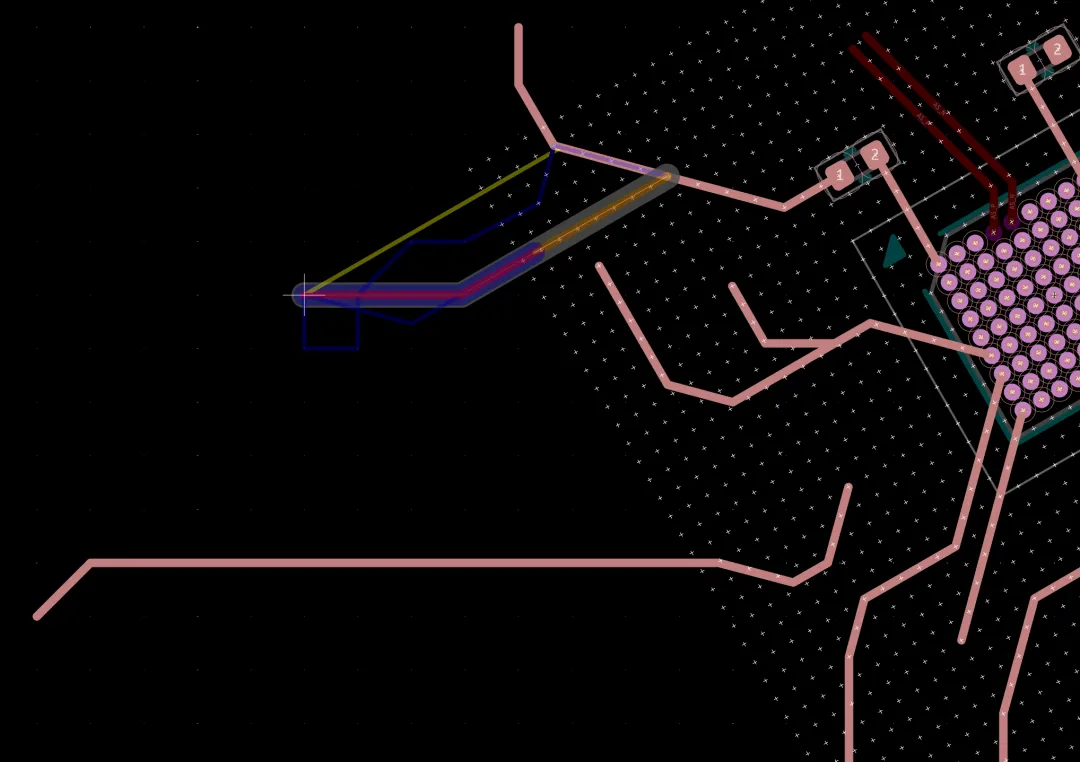
The experimental image above shows an early routing experiment combining local grids and routing. It illustrates a possible future direction, but KiCad 11 does not yet support routing that is fully aware of local grids.
A small feature that changes the editor model
Traditional EDA tools treat the grid as a UI state: useful for the current user but not part of the PCB design itself. Grid Items in KiCad 11 turn local coordinate systems into native board objects with position, coverage, orientation, parameters, and priority, which can be shared with the project.
This lets the grid carry design intent: this is a fine fanout area; this module should be tilted 30 degrees; components should arrange radially around this center; different placement rules apply here than on the rest of the board.
The feature was contributed by Felix Schneider. The core Grid Items functionality and the subsequent grid-aware placement have been merged into KiCad's main development branch and included in the KiCad 11 milestone. The polar grid request that originated in 2021 is now addressed.
For standard rectangular PCBs, Grid Items may be a convenience. For round PCBs, mixed-pitch boards, and complex mechanical layouts, this is likely one of the most practical new features in KiCad 11.