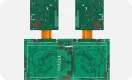



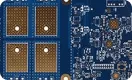


"This board triggered an alarm again!" In an SMT line, that is one of the last things an engineer wants to hear. Often the root cause is not the nozzle or the component, but the PCB that looks flat to the eye yet is actually slightly warped.

To prevent warped panels from degrading placement quality, NXT machines include a board height measurement function. As soon as the panel enters the conveyor, the machine rapidly assesses its warpage. If the measured warpage exceeds the defined tolerance, the controller stops the machine, preventing the process from continuing. This protects placement quality at the source and blocks out-of-spec panels from entering production.
This article explains how the NXT board height measurement function is applied and how to handle common exceptions, along with how to output and review the measurement data.
When the Board Height Measurement Runs
- When you press START on the operation panel to begin production, the machine measures board height/warpage.
- If reading of the board height reference points fails, or if warpage beyond tolerance is detected, the machine performs an abnormal stop.
- You must clear the exception before production can resume.
Exception Handling
1) Height Reference Point Read Failure
If the machine fails to read the board height reference point(s) and repeated retries are unsuccessful, the conveyor releases the board and the operation panel shows the following abnormal screen.

Figure 1 | Abnormal screen when the board height reference point cannot be read
When this screen appears, proceed as follows:
- Press the camera button to check the captured image.
- Use SeeKNumber and the image to confirm the position of the board height reference point(s).
- Press READY ON to clear the abnormal screen.
- If necessary, use MEdit to edit the position of the board height reference point(s). After editing, apply the changes to the Job.
2) Warpage Out of Tolerance
If the measured warpage exceeds the tolerance, the conveyor releases the board and the operation panel shows the following abnormal screen.

Figure 2 | Abnormal screen when PCB warpage exceeds the set tolerance
Handle this exception with the following steps:
- Press the module pull-out button and pull out the module.
- Remove the board from the conveyor.
- Check the actual warpage. Determine whether backup pins (support pins) can adequately support the board to correct the warp. If support is effective, return the board to the transport rail.
- Reinsert the module and press START to continue production.
Exporting and Reviewing Board Height Measurement Data
Using the auxiliary software in remote-operation mode, you can output the board height measurement results as text files.
How to Trigger Data Output
After transferring the production Job to the machine, perform the following:
- In the machine settings screen of the auxiliary software, select the target module.
- From the remote operation menu, execute the command [Outputpanelheightmeasurementdata].
Note: Executing this command clears all previous measurement results. If you need the existing data, retrieve and save the files before running this command.

Figure 3 | Remote command to enable output of board height measurement data
- Press START on the operation panel. As production runs, the system automatically outputs the board height measurement data.
Note: Measurement results for each track are saved as text files in the base unit register.
When Data Is Not Output
Even after running the above operation, the machine does not output data in the following cases:
- When the main power switch is turned ON.
- When the total size of output files for 11 tracks reaches 1 MB.
- During dual-track production, when a Job with a different name is transferred.
- When a complete set of Jobs is transferred.
How to Retrieve the Output Files
To obtain the board height measurement results, follow these steps:
- In the machine settings screen of the auxiliary software, select the target module.
- From the machine information acquisition menu, execute the command [AcquireTrace].

Figure 4 | Use AcquireTrace to download the text files
- Save the file(s) to any folder.
Note: After executing Acquire Trace, the files in the base unit register are deleted and cannot be recovered. Manage the saved files carefully to avoid loss.
- The saved files are compressed into a ZIP archive. Use an unzip tool to extract the files.
How to Read the Data
Open the retrieved text files with a text editor such as Notepad.
By configuring board height measurement and handling exceptions promptly, you prevent warped panels from degrading placement quality. A disciplined workflow—verifying reference points, correcting support pin patterns, and archiving measurement logs—ensures stable, repeatable SMT performance on NXT platforms.