




New PCB designers often see a shield can and think it is only a metal cover snapped onto the board. Anyone who has shipped a product knows it is not decoration. It is a structure used for EMI, module isolation, and system stability.
On MID, VR, wireless products, main boards, and power boards, the shield-can design can decide immunity, test results, and even production consistency.
1. What Problem Does a Shield Can Solve?
In short, a shield can addresses two problems.
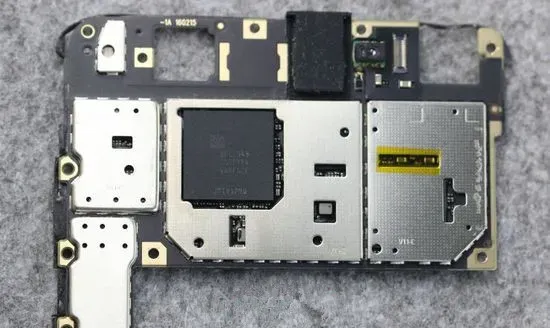
First, it keeps outside interference off the internal circuit. Modules such as the CPU, DDR, flash, Wi-Fi, and Bluetooth need stable signals. Nearby power stages, high-frequency switching, or RF energy can cause instability, communication faults, and test failures.
Second, it keeps internal circuits from radiating outward. DC-DC converters, power modules, Wi-Fi modules, and high-speed controllers also radiate while they run. Without shielding, they can disturb nearby circuits or push the product over an EMI limit.
A shield can is therefore not only a cover over parts. It creates an electromagnetic isolation volume around a critical module.
2. Why Shield Cans Often Appear With Clips
A traditional shield uses a frame and a lid together. That structure is reliable, but cost and process complexity rise.
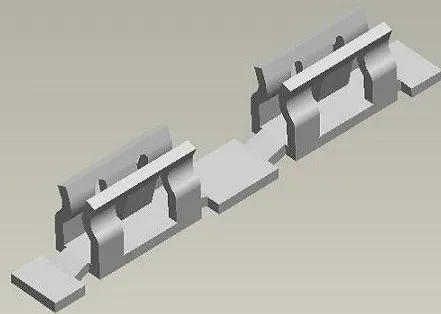
Many products now use shield-can clips in place of part of the frame.
The benefits are direct:
- The clips can be SMT-mounted.
- They are small and less likely to deform.
- Frame tooling cost drops.
- Installing the can later is easier.
Clips cannot be placed at random.
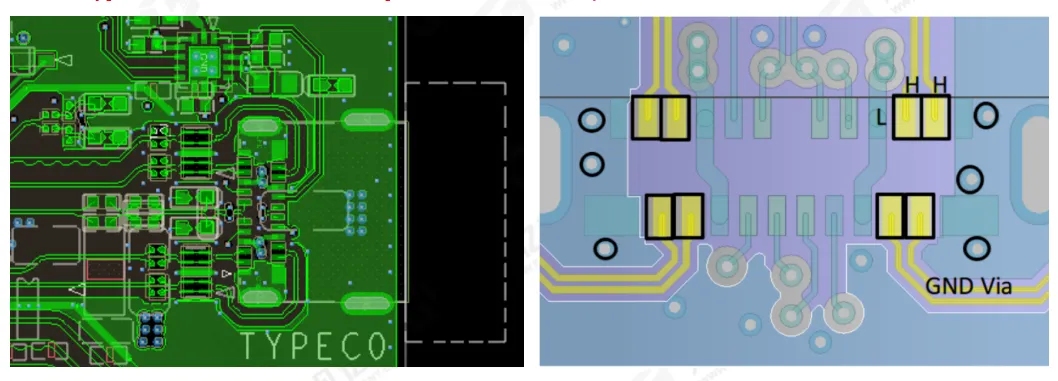
In general, space clips about 25 mm apart. Also place clips at the corners of the can so assembly can locate the cover and reduce install offset.
3. Which Modules Need a Shield Can?
Not every circuit needs a can. The modules that usually matter fall into three groups.
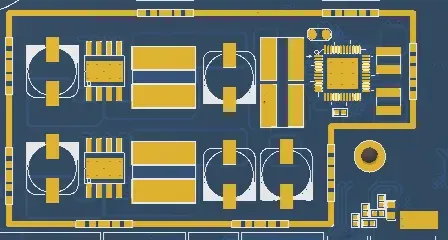
1. Power modules
A power module is often both a heat source and a noise source.
PMU, DC-DC, and LDO regions can disturb nearby signals if placement and shielding are poor.
Switching stages in particular produce strong EMI from high-frequency switching. On products with a tight EMI budget, a shield over the power module is common.
2. Core modules
Core modules usually include the CPU, DDR, flash, and eMMC.
These areas run the system and need high signal integrity and stability.
Outside interference can cause occasional faults, or a hang, reboot, or communication failure.
On highly integrated products, a shield over the core module is also used to raise immunity.
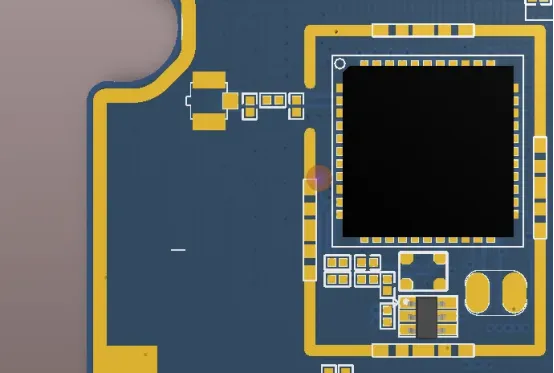
3. Wi-Fi and Bluetooth modules
Wi-Fi and Bluetooth regions are RF and are sensitive to interference.
Many wireless modules now integrate Wi-Fi and Bluetooth. Strong noise from nearby high-frequency, power, or controller circuits can degrade RF performance.
Shielding around the wireless module is therefore common.
Keep the antenna area clear as well. Place the antenna at a relatively clean board edge so surrounding circuitry does not degrade RF performance.
4. Details That Are Easy to Miss
Many reviews stop at whether a can was added. How it is added matters more.
1. Keep the outline rectangular
Keep the can outline regular. Prefer a rectangle or a near-rectangle.
Avoid a complex polygon. It raises fabrication difficulty and slows later assembly.
2. Put clips at the corners
Place clips at the corners so the can can be located during assembly.
Without corner support, the cover shifts easily and production consistency drops.
3. Reserve ground routing
Even with clips, reserve ground routing in areas that have no clip.
That improves the can's ground connection. If the clip scheme later fails, the design can change to a frame without a full board respin.
4. Do not block repair and test
A can can improve EMI and still block later repair, test, and debug.
Decide these points during design:
- Whether test points can still be reached
- Whether critical parts may need rework
- Whether the can blocks heat flow
- Whether can height conflicts with the enclosure
5. A Shield Can Is Design Work, Not a Last Rescue
Many projects add a can only after EMI testing fails.
A mature PCB design should not treat the can as a last patch.
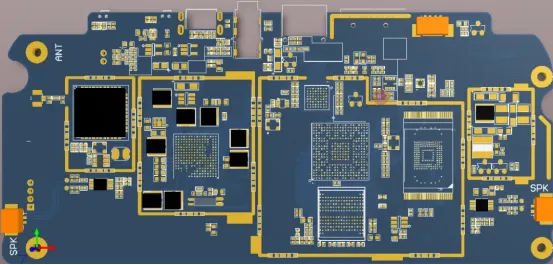
During placement, decide which modules are sources, which modules are victims, which regions need isolation, and which regions need a reserved shield structure.
Power, core, and wireless modules are the usual cases. If they are not planned early, a late change pulls in mechanics, layout, BOM, tooling, and process, and the cost is high.
A shield can looks like a small detail. It tests EMI, mechanics, process, and production together.
Closing
PCB design does not end when the nets connect.
A design that can enter production has to carry signal, power, EMI, mechanics, process, and reliability at the same time.
The shield can is only one module on the board. Behind it is system-level design judgment.
Layout skill is not only routing. It is the logic behind these engineering details. Production stability often sits in those details.