PCB designers often hear experienced engineers talk about "isolated copper" or "dead copper." The two terms refer to the same thing: copper on the board that is not assigned to any net. It looks minor, but if it is not handled correctly it can collapse board performance and even cause product failure. This article explains the hazards of isolated copper and the practical ways to deal with it.
What Isolated Copper Is and Why It Appears
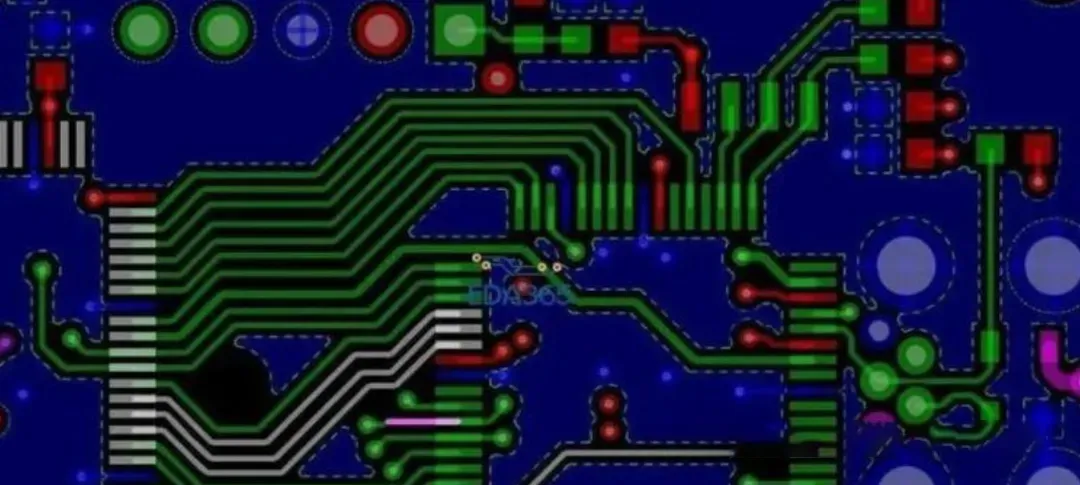
Isolated copper is copper pour that has been left floating on the PCB. It has no defined electrical attribute and is not connected to any circuit net, such as GND or VCC. It is effectively an orphaned copper region on the board.
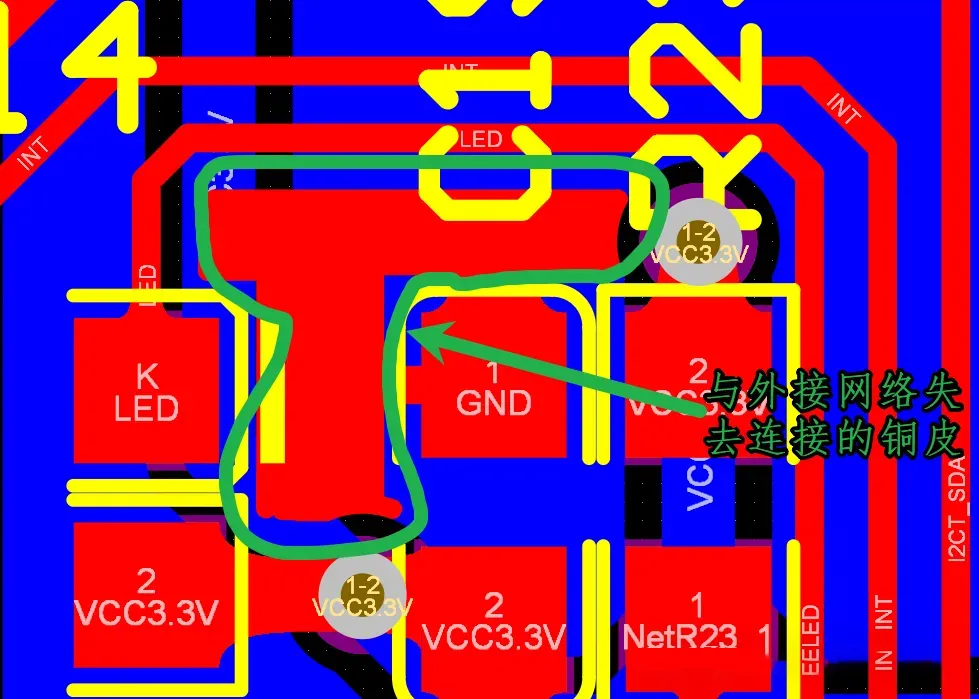
This copper is rarely placed on purpose. In most cases it is an unintended leftover after pouring copper. Dense component placement or complex routing can prevent the pour from covering the area as a continuous region, leaving a leftover patch that is not tied to any net. That leftover is not a small issue. Its impact is more serious than it first appears.
Six Hazards of Isolated Copper That Affect Product Reliability
Many beginners assume a small copper patch can be ignored. In actual projects, untreated isolated copper can cause a chain of problems and undo the rest of the design work:
-
Antenna effect
Isolated copper behaves like a hidden antenna. It receives and radiates electromagnetic energy. In high-frequency circuits this significantly increases EMI, causing crosstalk and higher noise, and severely degrading signal integrity.
-
Noise propagation
It becomes a path for high-frequency noise. Nearby sensitive signals, such as PWM signals and clock lines, are easily disturbed. Jitter and distortion can appear and eventually affect product function.
-
Distributed capacitive coupling
Isolated copper and adjacent traces form an unintended capacitance. That capacitance couples noise and also changes the impedance characteristics of the signal. For high-speed signal transmission, this is a serious problem.
-
Thermal-management risk
When high current is present, heat dissipation around isolated copper is uneven. Local resistance increases and hot spots form, which accelerates circuit aging and shortens product life.
-
PCB warpage risk
During soldering, such as wave soldering, a large isolated copper area expands unevenly when heated. The board can warp or delaminate and become scrap.
-
Lower process reliability
During etching and plating, isolated copper regions are prone to copper-foil lift caused by stress concentration, which reduces long-term product stability.
Two Practical Ways to Handle Isolated Copper
Because isolated copper is so harmful, it needs a defined treatment. The two methods below are the most commonly used. Choose according to the situation.
Method 1: Assign a GND net to the isolated copper
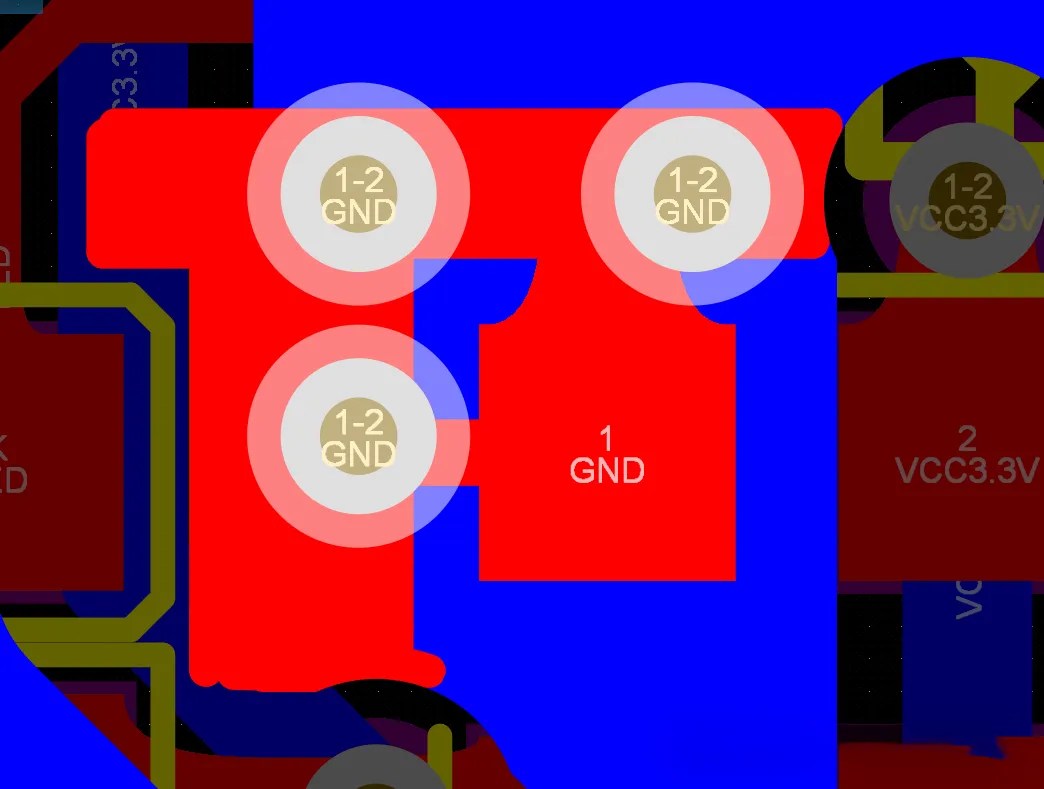
This is the most common method. The goal is to give the isolated copper a defined net. It is usually assigned to GND. The operation is simple: place GND vias on the isolated copper so that it connects to the GND pour on the inner or bottom layer.
Note: this assumes the copper on that reference layer is a GND net. Otherwise the connection will create a new electrical problem.
Method 2: Prevent it at the source by adding a copper-pour keepout
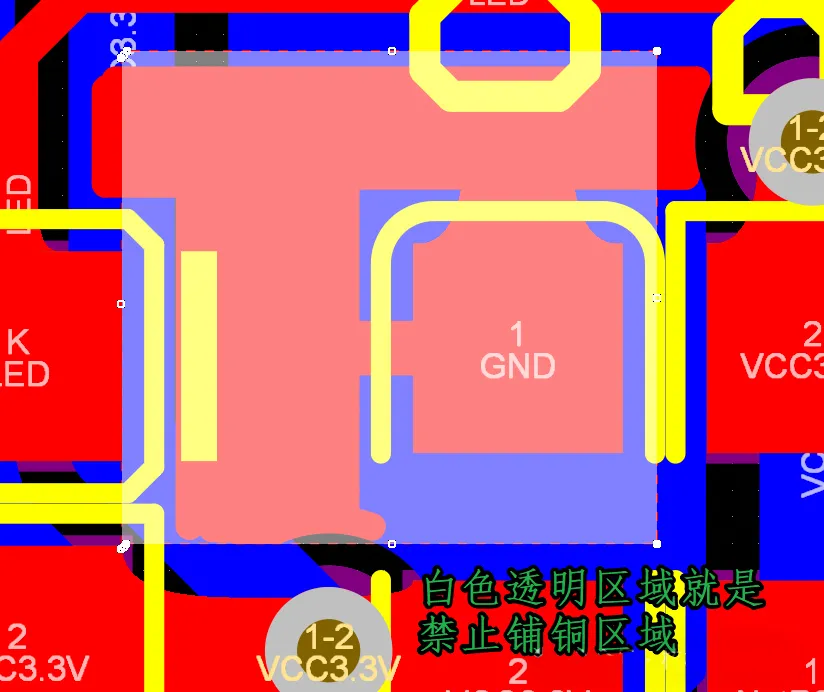
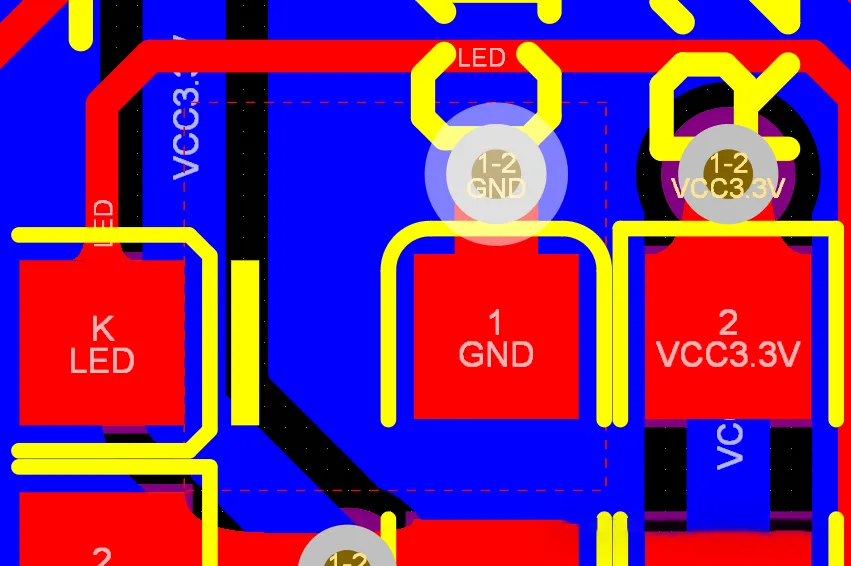
If isolated copper should not appear at all, block it before pouring. Taking Altium Designer as an example (other tools follow a similar logic), draw a keepout region before pouring copper so that copper cannot be generated in that area. This prevents isolated copper from forming.
Procedure: open Altium Designer, click Place at the top, select Keepout, draw the region where copper pour is not allowed, then pour copper. The resulting pour is continuous and free of isolated copper.
Final Note
Handling isolated copper looks like a small PCB detail, but it directly affects electrical performance, stability, and product life. Whether the designer is new or experienced, checking for isolated copper and treating it should be part of the layout habit. Leaving it untreated trades a small saving in effort for a much larger reliability risk.