




PCB silkscreen design fails in CAM for three released conditions: characters stacked on each other with no unused field beside them, text that still meets a pad after it is moved or enlarged off the land, and original characters so small that the finished legend may print incomplete or hard to read. The package already has a silkscreen layer. The review is what that layer does at outer copper and at other silkscreen flashes — not whether the board "has silkscreen."
Reference designators, polarity marks, and identifiers are the usual intent. The Gerber does not always leave a legal parking place or a printable stroke for that intent. Mixed boards can carry all three conditions on one side, so the first job is to name the layer (top, bottom, or both) and put each hit in one population before anyone proposes a close.
| Condition in the released files | What the files already show | What still needs a decision |
|---|---|---|
| Characters overlap; neighboring field is taken by lands, other silk, or the board edge | The collision is in the silkscreen layer. There is no unused site on that side to separate the flashes without inventing a new location. | Accept the overlap as released, delete one colliding feature, or return new silkscreen artwork with a real gap. |
| Characters sit on pads; outlines were moved and/or enlarged to keep ink off the land | Some character outlines still cross a land after that treatment. The leftover envelope may no longer form the intended character. | Accept the residual clip, delete that marking, or return new artwork. Leaving ink on the pad is an exception, not the default proposal. |
| Characters in the original artwork are already small | The small feature is released data, not a later shrink. The Gerber shows the stroke; it does not prove how the finished board will read. | Accept an incomplete or unclear marking, delete it, or return restyled text. |
What Silk-to-Copper and Silk-to-Silk Overlay Can Show
The useful comparison is silkscreen against outer copper, and silkscreen against itself on the same side.
That overlay will flag a flash covering a land, two outlines sharing one area, an outline that still meets a land after a proposed move or scale, and a stroke that exists in the file as a very small feature. It will also show whether unused field sits next to the hit.
What it will not settle is whether the leftover fragment is still a usable marking, whether the customer would rather lose the text than accept a clip, or whether a neighboring gap may be used if that gap belongs to another component. A very small character can still exist in the released Gerber, but the file alone does not guarantee that the finished marking will remain complete or easy to read. That risk stays an acceptance question. It does not turn into a process model or a size limit.
When reviewing PCB silkscreen and marking issues, remember that silkscreen is printed after the solder mask. The clearance object here is the copper land—meaning “on the pad”—not solder mask opening geometry or paste apertures. Likewise, “blurred” refers to how the finished legend may appear; it is not a filter applied to the Gerber data.
| Overlay will show | Overlay will not settle |
|---|---|
| A silkscreen flash covering an outer-layer land | Whether the leftover fragment is still an acceptable identifier |
| Two character outlines, a character and a line or box, or a character and a logo in the same area | Whether deletion is preferred over a clip |
| An outline that still meets a land after a proposed move or scale | Whether a neighboring gap may be used if it belongs to another component |
| A very small stroke or body as released in the silkscreen layer | Finished print appearance of that small stroke |
| Unused field next to the hit, or the absence of that field | An automatic delete or an automatic accept of the intersection |
A measured intersection is a named hit. Record the type — on-land, silk-on-silk, small original feature — and whether unused field exists beside it. The close comes after that list, not from the intersection itself.
Characters That Overlap With No Space to Separate Them
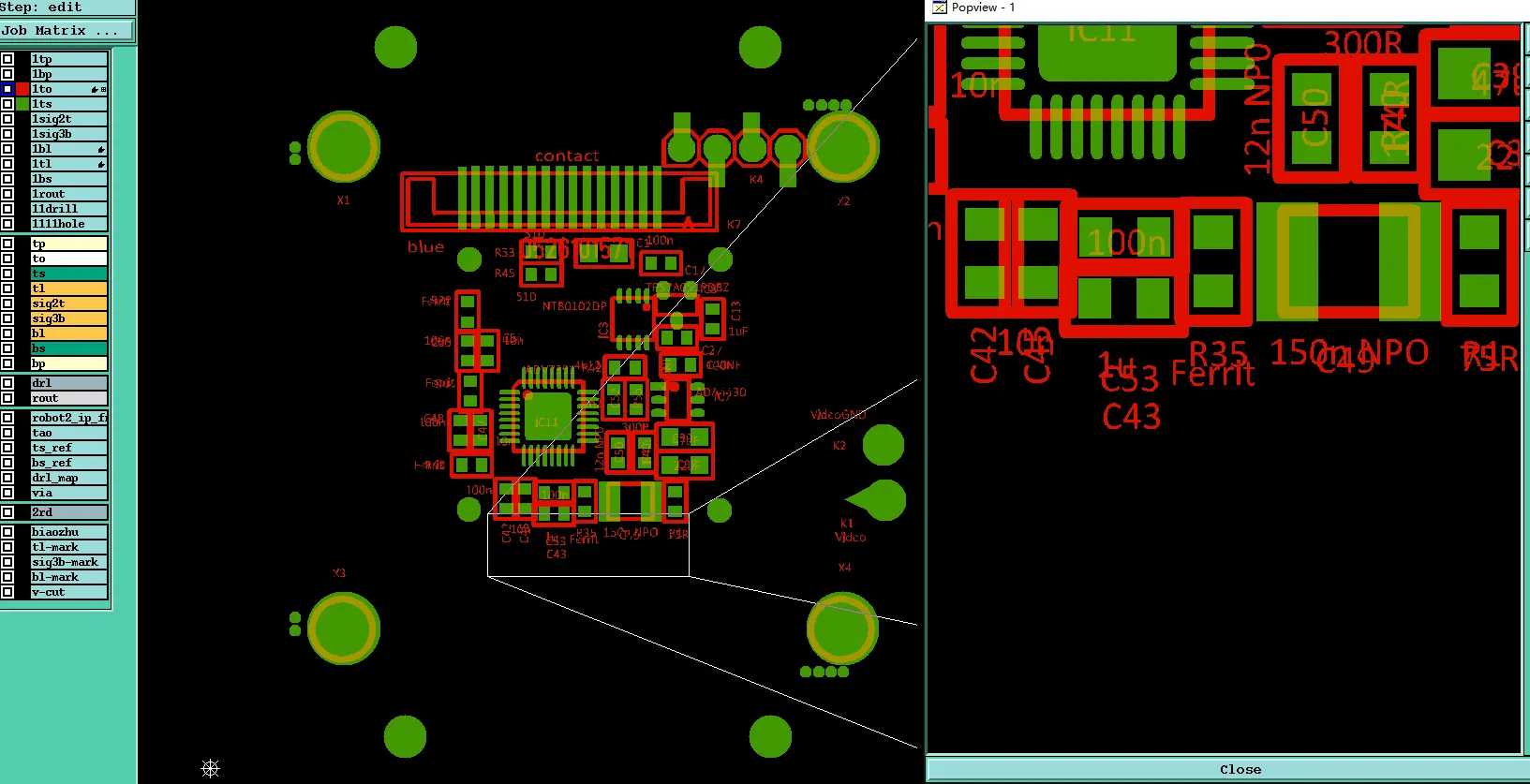
The collision is already present in the released silkscreen layer: two characters, a character and a line or box, or a character and a logo occupy the same area. This is an existing silkscreen overlap issue in the released artwork.
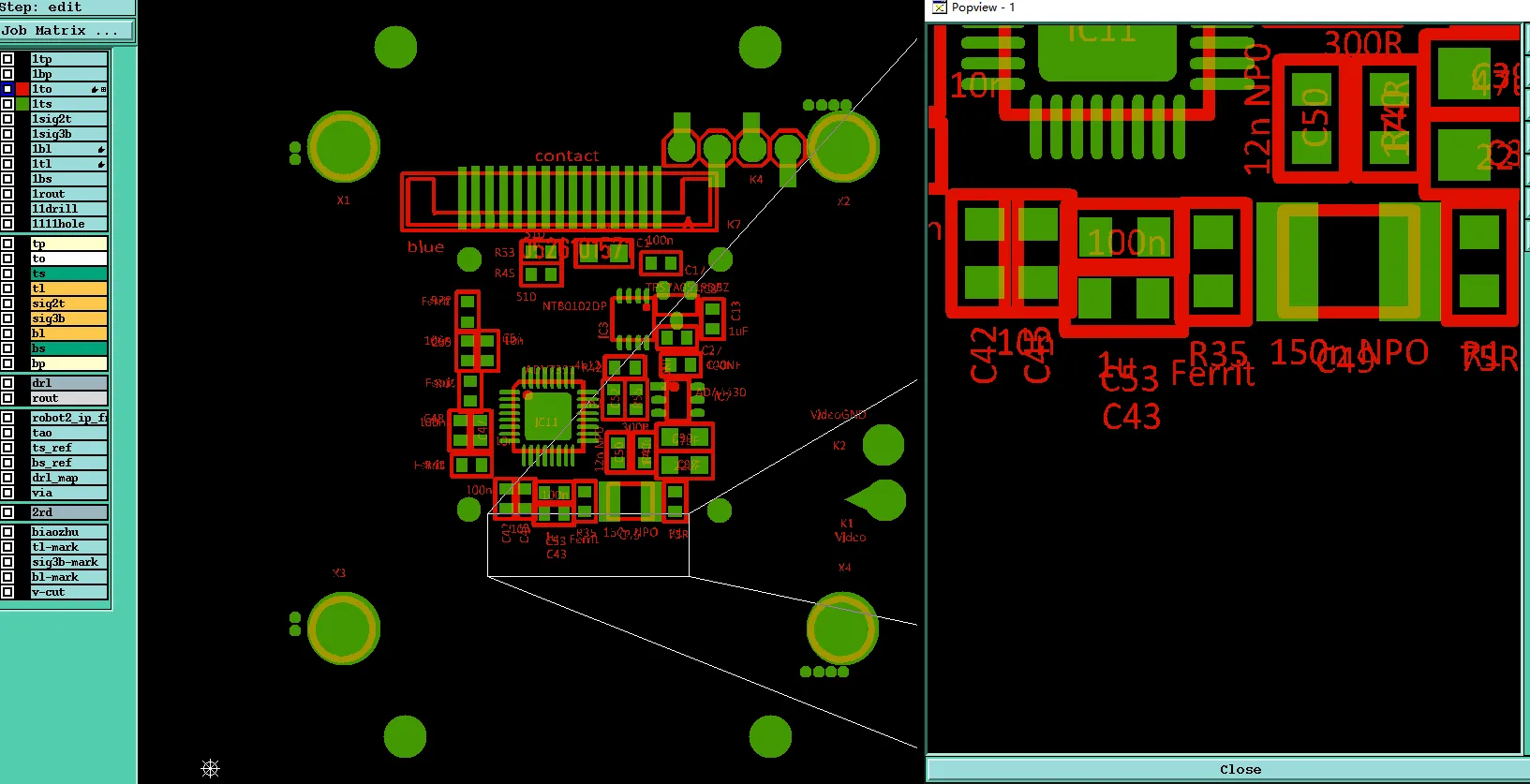
Part of the legends are overlapped, and no space to move or adjust.
"No space to move or adjust" is a field check on that side. Adjacent area is already taken by lands, other silk, or the board edge in the same files. Leave the overlap and the print becomes an unreadable block. Move one string and a new on-pad hit can appear. Scale the text down and this population turns into the small-character population.
Parking the marking on a new site that changes which component it belongs to is not a CAM close. For this population the choices stay narrow: accept the overlap as released, delete one of the colliding features, or receive new silkscreen artwork that actually contains a gap.
The silk-to-silk intersection list names the hits. The neighboring empty-field search says whether a legal park exists. Deleting one feature — an extra outline box, a duplicate reference designator, a decorative line — only helps when the survivor remains a usable marking and stays off lands.
Characters That Still Meet a Pad After Move or Scale
Ink on a solderable land is the assembly problem. It gets in the way of solder, inspection, and a clean land.
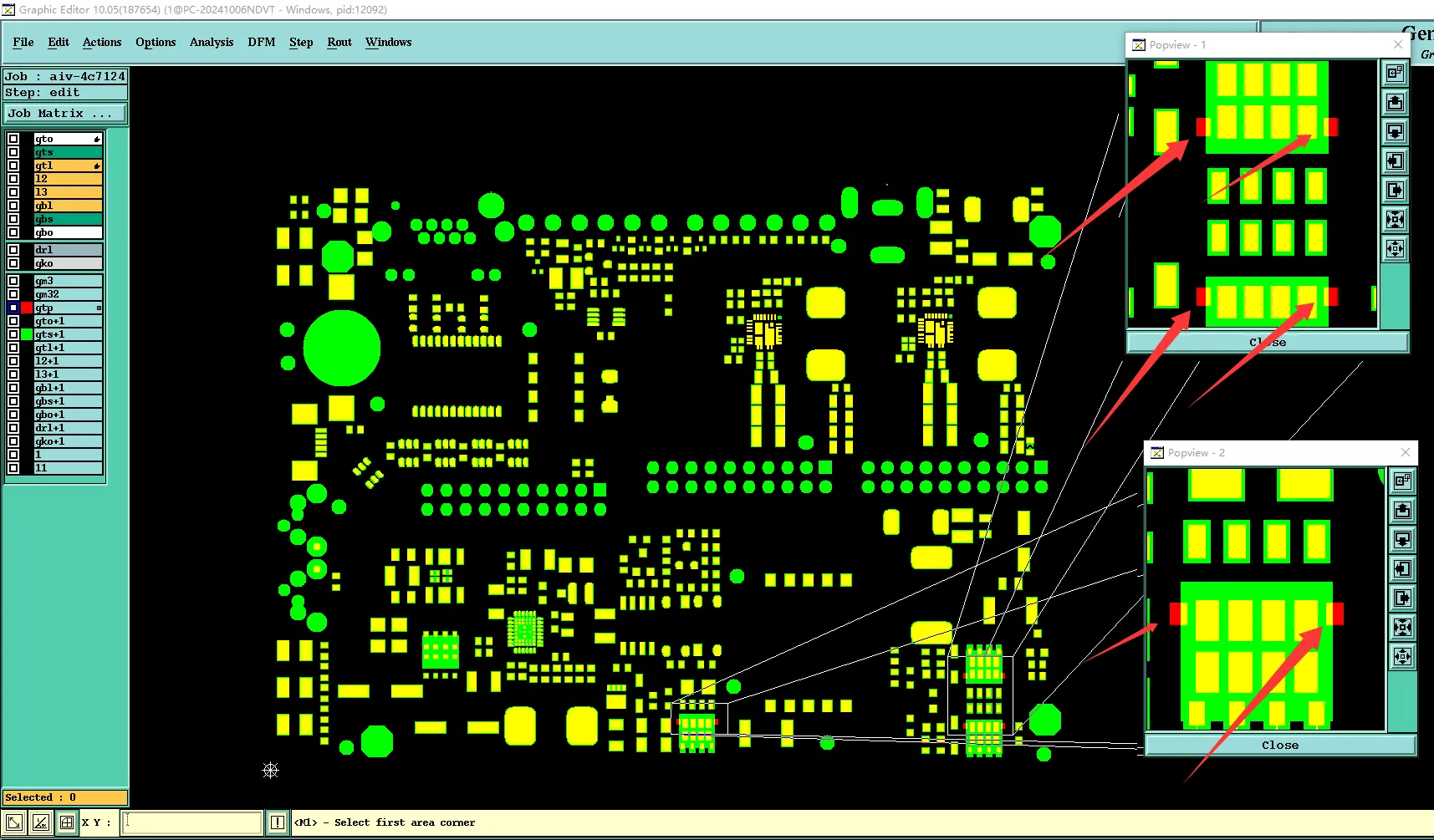
Characters and character outlines that originally sat on solder pads are typically moved and enlarged so the silkscreen remains clear of the copper land. Some outlines may still appear partially clipped after these adjustments. The question is whether the remaining silkscreen over solder pads issue is acceptable, rather than whether the ink should be allowed to remain on the pad.
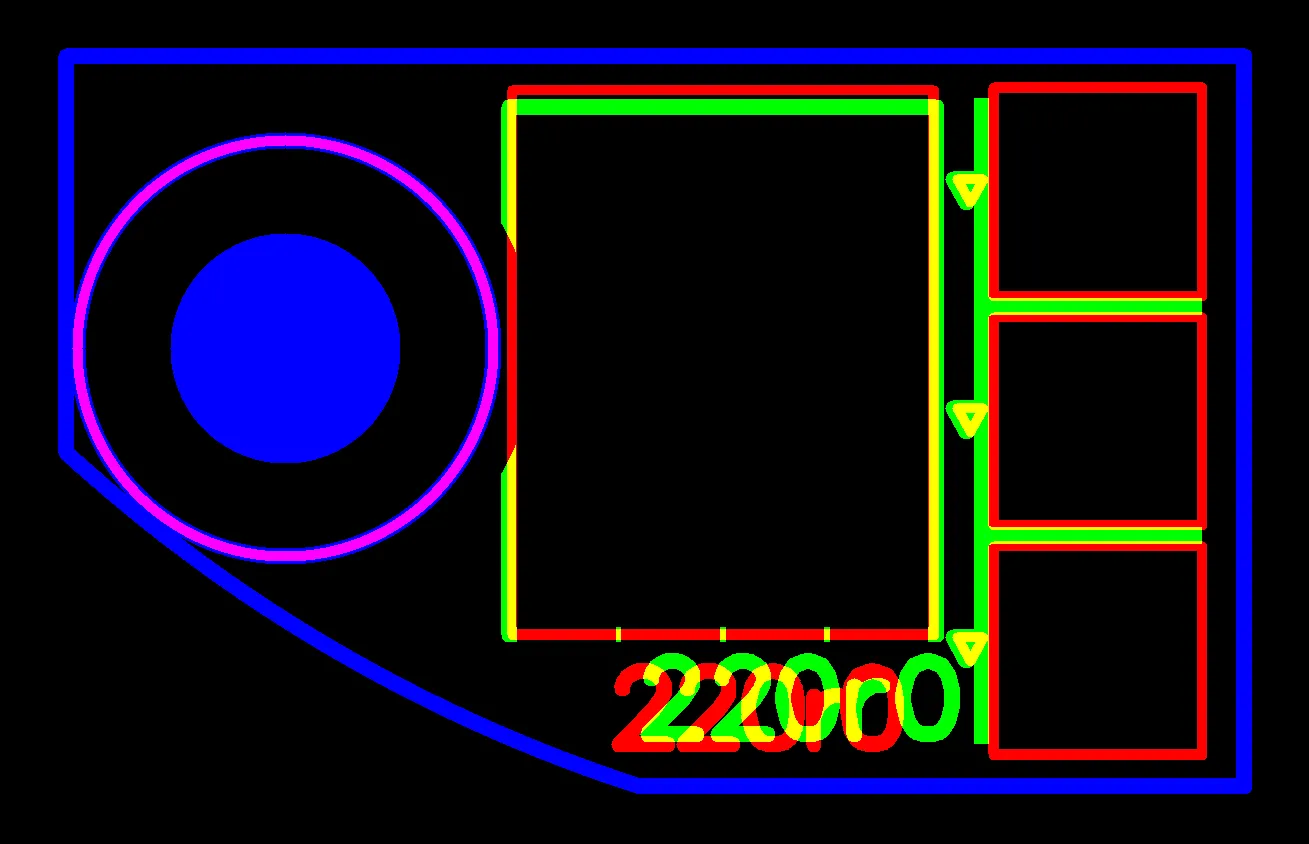
To avoid silkscreen printing on pads, the characters and character outlines located on pads have been enlarged and shifted.
Character outline or text box means the stroked envelope of the letter, or the frame around the marking after text is vectorized. Clipping cuts that envelope. The remaining strokes may no longer form the intended character. Grow a small character to make it more printable, and the outline can push back onto the land. That is why move and scale show up together.
Text should not be parked on a neighboring land, or inside a solder-mask opening over copper that must stay solderable. This review does not introduce a keep-off number. The decision is accept the incomplete outline, delete the feature, or redraw.
The useful comparison is original silk-on-pad versus the treated outline on the same hits: which characters still meet a land after treatment, and whether the leftover fragment is still identifiable as that character. The last point is a customer acceptance call, not a factory spec.
Released Characters That Will Print Incomplete or Unclear
This population is original artwork, and some characters are already below the practical size for reliable silkscreen legibility. The finished markings may therefore appear incomplete or unclear. The EQ is whether that result is acceptable.
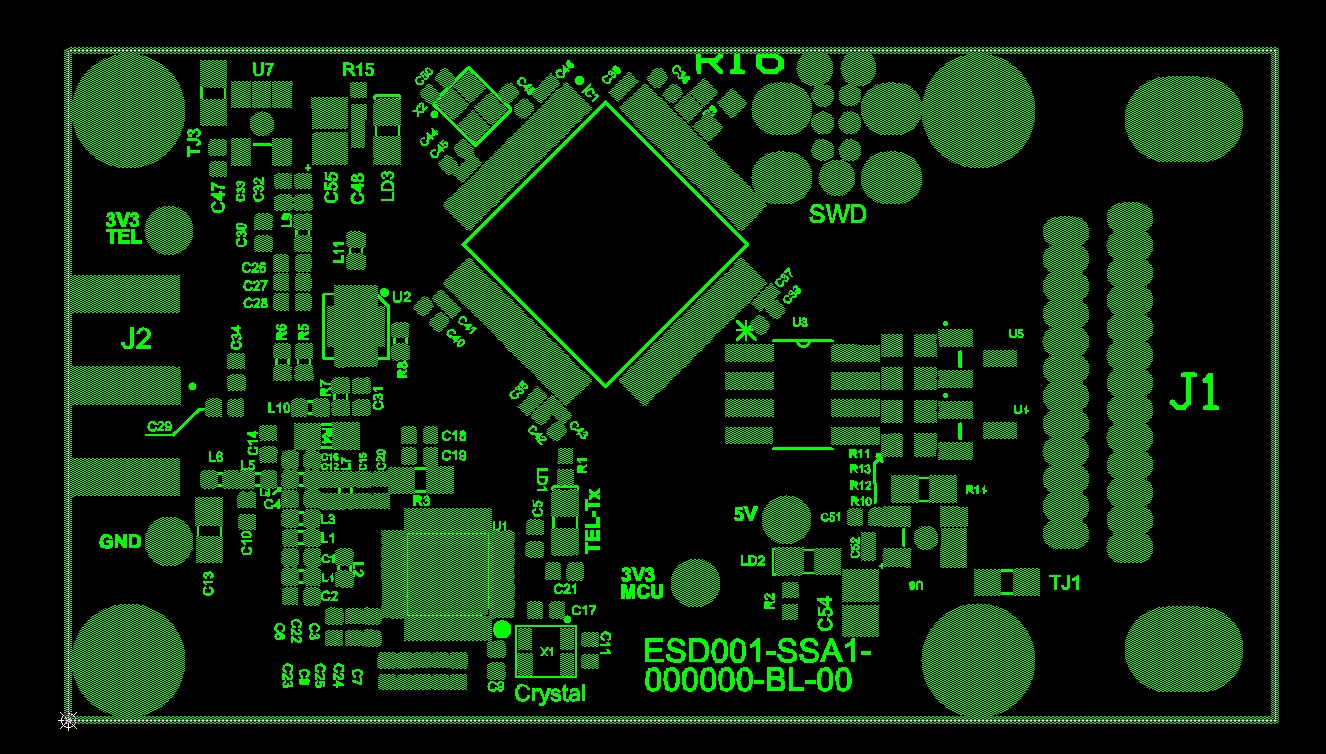
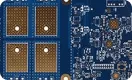
Some of the characters are small and have limited spacing. After printing, they may appear fuzzy or incomplete.
A small feature is visible in the silkscreen layer. That does not mean the finished board will read the same as the CAD screen. No print process is named here as a capability limit, and no height or line width is quoted.
Shrink text to escape a pad or to break an overlap, and this condition appears. Grow text to avoid it, and the on-pad condition comes back. Those two trades are already the other populations.
"Removed" in the title includes deleting a character that will not print as a readable mark and cannot be grown without hitting a land.
Treat the small-character population as released, not as a later shrink. Keep "small but fully off-pad" hits separate from "small and also on-pad or overlapping" hits. Each needs its own accept, delete, or redraw answer if the customer treats them differently.
Accept a Clipped Marking, Delete the Feature, or Return New Artwork
The legend is not silently rewritten into something the customer never agreed to. Three close paths cover the three populations.
Accept the treated silkscreen: residual clip after move or scale, overlapping characters left as released, or small original text that may print incomplete or unclear.
Delete the offending population: lose that marking, or that outline box, so lands stay clean and neighboring text stays readable.
Return a new silkscreen layer: relocate the string, drop non-functional boxes, or restyle the text so the marking is off-pad, separated, and acceptable as finished print. That geometry comes from the customer. A move or scale may already be on the table; clip, deletion, or a replacement Gerber still needs confirmation.
Leaving silkscreen on the pad is not the default close. If the customer wants that, name the hits. Mixed close is normal: decorative boxes deleted, a clipped reference designator accepted, a polarity mark redrawn. Do not close "all silkscreen" as one answer when only some strings sit on pads or only some are below a printable size. Name the hits per path.
| Population | Action already on the table | Customer close |
|---|---|---|
| Overlapping characters, no unused field | No legal move on that side | Accept the overlap, delete one colliding feature, or new artwork with a real gap |
| Silk on a land, after move and/or scale | Keep silkscreen off the land; some outlines remain incomplete | Accept the residual clip, delete the marking, or new artwork. On-pad ink only as a named exception |
| Small characters in the original artwork | None — the feature is already released | Accept incomplete or unclear print, delete the marking, or restyled artwork |
Overlay Checks on the Silkscreen Layer Before Release
The same two overlays catch these hits in the designer's files.
Overlay silkscreen to outer copper on each side that has a legend layer. Every flash on a land is a future question or a future clip.
Overlay silkscreen to itself. Stacked reference designators, frames drawn on top of text, and mirrored strings in the same site are the overlap population.
Look at unused field next to each suspect string before assuming the text can simply be moved.
Grow text to improve legibility, then run the land overlay again. Shrink text to clear a pad, and the small-character acceptance question comes back.
GTO and GBO, or the shop's silkscreen layer names, are the legend data. Paste and mask layers are not a substitute silkscreen layer.
That is the pre-release check. It is not a numeric design-rule list.
FAQ
Q1: Why does CAM clip or remove silkscreen text?
A1: Usually one of the three released conditions: characters overlap with no unused field, text still meets a pad after a keep-off-land move or scale, or the original characters are already small enough that the finished marking may not read. The layer is present. The geometry at lands and at other silk flashes is the problem.
Q2: Can silkscreen stay on a pad to keep a full character?
A2: Only as an explicit exception on named hits. The usual proposal is move or scale the text off the land and accept a residual clip if some of the outline is still incomplete. Ink on a solderable land interferes with solder and inspection.
Q3: What if overlapping reference designators have no room to move?
A3: Accept the overlap as released, delete one colliding feature, or return new silkscreen artwork with a real gap. A new location that changes which component the marking belongs to is not inferred from the files. The customer names the survivor — reference designator, outline box, or extra label.
Q4: Is small silkscreen text in the Gerber automatically rejected?
A4: No. A small character can still exist in the released file. The file does not guarantee that the finished marking will stay complete or easy to read. Off-pad small text and small text that also sits on a pad or in an overlap are separate lists if the customer treats them differently.
Q5: Does a note that says "do not modify silkscreen" override an on-pad hit?
A5: It creates a conflict between the note and land clearance. That conflict still needs a named close: accept the clip after treatment, allow on-pad ink on those hits, or new artwork. The note does not pick the answer by itself.
Q6: Should the character box be deleted if clipping the box saves the letters?
A6: Often the frame is the outline that can be dropped so the letters stay off the land and remain readable. Confirm that the box is decorative. Do not assume every box is functional. Top and bottom silkscreen share one answer only when both sides show the same population; otherwise confirm per side.